

This article contains affiliate links. If you purchase through one of our links, we may earn a commission at no extra cost to you. This does not influence which products we include or how they are ranked. For more options, browse our full Smart Speakers & Hubs collection.
If your kitchen counter is crowded with sticky notes, timers, and a phone propped up for recipes, a small smart display can simplify your entire routine. This Google Nest smart home hub review focuses on the Google Nest Hub (1st Gen), a compact 7-inch smart display with Google Assistant that brings voice control, visual answers, and centralized smart home management to apartments, bedrooms, and busy family kitchens without adding a camera to your space.
We assessed how this hub handles everyday tasks like controlling lights, playing music from Spotify, showing YouTube videos, and displaying your calendar, especially for households already invested in Google Assistant. You will appreciate its approachable size and soft Charcoal fabric finish if you want a hub that blends in rather than dominates the room. For broader context on building a connected setup, our smart home setup guide explains how a central display fits into a larger ecosystem.

Prime Google Nest Hub (1st Gen)


As an Amazon Associate we earn from qualifying purchases. Product prices and availability are accurate as of the date/time indicated.
In-Depth Review
Design and Build Quality for Everyday Spaces
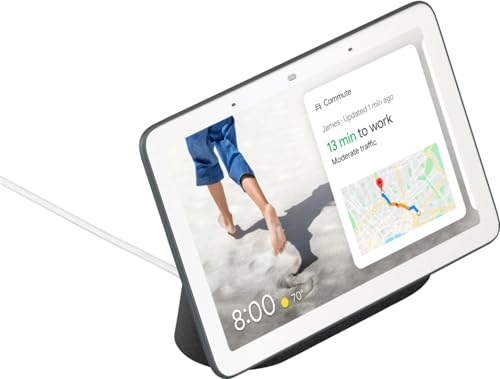
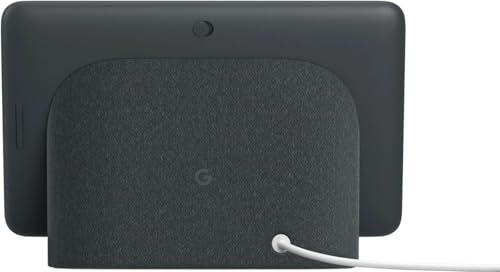
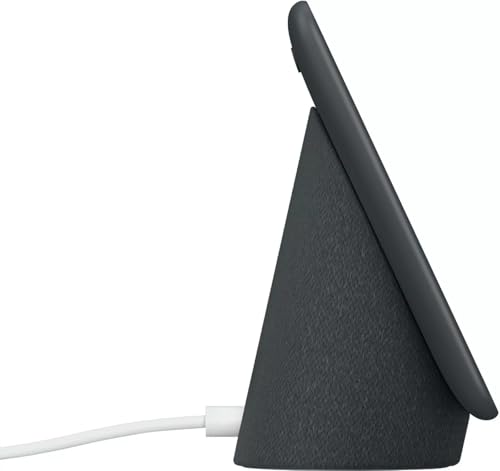
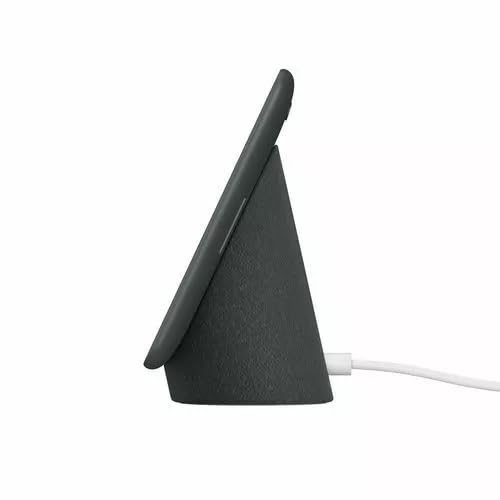
The Google Nest Hub (1st Gen) keeps things minimal with a floating 7-inch display mounted on a fabric-covered base in Charcoal that feels at home on a nightstand, desk, or kitchen counter. It is noticeably more compact than larger 10-inch hubs, so you can tuck it between a coffee maker and a fruit bowl without sacrificing precious workspace. The build feels stable and thoughtfully finished, with clean lines and a soft-touch base that resists slipping.
Unlike its larger sibling, this model intentionally omits a camera, a choice many households prefer for bedrooms, nurseries, and other private areas. You still get far-field microphones for reliable voice pickup across the room and an ambient light sensor that automatically adjusts brightness and color temperature. The result is a display that is comfortable to glance at during the day and gentle on the eyes at night.
Google Assistant and Smart Home Control in Practice
With Google Assistant built in and support for Wi-Fi and Bluetooth, you can manage compatible lights, plugs, thermostats, locks, and more with a simple voice command or a quick swipe on the screen. The Home View dashboard lets you see and adjust connected devices room by room, which is helpful when you want quick control without reaching for your phone. You can dim the living room, check the front door, or start a routine while your hands are full.
We found routines especially useful for tying multiple actions together, like dimming lights, lowering the thermostat, and playing sleep sounds with a single goodnight command. Voice recognition is responsive, and the visual confirmation on screen reduces the guesswork you sometimes get with audio-only speakers. If you live with roommates or family members who use different platforms, our guide to the best smart home hub for mixed ecosystems can help you understand how Google Assistant fits alongside Alexa and HomeKit.
Entertainment and Daily Helpfulness
Beyond control, the hub shines as an everyday helper for entertainment and information. You can ask it to play YouTube videos for step-by-step recipes, stream music and podcasts on Spotify, or show your Google Photos as a living frame when idle. The visual element makes answers more useful than a speaker alone, with weather forecasts that include graphics, calendar previews you can actually read, and directions you can send to your phone.
The display is also ideal for morning and evening routines, showing commute times, reminders, and sleep summaries in a single glance. In the kitchen, hands-free voice control lets you set timers, convert measurements, and follow instructions without touching the screen with messy hands. For renters who want flexible upgrades that do not require rewiring, explore our renter-friendly smart lighting ideas that pair beautifully with this display for instant ambiance.
Sound, Performance, and Tradeoffs
Audio is clear and balanced for podcasts, news, and background music in a bedroom, office, or small kitchen, though it will not fill a large open-plan living room like a dedicated speaker. The touchscreen is responsive for taps and swipes when you want to adjust brightness, browse cards, or pause media, but you will rely mostly on voice for true hands-free convenience. Setup is straightforward through the Google Home app, and once connected it stays reliably linked to your Wi-Fi network.
As a first-generation device, it lacks some newer conveniences like built-in Thread or Matter hub functionality and the larger screen real estate of the Max model. You also will not get video calling due to the absence of a camera, which is a privacy win for some but a limitation for others. Still, for straightforward control, visual assistance, and calm, glanceable information, it remains a focused and dependable option without unnecessary complexity.
Who Shouldn’t Buy This
You should skip the Google Nest Hub (1st Gen) if you need a built-in camera for video calls, powerful room-filling audio for large open areas, or native Matter over Thread support for the newest accessories. In those cases, look for a larger smart display with a camera or a dedicated hub that explicitly lists Matter and Thread compatibility.
Verdict
For anyone seeking a compact, privacy-conscious display that centralizes Google Assistant control and daily help, the Google Nest Hub (1st Gen) remains a smart and simple choice in 2026. Check the current details for the Google Nest Hub (1st Gen) on Amazon to see if it fits your space and routine.
Frequently Asked Questions
Does the Google Nest Hub (1st Gen) have a camera?
No, the Google Nest Hub (1st Gen) does not include a camera, which is intentional for privacy in bedrooms and family spaces. You can still use voice commands, view camera feeds from compatible security cameras, and make voice calls. Many buyers in 2026 choose this model specifically because it offers a display without a camera lens in the home.
Can the Google Nest Hub (1st Gen) control smart home devices without a phone?
Yes, once set up through the Google Home app, you can control compatible Wi-Fi and Bluetooth devices directly by voice or touch on the hub itself. You can adjust lights, thermostats, plugs, and routines without picking up your phone. If you rent or cannot rewire, see our best smart home hub for renters for non-permanent device ideas that work well with this display.
Is the Google Nest Hub (1st Gen) still worth buying in 2026 compared to newer hubs?
It remains worthwhile if you value a small footprint, Google Assistant, YouTube and Spotify playback, and a camera-free design over cutting-edge connectivity. Newer hubs may add Thread, Matter, or larger screens, but they also cost more and take up more space. For simple, reliable daily control and glanceable information, this 7-inch model still delivers strong everyday value.






Write Your Review
No reviews yet. Be the first to share your experience!