

This article contains affiliate links. If you purchase through one of our links, we may earn a commission at no extra cost to you. This does not influence which products we include or how they are ranked.
You know the feeling. Your hands are covered in flour, the timer is buzzing, and you need to check a recipe, dim the kitchen lights, and queue up music without touching your phone. That everyday chaos is exactly what the Google Nest smart home hub was designed to solve, with a small screen and hands free voice control at its core.
In this in depth review of the Google Nest smart home hub, we focus on one specific model, the Google Nest Hub (1st Gen). We evaluated how its 7 inch display, Google Assistant, and connected features perform as a kitchen companion, bedroom clock, and central controller. If you want a simple, screen based hub that blends into your decor and just works, this breakdown will help you decide, and you can explore more options in our Smart Speakers & Hubs collection.

Prime Google Nest Hub (1st Gen)


As an Amazon Associate we earn from qualifying purchases. Product prices and availability are accurate as of the date/time indicated.
In-Depth Review of the Google Nest Hub (1st Gen)
Compact Design and 7-Inch Display That Fits Anywhere
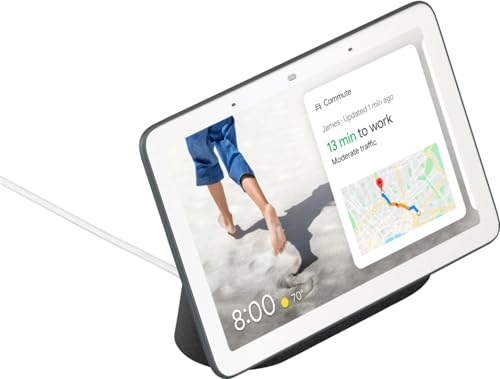
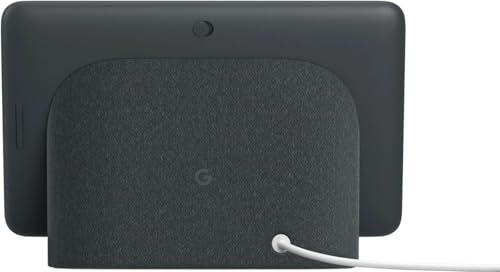
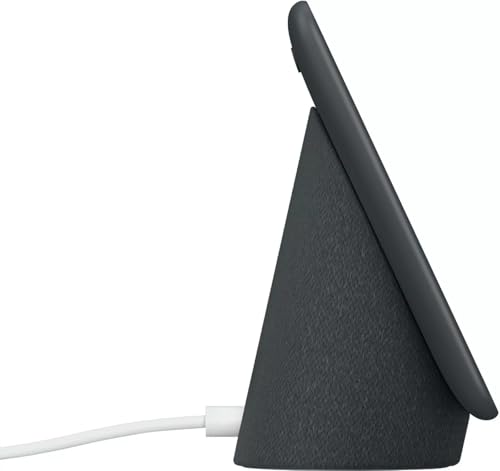
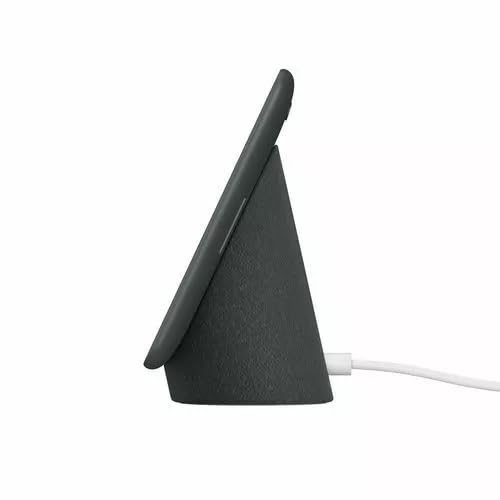
The Google Nest Hub (1st Gen) keeps its design intentionally minimal and homey. Its 7 inch display sits on a soft fabric base in Charcoal that looks more like decor than tech, so it does not dominate a nightstand, kitchen counter, or narrow console. We found the footprint ideal for small spaces where a larger display would feel bulky.
The screen is not meant to replace a tablet for long movies, but it excels at glanceable information. You get crisp visuals for recipes, weather, calendar events, and YouTube videos, with adaptive brightness and Ambient EQ that softens the display at night. It also doubles as a lovely digital photo frame when idle, pulling from your Google Photos.
Google Assistant and True Smart Home Control
Voice control is where this hub truly proves its value. With built in Google Assistant plus Wi-Fi and Bluetooth, you can control compatible lights, plugs, thermostats, and cameras with a simple command or a tap on the Home View dashboard. You can also build routines like Good Morning to turn on lights, announce your commute, and start Spotify automatically.
We appreciated how sensitive the far field microphones are, even with background cooking noise or music playing. For renters or anyone building a first smart home, it works as a central controller for many Wi-Fi devices without needing an extra bridge. If you share walls or need renter friendly gear, our best smart home hub for renters guide highlights similarly flexible options.
Everyday Helpfulness: Entertainment, Routines, and Family Use
Beyond device control, this display earns its keep with daily convenience. You can stream YouTube hands free while following a recipe, play music and podcasts on Spotify by voice, and set visual timers, reminders, and alarms that you can see across the room. The interface favors quick swipes and spoken commands, so you rarely need to dig through menus.
It also shines as a family hub for shared spaces. Use it to manage calendars and commute times, get step by step cooking guidance, check a compatible Nest doorbell feed, and handle broadcast messages between rooms. If you are planning a broader setup, our smart home setup guide walks you through pairing lights, speakers, and hubs without the usual frustration.
Sound, Privacy, and Practical Tradeoffs
Audio is clear and balanced for its compact size, perfect for background music, podcasts, news briefings, and Assistant responses. It fills a bedroom or kitchen nicely, though it will not replace a dedicated speaker if you crave deep, room filling bass. The full range speaker is tuned for voice clarity, which helps when you are asking for directions or listening to a recipe.
Privacy was a deliberate choice here, the 1st Gen model has no camera, which many people prefer for a bedroom or kids room, and you get a physical mic mute switch for peace of mind. The tradeoffs are generational, it lacks newer Thread or Matter radios and its processor is slower than current displays. If you want advanced local control and future proofing, compare it with picks in our advanced smart home hubs lineup.
Who Shouldn’t Buy This
You should skip the Google Nest Hub (1st Gen) if you need a built in camera for video calls, want a larger 10 inch screen for shared viewing, or require Matter and Thread support for a complex, locally automated home. In those cases, look at a larger Nest Hub Max or a newer hub with updated radios and faster performance.
Verdict
For its size, simplicity, and helpful Assistant integration, the Google Nest Hub (1st Gen) remains a charming and capable compact hub for kitchens, bedrooms, and small apartments in 2026. If you value a camera free design, easy voice control, and glanceable help over cutting edge specs, you can Google Nest Hub (1st Gen) with confidence.
Frequently Asked Questions
Is the Google Nest Hub (1st Gen) still a good choice in 2026?
Yes, for many users it is still a strong value, especially as a secondary display for the kitchen or bedroom. It handles Assistant routines, smart home control, YouTube, and Spotify reliably. It is less ideal if you need Matter, Thread, or a camera, where newer hubs make more sense.
Does the Google Nest Hub (1st Gen) have a camera for video calls?
No, this 1st Gen model was intentionally designed without a camera to make it more comfortable for private spaces. You can still make voice calls and use Assistant hands free, and you can mute the microphone with the hardware switch. If video calling is essential, consider a model with a built in camera.
Can the Google Nest Hub (1st Gen) control all my smart home devices?
It controls thousands of compatible Wi-Fi and Bluetooth devices that work with Google Assistant, including lights, plugs, locks, and thermostats. You manage them by voice or through the Home View dashboard. For complex setups with Zigbee, Z-Wave, or Matter devices, you may need a more advanced hub as outlined in our advanced smart home hubs guide.






Write Your Review
No reviews yet. Be the first to share your experience!