

This article contains affiliate links. If you purchase through one of our links, we may earn a commission at no extra cost to you. This does not influence which products we include or how they are ranked.
You have already set up a few GoveeLife lights and plugs, but reaching for your phone every time you want to dim the bedroom or turn off the living room strip feels clunky. A physical switch that does not require cutting into drywall or calling an electrician would make your smart home feel instantly more natural and guest friendly.
In this Govee smart light switch review we focus on the GoveeLife Smart Mini Double Button Switch, a tiny battery powered wireless controller designed to group and command multiple GoveeLife devices at once. It is an ideal fit for renters, apartment dwellers and anyone invested in the GoveeLife ecosystem who wants tactile control without rewiring. For broader renter friendly ideas, explore our guide to renter friendly smart lighting for apartments.

Prime GoveeLife Smart Mini Double Button Switch H5126101





As an Amazon Associate we earn from qualifying purchases. Product prices and availability are accurate as of the date/time indicated.
In-Depth Review
We assessed this switch on ease of installation, everyday usability, build flexibility and real world ecosystem performance to see where it shines and where it has limits. Our observations below focus on practical use rather than specs alone.
Effortless Setup Without Any Wiring
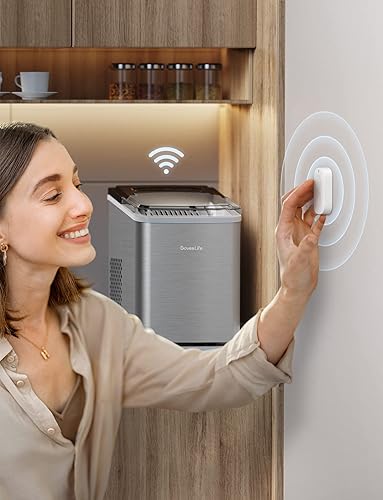
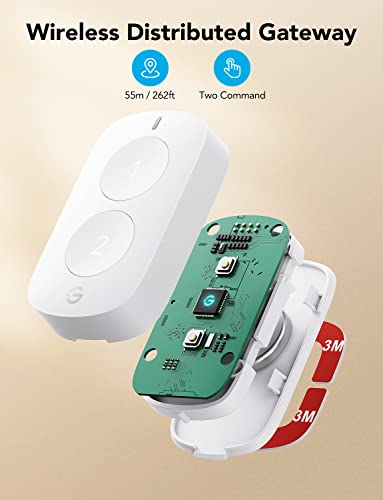
The biggest advantage is that you do not need a neutral wire, a screwdriver or an electrical box. The GoveeLife Smart Mini Double Button Switch runs on battery power and attaches with adhesive, so you can place it on a wall, headboard, desk edge or even inside a cabinet in seconds. That makes it ideal for rentals and for anyone who wants to avoid electrical work entirely.
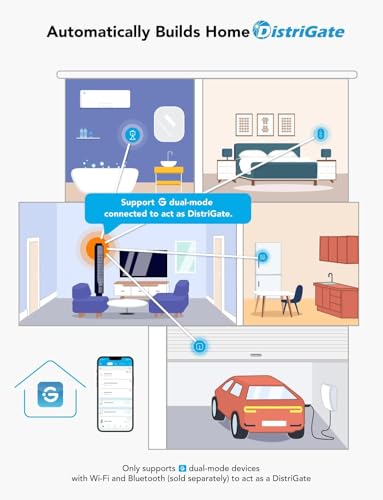
Pairing happens through the Govee Home app over Bluetooth, with a claimed range up to 180 feet in open space. In practice you will pair it once, assign devices, and then control them instantly without touching Wi-Fi settings or a hub. Once configured, the switch remembers your assignments even if you rearrange furniture or move it to another room.
Double Button Control That Simplifies Routines
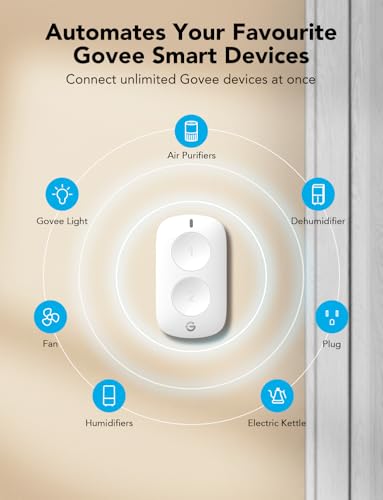
Despite its mini size, the two physical buttons are surprisingly versatile. Through the app you can assign single press, double press and long press actions for each button, which effectively gives you up to six distinct commands from one tiny remote. That flexibility lets you tailor one button for daily on and off and the other for scenes or brightness.
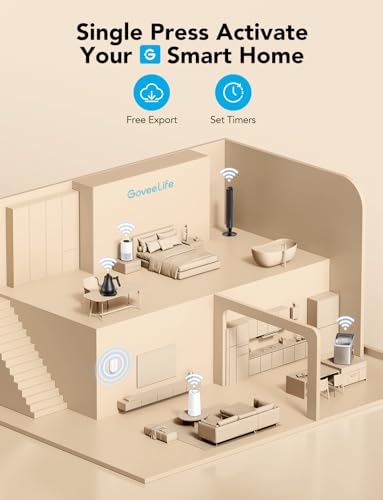
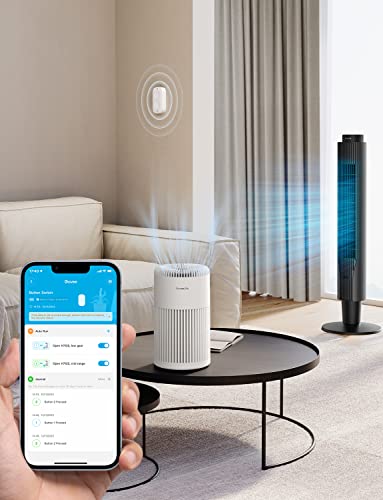
The standout feature is group control for multiple devices. You can link several GoveeLife lights, strips or plugs to one button so a single tap turns off the entire living room or activates a movie night scene. Learn how layered control compares in our overview of smart bulbs for color, control and comfort and how grouping changes daily convenience.
Compact Build and Flexible Placement
The switch is about the size of a small key fob, lightweight and low profile enough to disappear on a nightstand or stick discreetly beside a doorway. The matte finish resists fingerprints and the buttons offer a clear tactile click so you can operate it without looking. It feels solid despite its minimal weight and does not wobble when pressed.
Because it is battery powered and wireless, it is perfect for rentals where you cannot replace hardwired switches. You can move it as your layout changes, keep one by the bed and another by the entry, and remove it without leaving damage. See more flexible options in our Smart Lighting collection for ideas on placement and pairing.
Real World Performance and Ecosystem Boundaries
In daily use the Bluetooth connection feels immediate when you are within the same room or nearby hallway, with lights responding in under a second. Through walls and across longer apartment layouts the 180 foot claim drops, but it still comfortably covers a typical one or two bedroom space. Response remains consistent for grouped actions, which is where this switch excels.
The important caveat is ecosystem lock in. This switch supports most GoveeLife smart products, but it will not directly control Philips Hue, LIFX or other brands, and it does not act as a hardwired wall switch for non smart fixtures. If your home mixes many brands, you will still need broader voice or hub control to unify everything.
Who Shouldn’t Buy This
You should skip this switch if you need a true hardwired wall replacement, want to control non Govee brands directly, or prefer a Wi-Fi switch that works during internet outages without Bluetooth proximity. In those cases look for a neutral wire smart wall switch or a universal hub based button that supports Matter or Zigbee across brands.
Verdict
For GoveeLife users who want simple, renter friendly tactile control, the GoveeLife Smart Mini Double Button Switch is a clever and affordable upgrade that makes scenes and group control effortless. If that matches your setup, check the GoveeLife Smart Mini Double Button Switch on Amazon for current availability and details.
Frequently Asked Questions
Does the Govee smart light switch require wiring or a hub?
No wiring or hub is required. The switch is battery powered and connects via Bluetooth to your GoveeLife devices through the Govee Home app. You simply stick it where you want it, pair it once, and assign your preferred actions for each button press.
How many devices can the GoveeLife Smart Mini Double Button Switch control in 2026?
You can group multiple GoveeLife smart products to a single button action, so one press can command several lights, light strips or plugs at once. The exact number depends on your Govee Home app setup, but it is designed for whole room or scene control rather than single bulb toggling. For broader whole home planning, see our smart home setup guide.
Will this switch work if my phone is not nearby?
Yes, after initial setup the switch communicates directly with paired GoveeLife devices over Bluetooth, so you do not need your phone in hand for everyday presses. Your phone is only needed for initial configuration and for changing button assignments later, which keeps daily use fast and phone free.







Write Your Review
No reviews yet. Be the first to share your experience!