

Picture this: your lights, thermostat, garage door, and security cameras all running on separate apps, refusing to talk to each other. A quality smart home hub solves exactly that problem by acting as the central brain of your connected home. Whether you are just starting out or looking to upgrade an aging system, this guide covers 16 of the best smart home hubs available right now, from budget-friendly IR controllers to powerful local-processing powerhouses.
This roundup is designed for homeowners, renters, and tech enthusiasts at every skill level. We assessed compatibility, protocol support, ease of setup, and long-term reliability to help you make a confident decision. Read on for the full comparison, a practical buying guide, and honest final recommendations.
Pros
- Exceptional device compatibility across multiple protocols and major brands
- Local automation execution eliminates cloud latency for faster response times
- Dual connectivity options provide flexibility for any home network setup
- Intuitive SmartThings app makes setup and management straightforward for all skill levels
- Strong 4.2-star rating reflects reliable performance and user satisfaction
Cons
- Regional limitation to North America may exclude international users
- Requires SmartThings app for full functionality, adding dependency on Samsung ecosystem
- Price point at $149.99 is higher than some single-protocol hub alternatives
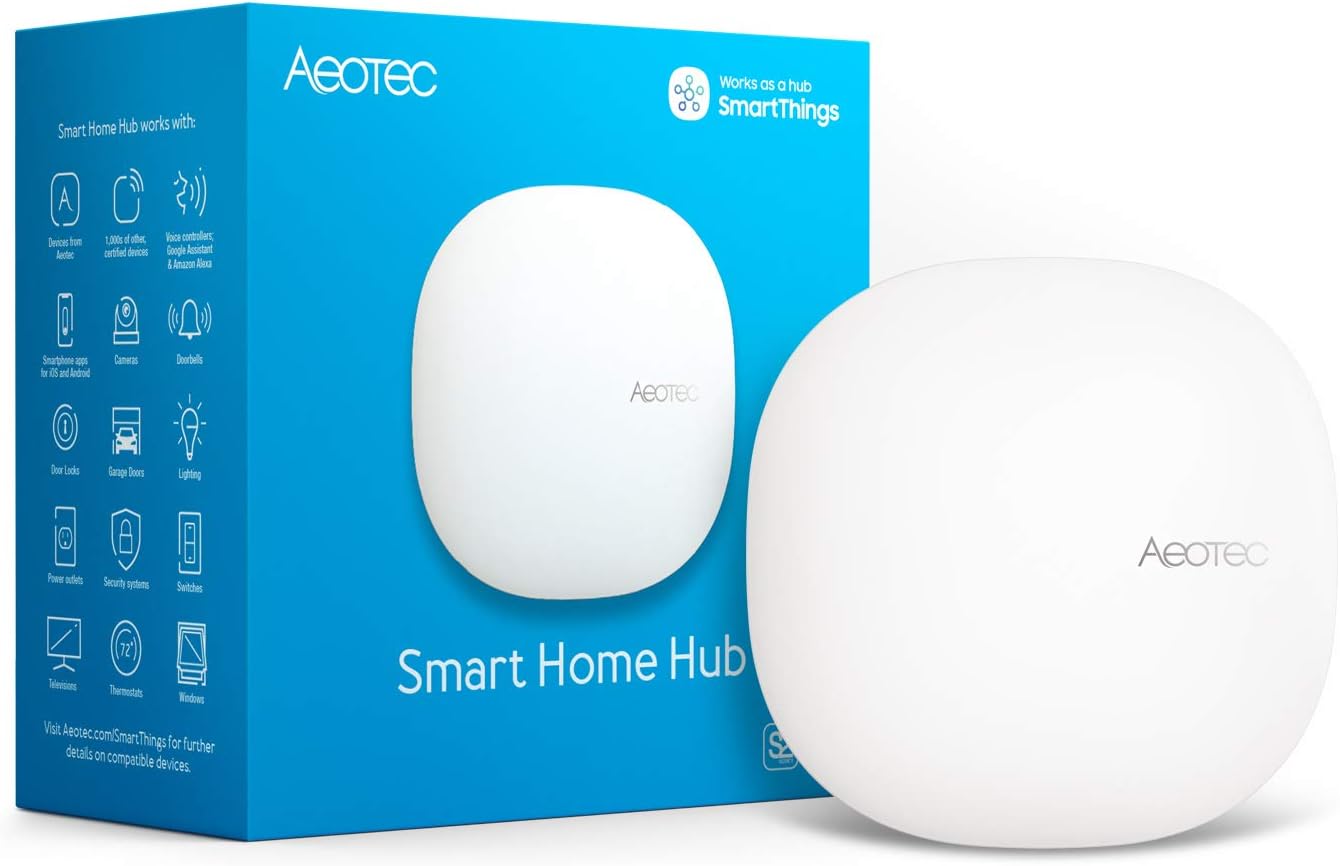
The Aeotec Smart Home Hub is a central control device designed for homeowners and tech enthusiasts who want to consolidate multiple smart home protocols into a single, manageable system. It functions as a gateway for Matter, Z-Wave, Zigbee, Wi-Fi, and works with both Alexa and Google Home, making it suitable for mixed-ecosystem households.
The standout feature is local automation processing, which means your routines and automations run on the hub itself rather than relying on cloud servers. This delivers noticeably faster response times when triggering lights, locks, or sensors, and ensures your smart home continues functioning even during internet outages. The SmartThings app provides an intuitive interface for building custom automations and managing thousands of compatible devices from leading brands.
Setup is straightforward, taking just minutes through the SmartThings app. You can choose between Wi-Fi or wired Ethernet connectivity, giving you flexibility based on your home network layout and performance needs. The hub's compact design fits easily on a shelf or nightstand without being obtrusive.
The main limitation is that it requires the SmartThings ecosystem and is certified for North American use only. Some users might find the $149.99 price higher than single-protocol alternatives, though the multi-protocol support justifies the investment for complex smart homes. The solid 4.2-star rating indicates consistent reliability in real-world use.
This hub is an excellent choice for anyone building a comprehensive smart home with devices across multiple brands and protocols. It eliminates the need for separate hubs and provides the local processing speed that makes smart homes feel truly responsive and reliable.
Protocols Supported: Matter, Z-Wave Plus (V3), Zigbee, Wi-Fi, Google Home, Amazon Alexa
Connectivity: Wi-Fi and Ethernet (wired)
Setup: SmartThings app on Android, iOS, or iPadOS
Automation: Local processing for improved speed and reliability
Regional Availability: North America
Brand: Aeotec
Category: Smart Home Hubs and Controllers
Who Should Buy This? This hub is ideal for users with multiple smart home brands and protocols, those prioritizing fast local automation, and anyone wanting to consolidate several hubs into one device. It's perfect for Alexa or Google Home users who need advanced automation beyond basic voice commands.
Who Might Want to Look Elsewhere? If you only use a single protocol (like Z-Wave only) or have a small number of devices, a single-protocol hub may be more cost-effective. Users outside North America should verify regional compatibility before purchasing.
Setup Considerations: Ensure you have the SmartThings app installed before setup. Choose Ethernet connection if your hub location has good wired network access for optimal stability. Plan your automation routines in advance to maximize the hub's local processing capabilities.

Pros
- Easiest entry point to Home Assistant with zero configuration needed out of the box
- Exceptional energy efficiency at 2 watts makes it ideal for 24/7 operation
- Complete data privacy with local-only storage and no mandatory cloud subscription
- Wired Gigabit Ethernet provides rock-solid, lag-free connectivity compared to Wi-Fi alternatives
- Compact fanless design fits anywhere without noise or maintenance concerns
Cons
- Requires Ethernet connection, no Wi-Fi option limits placement flexibility in some homes
- Remote access requires either Home Assistant Cloud subscription or manual VPN setup
- Learning curve for automation setup and blueprints, despite user-friendly interface
The Home Assistant Green is an official smart home hub designed by Nabu Casa specifically for users who want centralized control of their connected devices without the complexity of self-hosting or the privacy concerns of cloud-dependent systems. It's perfect for homeowners tired of juggling multiple apps and hubs, from beginners exploring home automation to experienced users seeking a dedicated, privacy-first platform.
What sets this hub apart is its remarkable simplicity and efficiency. Home Assistant OS comes pre-installed, so you simply plug in the power and Ethernet cable to start automating your home. The quad-core processor, 4GB of RAM, and 32GB of onboard storage handle complex automations smoothly, controlling hundreds of devices simultaneously. Its fanless design runs virtually silent and consumes only 2 watts of power, making it one of the most sustainable smart home solutions available.
The hardware itself reflects thoughtful design. The small, unobtrusive form factor fits seamlessly into any home environment. Wired Gigabit Ethernet ensures stable, lag-free connectivity that Wi-Fi-dependent hubs simply cannot match. If you need additional wireless protocols, USB ports allow easy expansion with Z-Wave, Zigbee, and Thread adapters. All your automation data stays local on the device, giving you complete privacy and ownership over your smart home information.
The main limitation is the mandatory wired connection, which may require running Ethernet cables in some homes. Additionally, accessing your home remotely requires either a Home Assistant Cloud subscription or setting up an alternative remote access solution. The initial automation setup involves a learning curve, though the active community provides extensive guides and blueprints to ease the process.
The Home Assistant Green delivers exceptional value for users prioritizing privacy, reliability, and ease of use. It's the best way to start your Home Assistant journey without technical complexity, making it highly recommended for anyone serious about building a cohesive smart home ecosystem.
Hardware: Quad-core processor, 4GB RAM, 32GB eMMC storage
Connectivity: Gigabit Ethernet (wired only), USB ports for Z-Wave, Zigbee, and Thread expansion
Design: Fanless, silent operation, compact form factor
Power Consumption: Approximately 2 watts
Software: Home Assistant OS pre-installed and configured
Data Storage: Local-only, years of smart home history supported
Remote Access: Requires Home Assistant Cloud subscription or alternative VPN solution
Who Should Buy: This hub is ideal for homeowners wanting to consolidate smart home control into one platform, users concerned about data privacy, and anyone seeking a low-maintenance, energy-efficient automation solution. It works best if you have wired Ethernet available and are willing to invest time learning Home Assistant's powerful automation capabilities.
Who Might Want to Wait: If you require wireless connectivity only and cannot run Ethernet, or if you prefer plug-and-play automation without customization, consider alternative hubs. Those needing immediate remote access without additional subscriptions should evaluate other solutions first.
Setup Considerations: Plan for Ethernet cable routing before purchase. Budget time for initial configuration and automation setup. Join the Home Assistant community forums and Discord for support during the learning phase. Consider a Home Assistant Cloud subscription if you need reliable remote access.

Pros
- Proprietary Clear Connect technology provides superior reliability compared to WiFi-dependent hubs
- Exceptional compatibility with 10+ major smart home ecosystems and voice assistants
- Supports up to 75 devices with room to expand your smart home gradually
- Geofencing and automation features save energy and enhance security
- Straightforward installation and intuitive mobile app interface
Cons
- Requires separate purchase of Caseta dimmers, switches, and shades to build out your system
- Initial setup requires connecting to your WiFi router, which some users may find counterintuitive
- Limited to Lutron Caseta ecosystem for direct control, though it bridges to other platforms
The Lutron Caseta Smart Hub is a central control unit designed for homeowners who want reliable, interference-free smart lighting without the headaches of WiFi dependency. This hub serves as the brain of your Lutron Caseta ecosystem, enabling control of dimmers, switches, and motorized shades through a smartphone app, tablet, or Apple Watch. It's best suited for users who prioritize stability and compatibility over a single-brand ecosystem.
The standout feature is Clear Connect technology, a proprietary wireless protocol that operates independently of WiFi, ensuring your lights respond instantly without the lag or disconnections common to WiFi-based systems. The hub supports up to 75 devices, giving you plenty of room to expand your smart home at your own pace. Real-world performance is excellent, with users praising the consistent, snappy response times. Voice control works flawlessly with Alexa, Google Assistant, and Siri, while geofencing automatically triggers lights when you leave or arrive home.
Build quality is solid and understated. The white unit is compact and designed to plug directly into a wall outlet, so installation is genuinely plug-and-play. The free Lutron app is clean and straightforward, making scheduling, scene creation, and device management accessible even for smart home newcomers. Setup takes minutes, and pairing additional devices is intuitive.
The main drawback is that this hub only controls Lutron Caseta devices directly, so you'll need to purchase compatible dimmers, switches, and remotes separately. Additionally, while the hub bridges to other platforms like Sonos and Ring, those integrations don't offer the same level of control as native Lutron devices. The hub itself requires a WiFi connection to your router, which some buyers find contradictory given the emphasis on avoiding WiFi interference.
Verdict: The Lutron Caseta Smart Hub is an excellent choice for anyone seeking a stable, future-proof smart lighting foundation. If you value reliability and seamless multi-platform integration over convenience and low cost, this hub delivers on all fronts. Highly recommended for serious smart home enthusiasts.
This hub works with more leading smart home brands than any competitor. Direct integration includes Amazon Alexa, Apple HomeKit, Google Assistant, Ring, Ecobee, Honeywell, Logitech, Samsung SmartThings, Sonos, and Serena motorized shades. You can control lights and shades through any of these platforms, and voice commands work across all major voice assistants.
The hub acts as a bridge between your Lutron Caseta devices and your preferred smart home ecosystem. This means you can control your lights through the Lutron app, Alexa app, Apple Home app, or Google Home app simultaneously. Scenes and automations created in one platform sync across others, giving you maximum flexibility without vendor lock-in.
Installation is genuinely simple. Plug the hub into a power outlet near your WiFi router, download the free Lutron app, and follow the in-app instructions. The entire process typically takes 5-10 minutes. No tools, wiring, or technical knowledge required.
Once connected, pairing Caseta dimmers and switches is equally straightforward. Most users can add devices by pressing and holding buttons on the hub and device, or by scanning QR codes in the app. The app guides you through naming rooms, assigning devices, and creating scenes and automations.

Pros
- Flexible dashboard customization makes it easy to prioritize the devices you use most
- Works with an enormous ecosystem of smart home devices across multiple connectivity protocols
- Wall-mountable design fits seamlessly into any room with clean cable management options
- Strong privacy protections and sustainability features with 27% recycled materials
- Intuitive interface reduces the learning curve for multi-device smart home management
Cons
- Requires Alexa+ subscription and Ring subscription (sold separately) to unlock advanced features like camera integration
- Additional accessories like wall mounts and power-over-ethernet adapters cost extra
- Relies on compatible devices, so older or non-Alexa products won't integrate
The Amazon Echo Hub is a redesigned 8-inch smart home control panel built for families and households with multiple connected devices. It serves as both a visual command center and a smart home hub, eliminating the need to juggle multiple apps or voice commands to manage your connected ecosystem. This product is ideal for tech-forward homeowners who want centralized control without the complexity of professional smart home systems.
The standout feature is the customizable dashboard, which lets you arrange device controls into sections and resize them based on your priorities. You can create different layouts for different family members, ensuring everyone can quickly access the devices they use most. Combined with voice-activated routines and device modes, this hub transforms how families interact with their smart homes, enabling one command to control multiple devices simultaneously.
Design and build quality are solid, with a modern 8-inch touchscreen and flexible mounting options. The hub can be wall-mounted anywhere with an outlet, and it supports in-wall cable pass-throughs or power-over-ethernet adapters for a clean installation. The device itself is made from 27% recycled materials, and the packaging is almost entirely wood fiber-based, reflecting a genuine commitment to sustainability.
The main drawback is the subscription requirement for advanced features. While the hub itself works well as a control panel, accessing Ring camera summaries and voice-searchable footage requires both an Alexa+ subscription and a compatible Ring subscription. Additionally, it only works with Alexa-compatible devices, so legacy smart home products won't integrate without additional hubs.
Overall, the Echo Hub is an excellent choice for households looking to simplify smart home management. Its intuitive interface, broad device compatibility, and customizable controls make it one of the best centralized smart home panels available. If you have multiple connected devices and want to reduce app fatigue, this hub delivers real value.
Display: 8-inch touchscreen
Connectivity: WiFi, Bluetooth, Zigbee, Matter, Sidewalk, and Thread
Installation: Wall-mountable with power outlet, supports in-wall cable pass-throughs and power-over-ethernet adapters
Compatible Devices: Thousands of Alexa-compatible devices including cameras, locks, alarms, and sensors
Materials: 27% recycled materials, 97% recycled or responsibly sourced packaging
Security Features: Microphone off button, multiple privacy control layers, compatible security system integration
Price: $179.99
Best For: Families with multiple smart home devices who want one central control point, tech-savvy homeowners seeking to reduce app clutter, and anyone interested in voice-controlled home automation.
Consider Alternatives If: You have primarily non-Alexa devices, prefer not to subscribe to additional services, or need a simpler smart home solution with fewer devices.
Budget Consideration: At $179.99 plus optional subscriptions and accessories, this is a mid-range smart home hub. It's more affordable than professional systems but requires ongoing subscription costs for full functionality.

Pros
- Exceptional backward compatibility with 8,000+ IR brands and 18 device types covers nearly all household appliances
- Matter certification future-proofs your smart home and enables seamless integration across multiple platforms
- Affordable all-in-one solution that replaces multiple remotes and eliminates the need for a separate chime device
- Intuitive Tapo app makes setup and automation creation straightforward for users of all technical levels
- Local processing and low-latency alerts ensure reliable automation even without internet connectivity
Cons
- Requires a separate 5V/2A USB power adapter, which is not included in the package
- Matter Controller device required for initial setup, adding an extra requirement for new users without existing smart home hubs
- Operating temperature range of 32-104°F may limit outdoor placement in extreme climates
The Tapo H110 is a compact smart home hub designed to simplify control of infrared appliances while serving as a central connection point for the Matter ecosystem. It's ideal for homeowners with a mix of new smart devices and older infrared-controlled electronics like TVs, air conditioners, and fans who want unified control without replacing everything.
The standout feature is its universal IR remote capability covering 8,000+ brands across 18 device types, combined with Matter certification that bridges Alexa, Google Home, Apple Home, and SmartThings. Voice control works seamlessly, and location-based automations using GPS detection let your AC power on as you arrive home. The built-in 93dB chime and alarm eliminate the need for a separate speaker, delivering real-time alerts for motion, door activity, and temperature changes through connected Tapo sensors.
Build quality appears solid with a compact footprint suitable for any room. The hub operates reliably between 32-104°F and handles up to 90% humidity. The Tapo app provides intuitive controls for setup, IR learning, and automation creation, while quarterly database updates ensure compatibility with new appliance models.
The main drawbacks are the separate USB power adapter requirement and the need for an existing Matter Controller device during initial setup. These aren't deal-breakers but add minor friction for new smart home users. Additionally, the operating temperature range may limit placement in very hot or cold environments.
Overall, the Tapo H110 delivers excellent value as an all-in-one hub that consolidates remotes, enables voice control, and future-proofs your smart home through Matter support. It's particularly valuable for households with legacy appliances that would otherwise remain disconnected from smart automation.
Universal IR Remote Control: The H110 learns and stores commands from thousands of infrared brands, replacing multiple remotes with a single app-based or voice-controlled interface. The compatibility database updates every three months to support newly released models.
Matter Ecosystem Integration: As a Matter-certified hub, the H110 acts as a bridge between different smart home platforms. This means your IR devices and Tapo sensors can be controlled from Apple Home, Google Home, Amazon Alexa, and SmartThings simultaneously without vendor lock-in.
Voice & Location-Based Automations: Combine voice commands with GPS detection to create powerful routines. For example, say 'Alexa, I'm leaving' and the system powers down your AC, or arrive home to an already-cool room through location-triggered automations.
Built-in Chime & Alarm System: The 93dB alarm provides audible notifications for motion detection, door/window sensors, and custom events without requiring a separate smart speaker. Customizable tones let you differentiate between alert types.
Local Processing & Offline Reliability: Core automations continue operating even if your internet goes down, ensuring critical functions like motion-triggered alerts remain active during connectivity issues.
Model: Tapo H110
Connectivity: 2.4 GHz WiFi, Matter support
IR Coverage: 8,000+ brands, 18 appliance types (TV, AC, fan, light, projector, robot vacuum, set-top box, air purifier, humidifier, water heater, electric heater, electric curtain, amplifier, DVD, camera, foot tub, drying rack, box devices)
Voice Assistants: Amazon Alexa, Google Assistant, Apple Siri (via Matter)
Alarm Output: 93dB built-in chime
Operating Temperature: 32-104°F (0-40°C)
Humidity Rating: Up to 90% non-condensing
Power Requirements: 5V/2A USB power adapter (sold separately)
Included Accessories: USB-C power cable, Quick Start Guide
Compatibility: iOS 12+, Android 6.0+
Certifications: Matter-certified, FCC-certified

Pros
- Affordable smart home upgrade that works with existing garage door openers, avoiding expensive replacement costs
- Real-time alerts and remote control provide genuine security and convenience for busy homeowners
- Seamless integration with Amazon Prime benefits through Amazon Key In-Garage Delivery
- Easy setup process with Bluetooth connectivity and broad compatibility across major opener brands
- Compact, modern design that doesn't detract from garage aesthetics
Cons
- Not compatible with certain Chamberlain Group openers with yellow learn buttons manufactured between 2010-2021 or Linear openers, limiting compatibility for some users
- Requires 2.4 GHz WiFi router within 50 feet of the device, which may require additional networking setup for larger garages
- Controlling a second garage door requires purchasing an additional sensor separately
The Chamberlain myQ Smart Garage Control is a wireless hub that converts traditional garage door openers into smart devices controllable from your smartphone. It's designed for homeowners who want modern automation without the expense of replacing their existing garage door opener, making it an accessible entry point into smart home technology.
The standout feature is the comprehensive smartphone control paired with real-time notifications that alert you whenever the garage door opens, closes, or is left open. The Amazon Key In-Garage Delivery integration is particularly valuable for Prime members, allowing packages and groceries to be securely delivered directly inside your garage. Access sharing through myQ Guest lets you grant temporary control to family members, service providers, or delivery personnel without compromising security.
Design and installation are straightforward, with a compact white hub that blends into garage ceilings and walls. The Bluetooth setup process is simpler than traditional WiFi-only devices, and compatibility extends to most major garage door opener brands manufactured after 1993. The system requires a 2.4 GHz WiFi router within 50 feet and standard photoelectric sensors that remain powered continuously.
The primary limitation is compatibility restrictions with certain newer Chamberlain models and Linear openers, which may exclude some users. Additionally, controlling multiple garage doors requires purchasing separate sensors, adding to the overall investment. WiFi range requirements also mean larger properties may need network expansion.
Overall, the myQ Smart Garage Control delivers genuine value for homeowners seeking affordable smart garage automation. With strong user ratings and practical features that address real daily concerns like forgotten open doors and package security, it represents a smart investment in home convenience and peace of mind.
Before purchasing, verify your garage door opener compatibility. The myQ Smart Garage Control works with most major brands including Liftmaster, Craftsman, and others manufactured after 1993, provided they have standard photoelectric safety sensors that remain powered continuously.
Important exclusions include any Chamberlain Group opener with a yellow learn button manufactured between 2010 and 2021, and all Linear brand openers. If your sensors have lights that turn off after the door closes, this device is not compatible. Check your opener's documentation or contact the manufacturer if uncertain about your specific model.
System requirements include a 2.4 GHz WiFi router (802.11 B/G/N standard) positioned within 50 feet of the hub. The device is certified for use in the United States only and requires a sectional garage door configuration. Bluetooth connectivity simplifies initial setup even if WiFi range is initially challenging.

Pros
- Outstanding local automation capabilities keep your smart home functioning independently of internet connectivity
- Exceptional device capacity of 127 Zigbee plus 127 Thread devices handles expansive smart home setups without bottlenecks
- Matter bridge support enables true ecosystem flexibility, connecting Aqara devices to Home Assistant, HomeKit, Alexa, and SmartThings
- Military-grade privacy features including end-to-end encrypted storage and absence of surveillance components
- Multiple power and connectivity options including PoE, dual-band Wi-Fi, and USB-C backup ensure reliable operation in any installation scenario
Cons
- Only compatible with Aqara brand Zigbee devices, not third-party Zigbee products, which limits device interoperability within the Zigbee protocol
- Requires proper placement between 6 to 19 feet from your router for stable wireless connectivity, potentially limiting installation flexibility
- Power adapter not included with purchase, requiring separate acquisition of a 2A USB-C adapter for operation
The Aqara Hub M3 is a sophisticated smart home controller designed for users who demand local automation, advanced privacy protection, and seamless multi-ecosystem integration. This hub serves as both a Matter controller and Thread border router, making it ideal for those building large-scale Aqara installations or seeking to bridge their Aqara devices into broader smart home platforms like Home Assistant or Apple HomeKit.
What truly sets the M3 apart is its edge hub architecture, which shifts automation processing from the cloud to your local network. This means your automations continue working even during internet outages, a critical feature for reliability-focused homeowners. The hub supports an impressive 127 Aqara Zigbee devices and 127 Thread devices, providing exceptional scalability. The 360-degree IR blaster with feedback detection is particularly clever, converting traditional infrared devices like air conditioners into smart, Matter-compatible controls that integrate seamlessly with your broader automation ecosystem.
The build quality reflects Aqara's premium positioning, with dual connectivity options including dual-band Wi-Fi with WPA3 security, Power over Ethernet support, and USB-C connectivity for backup power via UPS or power banks. The 8GB encrypted local storage ensures your automation configurations and device data remain secure and private. The inclusion of a 95dB speaker adds practical value for local alerts and custom ringtones, all functioning without internet dependency.
The main limitation is strict Aqara Zigbee device compatibility, meaning you cannot pair third-party Zigbee devices directly. Additionally, the hub requires placement within 6 to 19 feet of your router for optimal performance, and you must purchase a 2A USB-C power adapter separately. These constraints are relatively minor for committed Aqara ecosystem users but worth considering if you have existing third-party Zigbee hardware.
The Aqara Hub M3 delivers exceptional value for advanced users prioritizing local automation, privacy, and ecosystem flexibility. If you're building a robust Aqara smart home and want the freedom to integrate into other platforms, this hub is a worthwhile investment that will serve as a reliable foundation for years to come.
Edge Hub Architecture: Unlike cloud-dependent hubs, the M3 processes automations locally on your network. This means your smart home continues functioning during internet outages, with automations automatically resuming from existing hubs if the M3 fails, ensuring continuous operation.
Matter Bridge with Multi-Ecosystem Support: The M3 acts as a Matter bridge, allowing Aqara devices to integrate with Home Assistant, Apple HomeKit, Amazon Alexa, and Samsung SmartThings simultaneously. This eliminates vendor lock-in and provides unprecedented ecosystem flexibility.
Advanced IR Control with Feedback: The 360-degree IR blaster not only sends commands but detects when traditional remotes are used, providing accurate status updates. Pair it with an Aqara Temperature and Humidity Sensor to create a fully smart AC thermostat without replacing your existing unit.
Privacy-First Design: The M3 contains no microphone or camera, eliminating privacy concerns. All data is stored locally with end-to-end encryption on the 8GB eMMC storage, keeping your automation configurations and device information completely private.
Flexible Power and Connectivity: Choose between dual-band Wi-Fi with WPA3 security, Power over Ethernet (PoE) for hardwired reliability, or USB-C for emergency backup power via UPS or power bank. This flexibility ensures the hub remains operational in virtually any scenario.
Who Should Buy: The Aqara Hub M3 is ideal for advanced smart home enthusiasts with existing Aqara device ecosystems who prioritize local automation, privacy, and ecosystem flexibility. It's perfect for those with 50+ smart devices or anyone seeking to bridge Aqara hardware into platforms like Home Assistant.
Who Should Consider Alternatives: If you have extensive third-party Zigbee devices, the M3's Aqara-only Zigbee compatibility may be limiting. For basic smart homes with fewer than 20 devices, the more affordable Aqara Hub E1 or M1S Gen2 may provide sufficient functionality at lower cost.
Installation Considerations: Plan to place the hub 6 to 19 feet from your primary router for optimal wireless performance. If you want PoE connectivity, ensure your network infrastructure supports Power over Ethernet. Budget for a separate 2A USB-C power adapter if using standard power delivery.
Ecosystem Planning: The M3 truly shines when you're committed to the Aqara ecosystem but want multi-platform flexibility. If you plan to use Matter integration with Home Assistant, ensure your Matter-compatible devices are ready for this advanced setup before purchasing.

Pros
- Superior privacy and security with all processing happening locally on your home network
- Exceptional reliability, automations continue functioning during internet service interruptions
- No recurring subscription costs compared to cloud-dependent smart home platforms
- Broad device compatibility across multiple wireless protocols simplifies mixed-brand setups
- Continuous free updates ensure the hub remains current with latest smart home standards
Cons
- 3.9/5 rating suggests some users experience setup complexity or compatibility issues with specific devices
- Local control requires more technical knowledge than fully cloud-based alternatives for advanced customization
- May require additional Z-Wave or Zigbee devices to reach full potential compared to simpler plug-and-play hubs
The Hubitat Elevation C-8 Pro is a powerful local smart home hub designed for users who demand privacy, reliability, and independence from cloud services. This hub is ideal for tech-savvy homeowners and smart home enthusiasts who want complete control over their automations without relying on external servers or paying ongoing subscription fees.
The standout feature is its local processing core, which ensures your lights, locks, and thermostats respond instantly and continue working even when your internet connection fails. The AI-powered text-to-automation feature eliminates manual programming by automatically suggesting routines based on your connected devices, while the Rule Machine provides unlimited customization for complex automation scenarios. Multi-protocol support for Matter 1.5, Z-Wave 800 Long Range, Zigbee 3.0, Bluetooth, and Wi-Fi means you can mix devices from different brands without requiring a complete hardware overhaul.
Build quality appears solid with continuous free software updates ensuring the hub stays compatible with emerging smart home standards. The device integrates well with popular ecosystems including Ring, Alexa, Google Home, and Apple HomeKit, making it a flexible centerpiece for existing smart home setups. Performance benefits from local processing include faster response times and enhanced privacy since your data never leaves your home.
The main drawback is that setup and advanced customization require more technical knowledge than cloud-dependent alternatives, and the 3.9/5 rating indicates some users encounter compatibility issues with specific devices. Additionally, maximizing the hub's potential may require additional Z-Wave or Zigbee devices to ensure proper network coverage throughout your home.
The Hubitat C-8 Pro is an excellent choice for users who prioritize security, reliability, and long-term cost savings over convenience. If you want a smart home system that works independently of internet outages and avoids subscription traps, this hub delivers exceptional value and flexibility for advanced users willing to invest time in setup.
The Hubitat C-8 Pro supports five major wireless protocols, giving you flexibility in device selection. Matter 1.5 is the newest standard, providing better interoperability across brands and future-proofing your investment. Z-Wave 800 Series and Z-Wave Long Range offer excellent range and reliability for door locks, sensors, and switches throughout your home.
Zigbee 3.0 devices include many affordable smart bulbs, motion sensors, and outlets from brands like Philips Hue and IKEA. Bluetooth connectivity enables direct communication with compatible wearables and accessories. Wi-Fi support allows integration with devices that rely on standard internet connectivity. This multi-protocol approach means you can gradually build your smart home ecosystem without being locked into a single brand or technology standard.
Local processing is the C-8 Pro's defining advantage over cloud-dependent hubs. When automations run on your hub rather than remote servers, you gain three critical benefits: faster response times measured in milliseconds rather than seconds, complete functionality during internet outages, and guaranteed privacy since your data never leaves your home.
Cloud-based hubs may offer easier setup but sacrifice control, reliability, and privacy. The Hubitat C-8 Pro ensures your smart home remains functional and responsive regardless of internet service quality. This architecture also eliminates concerns about data collection, third-party access, or service discontinuation affecting your automations.

Pros
- Significantly faster processing with 1.7 GHz quad-core chip compared to previous generations
- Wireless design offers flexibility and cleaner setup without cable management
- Zigbee mesh network keeps lights functional even when Wi-Fi goes down
- Seamless migration from existing Hue Bridge with automatic device transfer
- Matter certification ensures compatibility with future smart home devices and platforms
Cons
- Higher price point at $98.90 may be steep for casual Hue users with small light counts
- Automatic migration only supports one existing bridge, requiring manual setup for multiple bridges
- Some third-party applications may not yet support the enhanced security protocols
The Philips Hue Bridge Pro is a wireless smart lighting hub designed for users with extensive Hue ecosystems who demand fast, reliable control over dozens of lights and accessories. This next-generation hub replaces the wired original bridge, offering wireless connectivity while maintaining enterprise-grade security and performance for serious smart home enthusiasts.
Performance is the standout feature here. The upgraded Hue Chip Pro runs at 1.7 GHz with a quad-core processor, delivering instant response times without taxing your Wi-Fi network. The Zigbee mesh technology is particularly valuable, as it keeps your lights operational even during Wi-Fi outages. With support for 150+ lights and 50+ accessories, plus 4GB of memory for 500 scenes and automations, this hub handles complex smart home setups that would overwhelm standard bridges.
Build quality and design reflect Philips' premium positioning. The wireless form factor eliminates cable clutter and allows flexible placement throughout your home. The hub features advanced encryption through the Zigbee Trust Center, protecting your data from unauthorized access. Matter certification adds future-proofing, ensuring this hub remains compatible as the smart home ecosystem evolves.
The main drawback is cost and migration limitations. At nearly $100, this hub is expensive for users with small light collections. Additionally, automatic migration only works with one existing bridge, so households with multiple bridges face manual setup work. Some legacy third-party applications may also require updates to work with the enhanced security standards.
The Philips Hue Bridge Pro is the right choice for power users and expanding smart home installations. If you have 20+ Hue devices or plan significant growth, the performance gains and reliability justify the investment. Casual users with fewer lights should consider the standard Hue Bridge as a more economical alternative.
Processor: Hue Chip Pro with 1.7 GHz quad-core Cortex-A35 CPU
Memory: 4GB DDR4 SDRAM
Connectivity: Wireless, Zigbee mesh network
Device Support: 150+ lights, 50+ accessories
Scene Storage: Up to 500 personalized scenes and automations
Security: Advanced encryption with Zigbee Trust Center
Platform Support: Apple Home, Alexa, Google Home, Samsung SmartThings, Matter-certified
Special Features: MotionAware technology, automatic motion-triggered lighting
Compatibility: Hue devices, Zigbee 3.0 compatible devices
Unit Count: 1 hub
Who Should Buy This: The Hue Bridge Pro is ideal for smart home enthusiasts with extensive Hue ecosystems (20+ lights), users who want wireless flexibility, and anyone prioritizing security and future-proofing through Matter certification. It's also perfect for those experiencing Wi-Fi congestion who benefit from the Zigbee mesh network.
Who Should Consider Alternatives: Users with fewer than 10 Hue lights may find the standard Hue Bridge more economical. If you require specific third-party app integrations, verify compatibility before purchasing, as some legacy applications may not yet support the enhanced security protocols.
Migration Tips: The hub guides you through automatic migration from one existing bridge during setup. If you have multiple bridges, plan to manually migrate content for additional bridges through the Settings menu. All Hue devices (lights, plugs, switches, sensors) migrate automatically, but non-Zigbee 3.0 devices need reconnection per manufacturer instructions.
Setup Recommendations: Place the hub centrally in your home for optimal Zigbee mesh coverage. The wireless design means you can position it away from your router for better signal distribution. Allow 15-20 minutes for initial setup and migration from your existing bridge.

Pros
- Exceptional multi-protocol compatibility eliminates the need for multiple hubs and reduces setup complexity
- Local automation processing ensures fast, reliable smart home responses even if your internet goes down
- PoE and USB-C power options provide flexible installation and uninterrupted operation during outages
- Advanced IR blaster with feedback detection brings traditional air conditioning units into the smart home ecosystem
- Works with all major smart home platforms, giving you complete freedom in device selection
Cons
- USB power adapter not included in the box, requiring a separate 2A adapter purchase
- Only one AC device can be exposed to Matter at a time, limiting multi-unit climate control automation
- Some features like cloud push notifications still require internet connection despite local automation support
The Aqara Hub M200 is a comprehensive smart home controller designed for users who want to consolidate multiple protocols and ecosystems into a single, powerful device. It's perfect for both beginners building their first unified smart home and advanced users expanding existing systems across Apple HomeKit, Amazon Alexa, Google Home, and Home Assistant.
The hub's standout feature is its ability to act as a Matter Controller, Thread Border Router, and Matter Bridge simultaneously. This means you can connect Aqara Zigbee devices, Thread-enabled products, and even traditional IR-controlled appliances like air conditioners. The 360-degree IR blaster is particularly impressive, offering feedback detection that lets you see when someone uses a physical remote, and it can transform legacy AC units into smart thermostats when paired with temperature sensors. Supporting up to 40 Zigbee and 40 Thread devices gives you substantial room for expansion.
What sets the M200 apart is its commitment to local automation. Instead of relying entirely on cloud servers, the hub executes automations locally for Zigbee and Matter devices, delivering millisecond response times and keeping your smart home functional even during internet outages. The dual-band Wi-Fi with WPA3 security, combined with PoE support and USB-C connectivity for mini-UPS backup, ensures your hub stays online when it matters most. The built-in speaker adds practical value for security alerts, doorbell notifications, and custom voice messages.
The main drawbacks involve some practical limitations. The USB power adapter isn't included, requiring a separate purchase. Additionally, only one AC device can be exposed to Matter at a time, which may frustrate users with multiple air conditioning units. Some automations like cloud push notifications still require internet connectivity despite the local processing capability.
The Aqara Hub M200 delivers excellent value at its price point for anyone serious about building a cohesive, reliable smart home. Its multi-protocol support, local automation, and extensive device compatibility make it a smart investment that simplifies rather than complicates your smart home setup.
Connectivity: Zigbee 3.0, Thread, Matter, Wi-Fi 2.4/5 GHz (WPA3), Bluetooth, Ethernet (PoE), USB-C
Device Support: Up to 40 Aqara Zigbee devices, Up to 40 Thread devices
IR Blaster: 360-degree coverage with feedback detection and learning capability
Smart Ecosystems: Apple HomeKit, Amazon Alexa, Google Home, Home Assistant, SmartThings
Features: Matter Bridge, Thread Border Router, Local automation execution, Built-in speaker, PoE support, USB-C mini-UPS compatible
Power: PoE or USB-C (2A adapter not included)
Who Should Buy: The Aqara Hub M200 is ideal for smart home enthusiasts who use multiple brands and platforms. It's perfect if you want to bridge Zigbee devices into HomeKit, control IR appliances via Alexa, or integrate everything into Home Assistant. It's also excellent for users who prioritize reliability and want local automation that works without cloud dependency.
Who Might Skip It: If you only use one ecosystem (like pure Apple HomeKit) with a single brand, a simpler hub might suffice. Users with multiple air conditioning units may find the one-AC limitation frustrating. Those unwilling to purchase a separate USB power adapter should budget accordingly.
Setup Considerations: Plan to purchase a compatible 2A USB power adapter separately. If using PoE, ensure your network infrastructure supports it. The hub works best when centrally located for optimal Wi-Fi and IR coverage. Consider your current device ecosystem and future expansion plans when evaluating whether this hub meets your needs.

Pros
- Exceptional accuracy with Swiss-made sensor technology and real-time push notifications for temperature and humidity changes
- Massive IR compatibility covers over 80,000 appliances with room-wide signal coverage
- Seamless multi-platform integration including Matter, HomeKit, Alexa, Google Home, and SmartThings
- Local control capability ensures device operation even when WiFi connection fails
- Geo-fencing and scene automation reduce manual control and save energy through intelligent scheduling
- Includes two physical smart buttons for accessibility across all age groups
Cons
- Limited temperature range of -4F to 104F may not suit extremely cold climates compared to some competitors
- Requires separate SwitchBot devices to build a complete ecosystem, adding to overall cost
- WiFi-only connectivity means some older infrared devices may not be compatible with smart learning feature
The SwitchBot Hub 2 is a 4-in-1 smart home hub designed for users who want to simplify their smart home setup without overwhelming complexity. This device targets homeowners and renters seeking to consolidate infrared remotes, monitor indoor climate, and create automated routines across multiple smart home platforms.
The standout feature is its Swiss-made sensor chip that delivers impressive accuracy (±1.8% relative humidity and ±0.36°F temperature), making it reliable for climate-sensitive applications. The hub supports over 80,000 infrared appliances and learns new remote controls in just 5 seconds, eliminating the need for physical remotes cluttering your space. Real-world performance includes seamless remote control of TVs, air conditioners, and other IR devices through the app or voice commands, with the added benefit of local control when WiFi drops.
Build quality is solid with an intuitive interface featuring a larger screen that displays temperature, humidity, and lighting data as easy-to-read graphs. The built-in light sensor automatically adjusts screen brightness, and the compact design fits discreetly on shelves or tables. Two included smart buttons provide tactile control options, making the hub accessible for users who prefer physical buttons over voice or app interaction.
The main limitation is the temperature range of -4°F to 104°F, which may not suit homes in extremely cold climates. Additionally, while the hub itself is affordable, building a complete SwitchBot ecosystem with locks, curtains, and blinds requires additional investment. Matter support is included but currently limited to specific SwitchBot devices, though this will expand over time.
The SwitchBot Hub 2 delivers excellent value for anyone looking to centralize smart home control, eliminate remote clutter, and add climate monitoring to their setup. It's particularly strong for Alexa and Google Home users who want Matter compatibility without premium pricing.
Climate Monitoring: Built-in thermometer and hygrometer with Swiss-made sensor chip provide accurate temperature and humidity readings (±1.8% RH / ±0.36°F accuracy). Monitor data remotely anytime, anywhere through intuitive graphs and receive push alerts when readings exceed comfort thresholds.
IR Remote Consolidation: Compatible with over 80,000 infrared appliances including TVs, air conditioners, and home theater systems. Smart Learning feature captures and replicates any remote control in just 5 seconds, eliminating the need for multiple physical remotes.
Multi-Platform Control: Voice command support for Alexa, Google Assistant, Apple Siri, SmartThings, and more. Control devices through the SwitchBot app, physical smart buttons, Apple Watch, or automated scenes triggered by temperature, humidity, time, or geolocation.
Automation & Geofencing: Create custom scenes that trigger actions when you approach home, automatically turning on air conditioning and lights in advance. Set temperature-based conditions to intelligently regulate your AC based on room temperature for comfort and energy savings.
Matter Support: Integrates SwitchBot Lock, Curtains, and Blind Tilts as Matter-enabled devices for Apple Home control. Also supports IR remotes added via smart learning within HomeKit for comprehensive home automation.
Connectivity: WiFi (2.4GHz) and Bluetooth Low Energy (BLE)
Temperature Range: -4°F to 104°F (-20°C to 40°C)
Humidity Range: 0-90% RH
Sensor Accuracy: ±0.36°F / ±1.8% RH (Swiss-made industrial sensor chip)
IR Coverage: No distance limit with room-wide signal area
Compatible Remotes: 80,000+ infrared appliances
Smart Learning Speed: 5 seconds to learn new remote controls
Included Accessories: 2 Smart Buttons
Voice Assistant Support: Alexa, Google Assistant, Apple Siri, SmartThings, and more
Home Automation Platforms: HomeKit (via Matter), Google Home, Alexa routines
Application: Indoor use
Pros
- Centralized control hub reduces need for multiple apps and devices
- Excellent compatibility with major smart home protocols and thousands of devices
- Customizable dashboard puts your most-used controls front and center
- Affordable refurbished pricing compared to new models
- Privacy controls and mic-off button for peace of mind
Cons
- No customer reviews available yet, making real-world reliability unclear
- Requires separate purchases for wall mounting cables and power-over-ethernet adapters
- Limited information on display brightness and responsiveness in various lighting conditions
The Amazon Echo Hub is an 8-inch smart home control panel designed to be the centerpiece of your connected home. It combines Alexa voice control with a touchscreen interface, making it ideal for homeowners who want to manage multiple smart devices from one location without juggling apps on their phone.
The standout feature is its comprehensive device compatibility, supporting WiFi, Bluetooth, Zigbee, Matter, Sidewalk, and Thread protocols. This means it works seamlessly with thousands of compatible smart locks, thermostats, cameras, and speakers. The customizable dashboard lets you arrange widgets and controls for your most-used devices, and you can create automated routines to handle complex tasks with a single tap or voice command.
Build quality appears solid with a modern design suitable for kitchen countertops or living room walls. The device can be wall-mounted using in-wall cable pass-throughs or a power-over-ethernet adapter, though these accessories are sold separately. At 8 inches, the display is large enough for comfortable viewing from across a room without taking up excessive wall space.
The main drawback is the lack of customer reviews, which makes it difficult to assess long-term durability and real-world performance. Additionally, you will need to budget for mounting hardware and potentially a POE adapter if you want a clean installation. The display specifications like brightness and responsiveness could be clearer in the product documentation.
Overall, this certified refurbished Echo Hub represents excellent value for smart home enthusiasts looking for a central control hub. The refurbished status means it has been tested and certified to work like new, backed by Amazon's warranty. If you have a diverse smart home setup, this device can simplify control and automation significantly.
The Echo Hub's real strength lies in its multi-protocol support. Unlike many smart home hubs that only work with one ecosystem, this device connects across WiFi, Bluetooth, Zigbee, Matter, Sidewalk, and Thread. This flexibility means you can mix and match devices from different manufacturers without compatibility headaches.
It works with thousands of Alexa-compatible devices including smart lights, thermostats, locks, cameras, plugs, and speakers. The built-in hub functionality means devices connect directly to the Echo Hub rather than relying on your phone or a separate hub, providing faster response times and more reliable automation. You can check camera feeds, arm security systems, and control devices even when away from home using the Alexa app.
Installation is straightforward with two primary placement options. For a permanent installation, the Echo Hub can be wall-mounted near an outlet. If you want a cleaner look with hidden cables, Amazon offers in-wall cable pass-throughs and power-over-ethernet adapters as separate purchases. For renters or those wanting flexibility, a tabletop stand is also available separately.
The device requires a stable WiFi connection and an Amazon account with Alexa enabled. Setup involves downloading the Alexa app, adding the device, and then pairing your existing smart home devices. The customizable dashboard can be configured through the app or directly on the device's touchscreen, allowing you to arrange controls in any order that makes sense for your home.
Pros
- Exceptional device compatibility unifies IR remotes, SwitchBot ecosystem, and Matter devices in one interface
- Tactile rotary knob and physical buttons provide intuitive control for all family members without smartphone dependency
- Comprehensive home dashboard consolidates temperature, humidity, weather, and device status at a glance
- Extended 200-meter range outperforms Hub 2 (120m) for whole-home and outdoor coverage
- Matter Bridge functionality with 30-device support enables future-proof smart home expansion
Cons
- Requires 2.4GHz WiFi connection only, not compatible with 5GHz networks, causing setup challenges on modern dual-band routers
- 3.9-star rating suggests some users experience connectivity or reliability issues compared to Hub 2 (4.4 stars)
- Does not support RF devices like ceiling fans or garage door openers, limiting compatibility with certain appliance categories
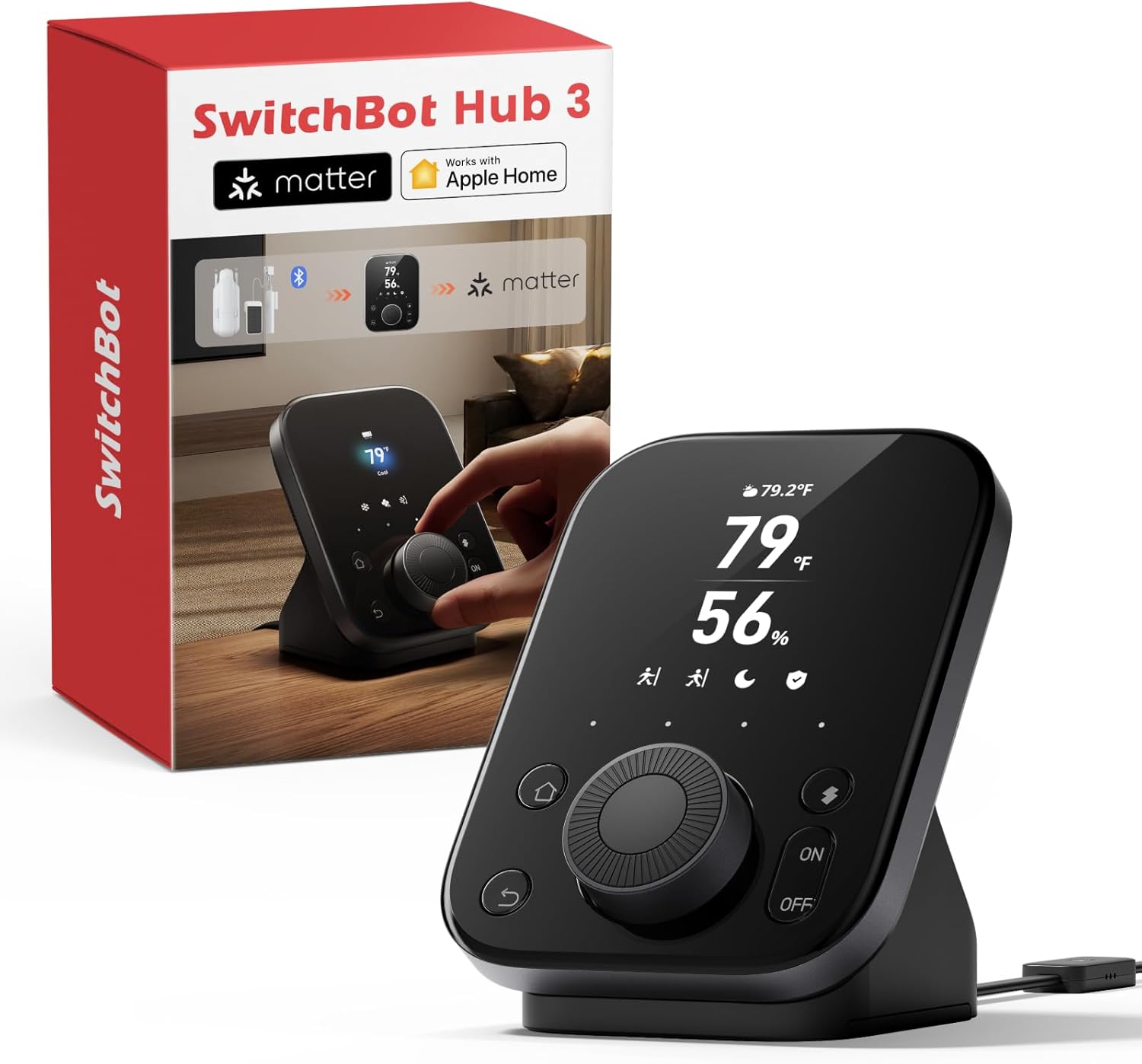
The SwitchBot Hub 3 positions itself as the centerpiece of a unified smart home ecosystem, designed for households with diverse device brands and automation needs. It appeals to users tired of juggling multiple apps and remotes, offering a single command center that speaks to IR devices, SwitchBot products, and Matter-enabled third-party hardware. Whether you're automating an apartment or a multi-room house, this hub promises seamless control without complex integrations.
The standout feature is the combination of a responsive 2.4-inch IPS touchscreen and a tactile rotary knob that makes smart home control accessible to everyone. The screen displays live temperature, humidity, weather forecasts, and device status, while the knob lets you adjust AC temperature or lighting brightness in 1-degree increments without opening an app. Customizable scene buttons for Home, Away, Sleep, and Movie modes deliver one-touch automation, making it genuinely useful for daily routines rather than a novelty feature.
Build quality appears solid, with the physical controls feeling responsive and the screen providing clear visibility from across a room. The built-in temperature and humidity sensor (±0.2°C precision) supports reliable automation triggers, and the 200-meter wireless range exceeds competing models. However, the 3.9-star rating versus Hub 2's 4.4 stars suggests some users encounter stability or connectivity issues, particularly during initial setup with certain router configurations.
One significant limitation is the requirement for 2.4GHz WiFi only, which frustrates users with modern dual-band routers defaulting to 5GHz. Additionally, the hub only supports infrared devices, excluding RF-based appliances like certain ceiling fans and garage door openers. These constraints won't affect most users but warrant consideration during purchase planning.
The SwitchBot Hub 3 delivers genuine value for households seeking centralized automation and multi-brand device control. The combination of screen, knob, and app-based management creates flexibility for different user preferences. If your devices are primarily IR-based and you have compatible WiFi infrastructure, this hub offers compelling features at a reasonable price point for a Matter Bridge with physical controls.
Before purchasing, verify that your WiFi router supports 2.4GHz networks and that you can manually select this band if your router uses dual-band technology. The Hub 3 will not connect to 5GHz-only networks, which is the primary setup challenge reported by users. Ensure your iPhone, HomePod, or Apple TV is also on 2.4GHz before adding the hub to Apple Home.
The hub works with Alexa, Google Assistant, and Apple Home via voice commands and respective apps. It supports up to 30 Matter devices and 8 SwitchBot devices simultaneously. Check compatibility for your IR appliances (ACs, TVs, lights) and confirm that RF devices like ceiling fans are not part of your automation plans, as the hub cannot control them.
For optimal performance, position the hub centrally in your home to maximize the 200-meter range. If you plan to use SwitchBot Locks or CO2 meters for dashboard display, purchase those separately as they integrate via the app. Most users report successful setup within 15-30 minutes once WiFi band selection is resolved.
This hub is ideal for users with mixed smart home devices from multiple brands who want centralized control without managing separate apps. If you have IR appliances (air conditioners, televisions, lights), existing SwitchBot devices, and Matter-compatible products, the Hub 3 consolidates everything effectively. Families with non-technical members or elderly users benefit from the physical knob and button interface that eliminates smartphone dependency.
It's a strong choice for homes larger than 2,000 square feet where the 200-meter range provides better coverage than smaller hubs. Users planning to expand into Matter-based smart home ecosystems will appreciate the bridge functionality and future-proofing. However, skip this hub if your primary devices use RF technology or if your WiFi network only supports 5GHz.

Pros
- Excellent hub performance with reliable connectivity across multiple devices
- Simple setup process that doesn't require technical expertise
- Strong compatibility with Xiaomi products and expanding third-party support
- Affordable price point for a capable smart home control center
- Positive user feedback with solid 4.3/5 rating reflecting real-world performance
Cons
- Limited functionality outside of Xiaomi ecosystem, though third-party support is improving
- May require additional accessories or devices to fully utilize automation capabilities
- Some users may find the interface less intuitive compared to premium competitors
The Xiaomi Smart Home Hub 2 is a central control device designed for homeowners looking to build a connected smart home system. It serves as the brain of your smart home setup, allowing you to manage lights, security devices, climate control, and other compatible smart devices from a single interface. This hub is ideal for users already invested in the Xiaomi ecosystem or those seeking an affordable entry point into smart home automation.
The standout feature of this hub is its ability to integrate and control multiple device types through various connectivity protocols. Users appreciate its reliable performance in connecting devices and maintaining stable communication across their smart home network. The setup process is straightforward, requiring minimal technical knowledge, and the interface provides intuitive control over your devices and automation routines.
Build quality and design reflect Xiaomi's commitment to functional, no-nonsense products. The hub is compact and unobtrusive, fitting easily into any home environment. Its solid construction suggests durability, and the overall design prioritizes functionality over aesthetic flourishes, which appeals to practical users.
One consideration is that the hub's full potential is realized when used with other Xiaomi products, though it does support expanding third-party compatibility. Users seeking broader ecosystem integration may need to supplement with additional devices. Additionally, advanced automation features may require some learning to set up optimally.
Overall, the Xiaomi Smart Home Hub 2 represents excellent value for creating a functional smart home system. With its reliable performance, ease of use, and solid customer satisfaction, it's a compelling choice for both beginners and experienced smart home enthusiasts looking for an affordable, dependable control center.
Brand: Xiaomi
Model: Smart Home Hub 2
Primary Function: Smart home control center and device hub
Connectivity: Multi-protocol support for broad device compatibility
User Rating: 4.3 out of 5 stars
Customer Reviews: Based on feedback from verified users
Category: Smart Home Automation
Is This Right for You? This hub is perfect if you're building a Xiaomi smart home ecosystem, want centralized control of multiple devices, or need an affordable smart home solution. It's ideal for beginners and experienced users alike.
What You'll Need: Compatible smart devices, a stable Wi-Fi network, and the Xiaomi Home app on your smartphone. Consider your existing devices and whether they're compatible with Xiaomi's ecosystem before purchasing.
Setup Expectations: Most users complete setup within minutes. The hub connects to your network, and you'll add devices through the mobile app. No special technical skills are required, though some automation features may take time to master.
Getting the Most Value: Maximize your investment by gradually building your smart home collection with compatible Xiaomi devices. Start with essential devices like lights and security sensors, then expand based on your needs. Take time to explore automation features once comfortable with basic control.

Pros
- Local NVR functionality provides fee-free, privacy-focused video storage and management
- AI video search and smart reports save time finding specific events without manual review
- Significantly faster edge computing for automations compared to cloud processing
- Comprehensive ecosystem support including Home Assistant, Matter, and OpenClaw compatibility
- Included 16GB MicroSD card with expandable storage options up to 16TB
Cons
- AI features require separate AI+ subscription, adding ongoing costs beyond the hub purchase
- No built-in IR control, requiring a separate SwitchBot Hub for TV and air conditioner automation
- Limited to 8 compatible cameras maximum, which may constrain larger smart home setups
The SwitchBot AI Hub is a sophisticated smart home control center designed for users who prioritize privacy and local processing power. This hub serves as the central nervous system for a SwitchBot ecosystem, combining AI-powered camera intelligence, local storage capabilities, and advanced automation features. It's best suited for homeowners who want to move away from cloud-dependent systems and maintain full control over their smart home data.
The standout feature is undoubtedly the on-device AI recognition paired with local NVR storage. Unlike competitors that rely on cloud services, the AI Hub processes camera feeds locally, identifying visitors, pets, packages, and family activity without sending data to external servers. The included 16GB MicroSD card provides immediate storage, with the option to expand up to 16TB using external drives. OpenClaw support adds another layer of sophistication, enabling cameras to provide context to compatible smart devices and voice commands for more intelligent automation.
Performance-wise, the hub delivers impressive speed improvements for local automations, achieving up to 4x faster response times compared to cloud-based processing under lab conditions. The dual-band Wi-Fi ensures stable connectivity throughout your home, while Home Assistant pre-installation and Matter Bridge support make it remarkably flexible. You can manage up to 8 compatible cameras simultaneously, giving you comprehensive household coverage.
The main limitation is that advanced AI features require a separate AI+ subscription beyond the initial purchase price. Additionally, the hub lacks IR control capabilities, so you'll need a separate SwitchBot Hub if you want to automate traditional infrared devices like TVs and air conditioners. For users with larger smart home setups exceeding 8 cameras, the device's camera limit may feel restrictive.
Overall, the SwitchBot AI Hub is an excellent choice for privacy-conscious users who want faster, local smart home automation with intelligent camera capabilities. It represents a thoughtful approach to home automation that prioritizes security and performance over convenience fees.
Local AI Processing: The hub processes camera feeds directly on the device rather than sending data to cloud servers. This means faster analysis, better privacy, and no recurring cloud storage fees. The on-device AI recognition learns to identify visitors, pets, packages, and family members over time.
Expandable Storage: Start with the included 16GB MicroSD card and expand to 1TB MicroSD cards or up to 16TB external hard drives. This gives you the flexibility to store weeks or months of video footage depending on your camera count and recording frequency.
OpenClaw Integration: This unique feature allows compatible cameras to share visual context with other smart devices. For example, a camera can identify a package delivery and automatically trigger related automations or provide rich information to voice assistants.
Edge Hub Capabilities: The hub acts as an edge computing device for select SwitchBot BLE devices, processing automation logic locally instead of relying on cloud servers. This results in faster response times and more reliable automations even during internet outages.
Matter Bridge Compatibility: Future-proofs your investment by supporting the Matter protocol, enabling seamless integration with devices from multiple manufacturers and reducing vendor lock-in concerns.
Privacy-First Homeowners: If you're concerned about cloud storage of video footage and want to keep all camera data local, this hub is purpose-built for you. No cloud subscriptions required for storage, only for advanced AI features.
SwitchBot Ecosystem Users: If you already own SwitchBot devices or cameras, this hub unlocks their full potential with faster automations and intelligent camera integration. It's the centerpiece that makes the entire ecosystem more powerful.
Home Automation Enthusiasts: The pre-installed Home Assistant support and Matter Bridge compatibility appeal to users who want deep customization and multi-brand device support rather than a walled garden approach.
Security-Conscious Families: The local face recognition, AI video search, and care features make this ideal for families who want intelligent security monitoring without relying on third-party cloud services.
Avoid If: You need IR control for existing TVs or air conditioners without purchasing additional hubs, or if your smart home setup includes more than 8 cameras and requires centralized management.
Pros
- Multi-protocol support (ZigBee and Z-Wave) eliminates compatibility headaches when mixing different smart device brands
- Long wireless range and battery backup ensure reliable automation even during internet or power disruptions
- Single app control replaces dozens of manufacturer apps, simplifying daily smart home management
- Affordable entry point into smart home automation with renewed pricing option
- Compatible with major brands like Philips Hue, Honeywell, and Kwikset for flexible expansion
Cons
- Lower user rating of 3.2 out of 5 suggests some users experience connectivity or reliability issues
- Renewed condition means no original packaging or full warranty coverage, which may concern some buyers
- Requires separate purchase of compatible devices to build out your smart home ecosystem
The Samsung SmartThings Hub is a central intelligence device designed for homeowners who want to consolidate their smart home devices under one control system. This hub serves as the brain of your smart home, connecting various devices from different manufacturers and allowing them to communicate and work together seamlessly. It is ideal for users who are beginning to build a multi-brand smart home or those frustrated by managing numerous manufacturer apps.
The standout feature of this hub is its dual-protocol support for both ZigBee and Z-Wave, which means it can communicate with a broader range of smart devices than single-protocol competitors. You can control smart lights, locks, thermostats, sensors, and cameras all from the SmartThings mobile app or through voice commands via Amazon Alexa. The hub supports automation routines that trigger based on real-world events like doors opening, people arriving or leaving, and scheduled times, adding genuine convenience to daily living.
The hardware is compact and designed for in-wall power with a standard adapter. Samsung includes four AA batteries that provide approximately 10 hours of backup power, ensuring critical automations continue running during outages. The wireless range extends 50 to 130 feet depending on obstacles and interference, which covers most single-family homes without requiring additional equipment. The operating temperature range of 41 to 95 degrees Fahrenheit supports typical indoor environments.
The main concern with this product is its 3.2-star rating based on user reviews, which suggests some customers have experienced connectivity issues or found the setup process confusing. Additionally, this is a renewed unit, meaning it may lack original packaging and comes with limited warranty coverage compared to new devices. You will also need to purchase compatible smart devices separately to build out your ecosystem, which represents additional investment.
Overall, the Samsung SmartThings Hub is a solid choice for smart home enthusiasts seeking an affordable, multi-protocol control center. The renewed pricing makes it an excellent value proposition for budget-conscious buyers willing to accept potential warranty limitations. If you are committed to building a smart home with mixed-brand devices, this hub provides the central coordination you need.
The SmartThings Hub connects with ZigBee and Z-Wave devices, which covers the vast majority of consumer smart home products. Compatible brands include Philips Hue for lighting, Honeywell for thermostats, Kwikset for smart locks, and many others across security cameras, motion sensors, and smart plugs.
Before purchasing, verify that your planned smart devices use either ZigBee or Z-Wave protocols. Some newer Wi-Fi only devices may not require this hub, as they can connect directly to your home network. The SmartThings app will guide you through device pairing and setup, though some users report occasional connectivity challenges during initial configuration.
Start your smart home journey by identifying which devices you want to automate first, such as lighting, door locks, or thermostats. This hub works best when positioned centrally in your home to maximize wireless range to all your devices. Ensure your Wi-Fi network is stable and that you have a strong connection near the hub location.
Create simple automations first before building complex routines. For example, start with a basic automation that turns on lights when a door opens, then expand to more sophisticated scenarios like adjusting temperature when everyone leaves home. The SmartThings app provides templates and examples to guide your automation creation.
Smart Home Hub Buying Guide
Protocol Compatibility: Does It Speak Your Devices’ Language?
The single most important factor when choosing a smart home hub is protocol support. Zigbee, Z-Wave, Thread, Bluetooth, and Wi-Fi are the most common standards, and not every hub supports all of them. The Aeotec Smart Home Hub, for example, covers Z-Wave, Zigbee, and Matter, making it one of the most versatile options on this list.
If your home already includes a mix of brands and device types, look for a hub that acts as a Matter bridge or controller. The Aqara Smart Hub M200 shines here, supporting Matter, Thread, Zigbee, Bluetooth, and IR all in one unit. More protocol coverage means fewer compatibility headaches down the road.
Local vs. Cloud Processing: Speed and Privacy Matter
Cloud-dependent hubs can slow down automations and leave your home vulnerable when the internet goes out. Locally processed automations respond in milliseconds and keep your data at home. Home Assistant Green and the SwitchBot AI Hub both prioritize local processing, with the latter offering automations up to four times faster under lab conditions.
For privacy-conscious users, local storage is equally important. The SwitchBot AI Hub includes a 16GB microSD card for camera event recordings and supports expansion up to 16TB via an external drive. If keeping your data off third-party servers is a priority, lean toward hubs with strong local-first architectures.
Ecosystem and Voice Assistant Integration
Your hub needs to play nicely with the voice assistant and smart home platform you already use. The Lutron Caseta Smart Hub connects with more leading smart home brands than virtually any competitor, including Amazon Alexa, Apple HomeKit, Google Home, Ring, and Sonos. If you are heavily invested in a specific ecosystem, confirm compatibility before purchasing.
Hubs like the Aeotec Smart Home Hub leverage the SmartThings platform, giving you access to thousands of compatible devices through a single app. Meanwhile, the Philips Hue Bridge Pro is purpose-built for Hue lighting but integrates smoothly with Apple Home, Alexa, Google, and Samsung SmartThings. Match the hub to your existing ecosystem first, then expand from there.
Device Capacity and Scalability
A hub that maxes out at a handful of devices will frustrate you the moment you want to add a new sensor or smart lock. The Lutron Caseta Smart Hub supports up to 75 Caseta devices, while the Philips Hue Bridge Pro handles 150-plus lights and 50-plus accessories. The Home Assistant Green, running on a quad-core processor with 4GB of RAM, can manage hundreds of devices across multiple protocols.
Think about where you want your smart home to be in two or three years, not just today. Choosing a hub with room to grow prevents the frustration of replacing your central controller just because you added a few extra rooms. Scalability is an investment in your future convenience.
Final Thoughts
There is no single best smart home hub for everyone, but two options stand out for different types of users. Power users and privacy enthusiasts who want full control over their data and automations will find the Home Assistant Green to be an exceptional long-term investment with its local-first design and broad expandability. For those who want a plug-and-play solution that bridges IR control, Matter, Zigbee, Thread, and more without any technical configuration, the Aqara Smart Hub M200 delivers remarkable versatility in a compact, affordable package. Whichever direction you choose, upgrading to a capable hub is one of the highest-impact changes you can make to your connected home.
Frequently Asked Questions
What is a smart home hub and do I really need one?
A smart home hub is a central device that connects and coordinates all your smart home gadgets, allowing them to communicate with each other regardless of brand or protocol. Without one, devices on different standards like Zigbee and Z-Wave simply cannot interact. If you own more than a handful of smart devices in 2026, a dedicated hub will dramatically simplify control and unlock powerful automations.
What is the difference between a hub and a smart speaker like an Echo or Google Nest?
Smart speakers primarily handle voice commands and music playback, with limited device-management capabilities. A dedicated smart home hub, by contrast, speaks multiple wireless protocols such as Zigbee, Z-Wave, and Thread, enabling it to connect a far wider range of devices. Hubs like the Aeotec Smart Home Hub also run automations locally, something most smart speakers cannot do reliably on their own.
Is Matter support important when buying a smart home hub in 2026?
Matter is quickly becoming the universal smart home standard, designed to make devices from different manufacturers work seamlessly together. In 2026, choosing a hub that is Matter-certified or acts as a Matter bridge future-proofs your investment significantly. Options like the Tapo H110, Aqara Smart Hub M200, and Aeotec Smart Home Hub all carry Matter certification, ensuring broad compatibility as more devices adopt the standard.
Can a smart home hub work without an internet connection?
Many modern hubs support local automation execution, meaning your routines and device controls continue working even when your internet is down. Home Assistant Green is a standout example, storing all data locally and running automations without relying on any cloud service. The Aqara Smart Hub M200 also supports local execution for Zigbee and Matter devices, and even includes a USB-C port for connecting a mini-UPS to maintain power during outages.


