

This article contains affiliate links. If you purchase through one of our links, we may earn a commission at no extra cost to you. This does not influence which products we include or how they are ranked.
You know the feeling. It is late evening, your monitor glows in a dark room, and your eyes begin to feel tired and dry. You switch on the overhead light and get harsh reflections across your screen, or you add a bulky desk lamp that eats up precious space and throws uneven shadows across your keyboard.
This in depth review of the BenQ monitor light bar looks closely at the BenQ ScreenBar Halo 2 LED Monitor Light Bar, the flagship model with a wireless controller, integrated backlight, motion sensor, and adjustable brightness and color temperature. It is ideal for remote workers, students, and gamers who spend long hours at a desk and want comfortable, glare free illumination that preserves desk space, and it fits naturally within a modern Office Lighting & Accessories plan.

BenQ ScreenBar Halo 2 LED Monitor Light Bar






As an Amazon Associate we earn from qualifying purchases. Product prices and availability are accurate as of the date/time indicated.
In-Depth Review: BenQ ScreenBar Halo 2 LED Monitor Light Bar in Daily Use
Build Quality and a Truly Clamp Free Design
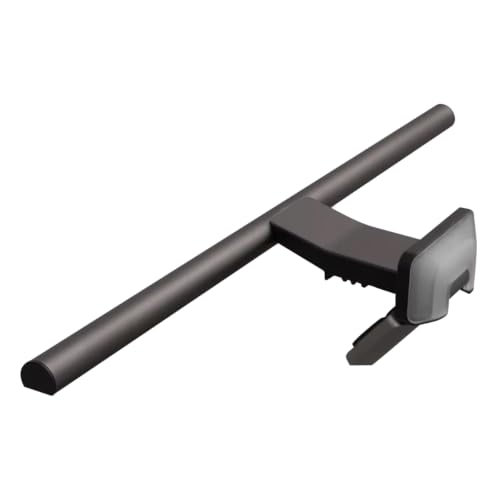
We assessed the Halo 2 for materials, stability, and daily handling, and the build immediately feels premium. The bar uses a matte aluminum shell with precisely weighted ends, and the updated clamp rests securely on your monitor without screws, tape, or tools, creating a floating look that keeps your desk completely clear.
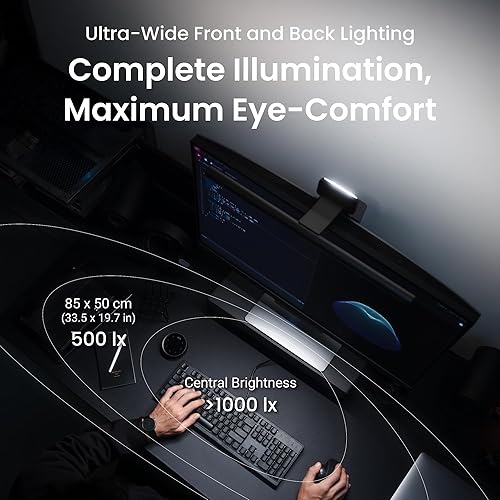
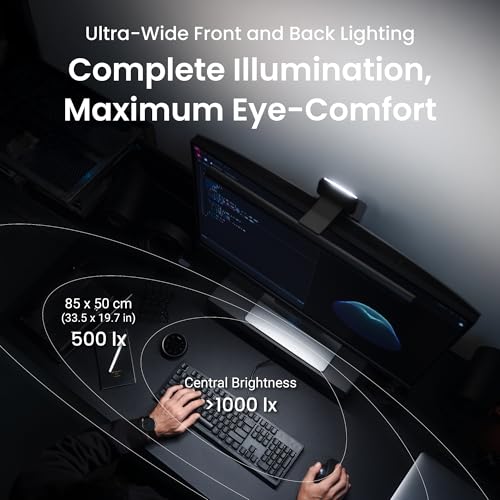
Unlike budget bars that wobble or need constant readjustment, this one stays balanced and level even when you bump your desk. The asymmetrical optical design is the key engineering detail, directing light forward onto your work surface while shielding your screen from direct illumination, so you get bright task lighting without reflections or washed out colors.
Light Quality, Brightness and Eye Care Performance
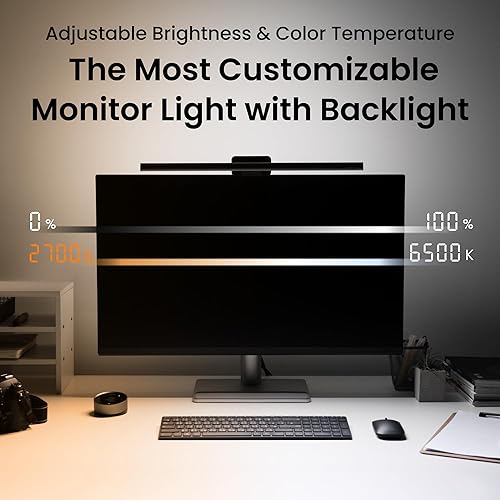
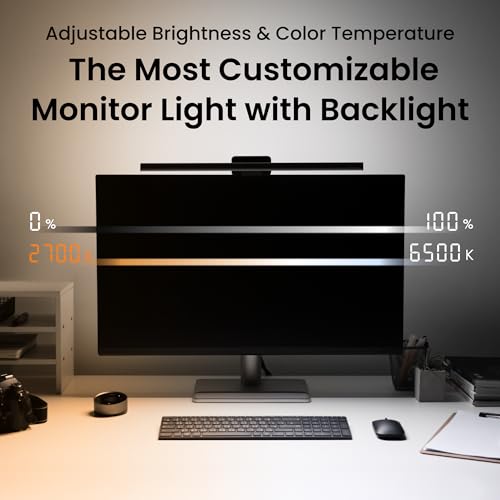
You get two complementary light sources in one system, a front task light and a rear bias backlight, both with stepless dimming. The front bar lets you tune brightness and color temperature smoothly from warm amber to crisp cool white, so you can create a cozy evening glow, a neutral daylight tone for accurate color work, or a focused cool setting for morning productivity.
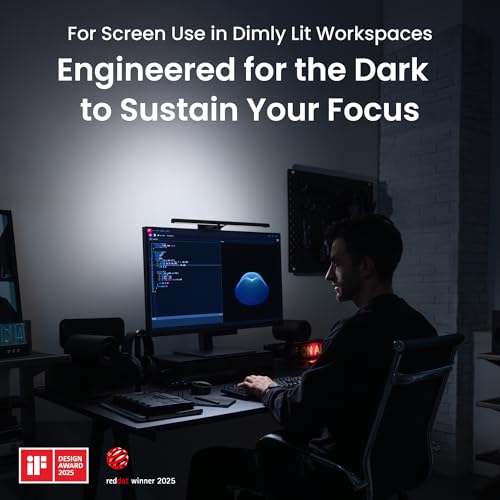
Coverage is remarkably even, spreading across a wide desk without hot spots, flicker, or harsh edges that cause fatigue. The eye care benefit comes from reducing contrast between your bright display and the dark wall behind it, and the rear backlight softens that transition beautifully. To see how lighting affects focus and comfort, explore our smart home setup guide where balanced illumination is a core recommendation.
Wireless Controller and Thoughtful Smart Features
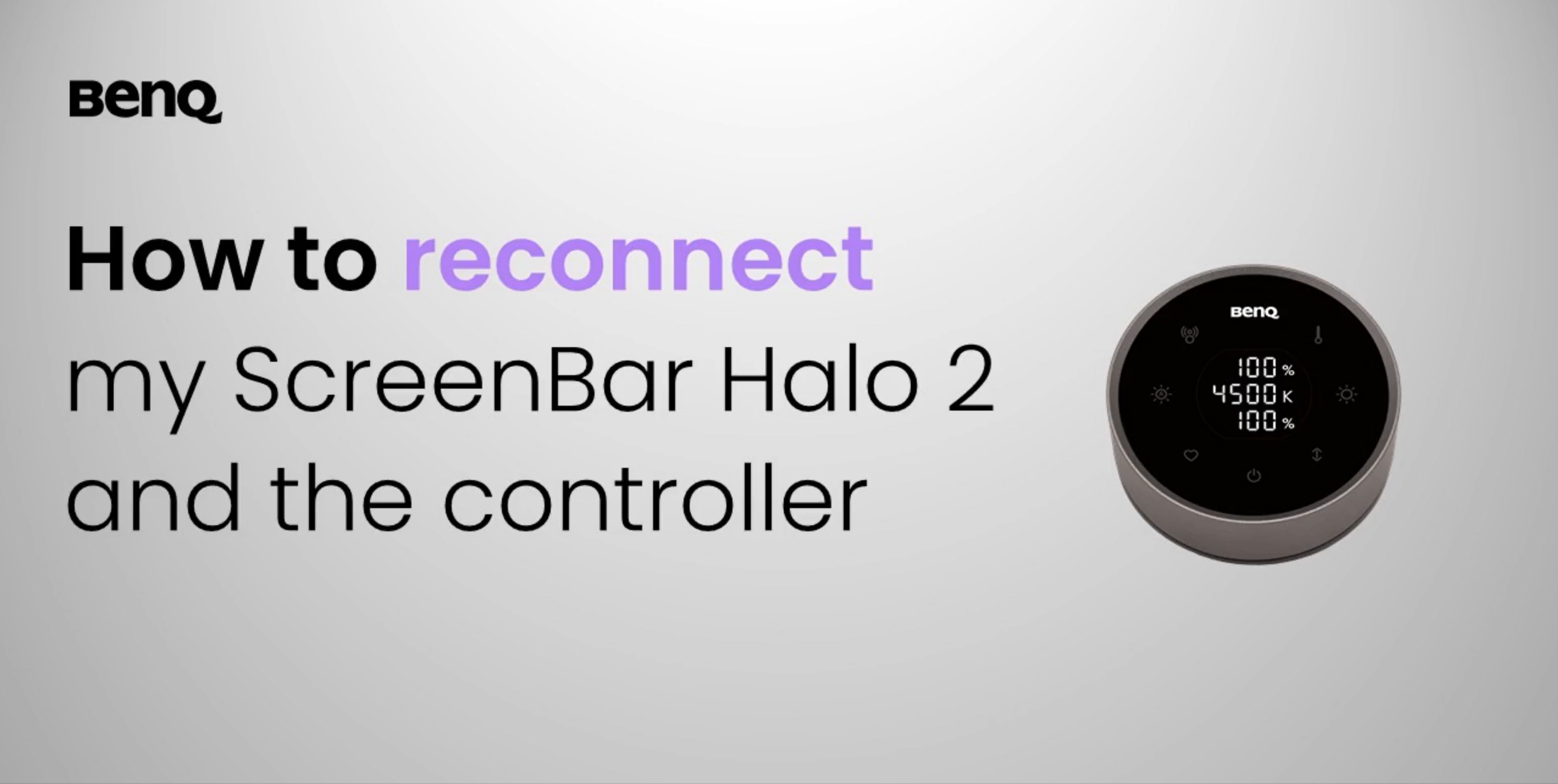
The wireless controller is the standout upgrade that makes the Halo 2 feel effortless in daily use. This compact, rechargeable dial sits anywhere on your desk, and you can tap to power the light, rotate to adjust brightness, press to change color temperature, and switch between front light, backlight, or both with intuitive gestures that become second nature within a day.
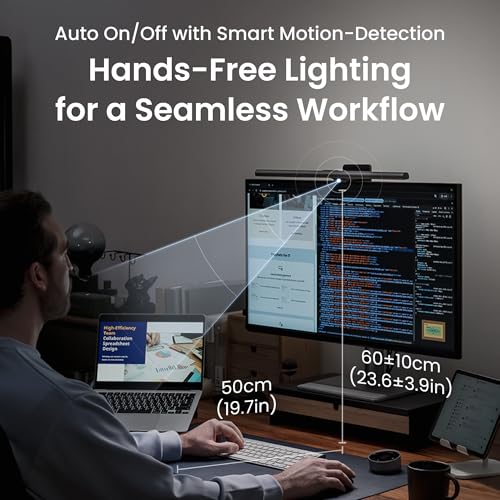
You also get auto dimming that reads ambient light and a motion sensor that powers the bar on when you sit down and off when you step away, which helps save energy without you thinking about it. We validated the sensor over several days in a busy home office, and it responded reliably to presence at the desk while ignoring movement elsewhere in the room, with touch controls on the bar itself as a handy backup.
Installation, Compatibility and Everyday Usability
Installation is refreshingly simple and takes under a minute with a single USB-C cable for power. You place the bar on top of your monitor, adjust the rear counterweight, and plug into your monitor’s USB port, laptop, or hub, with no drivers or apps required and no need to drill or clamp tightly.
Compatibility is broad, fitting most flat and curved monitors including ultrawide models, and the slim profile avoids blocking webcams or bezels. The single cable routes neatly behind your display, so your workspace stays tidy and open. For more ways to maximize space and ergonomics, our Home Office collection shows how monitor mounted accessories reclaim surface area without buying new furniture.
Who Shouldn’t Buy This
The Halo 2 is not the right choice if you need a portable lamp to move between rooms, crave RGB color effects for gaming immersion, or are equipping a temporary or very tight budget workspace where basic lighting will do. In those situations, consider a simpler USB powered monitor bar without a wireless dial or a classic adjustable desk lamp with a flexible arm that you can reposition easily.
Verdict
For anyone who works, studies, or games for hours and wants comfortable, glare free light that simply disappears into the setup, the BenQ ScreenBar Halo 2 LED Monitor Light Bar is a refined and worthwhile upgrade that improves focus and comfort every day. If you value premium build, precise wireless control, and integrated bias lighting in one elegant package, we recommend you BenQ ScreenBar Halo 2 LED Monitor Light Bar for a lasting improvement to your desk in 2026.
Frequently Asked Questions
Does the BenQ ScreenBar Halo 2 cause glare on the monitor?
No, it is engineered specifically to prevent glare. Its asymmetrical optics aim light downward onto your desk at a controlled angle that keeps the beam off your screen, even at higher brightness levels. You get uniform illumination for reading and typing without reflections, which many users find reduces eye fatigue during long sessions in 2026.
Will the Halo 2 fit my curved or ultrawide monitor?
Yes, it is designed to fit most flat and curved monitors, including many ultrawide displays. The adjustable clamp and weighted counterbalance hold the bar steady on varying bezel thicknesses and curvatures without slipping or tilting. If you are unsure, measure your monitor’s top edge and review compatibility details, or see our guide to desk lighting layouts for 2026 workspace ideas.
How does the wireless controller work and does it need batteries?
The Halo 2 includes a compact wireless dial that controls power, brightness, color temperature, and backlight modes from anywhere on your desk. It is rechargeable via USB-C, so you do not need disposable batteries, and a single charge typically lasts weeks of regular use. You can also use the integrated touch controls on the light bar itself if the dial is out of reach.







Write Your Review
No reviews yet. Be the first to share your experience!