

This article contains affiliate links. If you purchase through one of our links, we may earn a commission at no extra cost to you. This does not influence which products we include or how they are ranked.
You want lighting that adapts to your day without adding a hub or rewiring a room. You need crisp, cool white for focused work in the morning and soft, warm white or rich color for relaxing in the evening. The WYZE Bulb Color, 1100 Lumen WiFi RGB and Tunable is built for that flexibility in a familiar A19 form factor.
In this Wyze smart light bulb review, we look closely at the WYZE Bulb Color, 1100 Lumen WiFi RGB and Tunable and how it performs in everyday use. We evaluated its brightness, white tuning, color accuracy, app experience and voice control so you can decide if it matches your home. If you want easy, renter-friendly smart lighting with tunable white and full RGB, this option deserves attention. To compare styles and features more broadly, explore our roundup of best smart light bulbs for color and comfort.

Prime Wyze Bulb Color A19 Smart LED Bulb 2-Pack



As an Amazon Associate we earn from qualifying purchases. Product prices and availability are accurate as of the date/time indicated.
In-Depth Review: Living With the Wyze Bulb Color
Brightness and Tunable White Quality
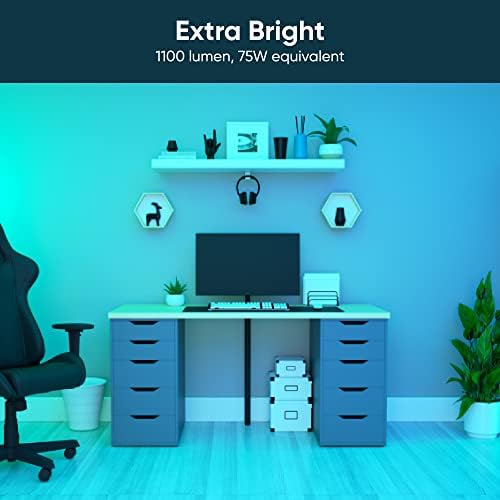
With 1100 lumens, this A19 bulb is noticeably brighter than many standard smart bulbs, which helps in kitchens, living rooms and home offices where you need clear task lighting. You can dim it smoothly from the Wyze app or with your voice, so you get both bright output for chores and low, cozy levels for evenings without flicker.
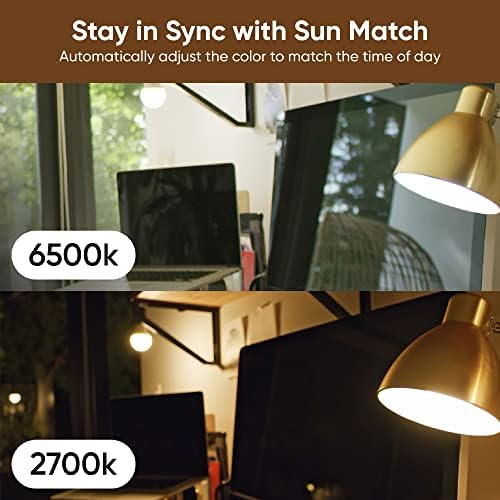
The tunable white range lets you shift from warm, relaxing tones around 2700K to cooler daylight that feels more energizing for focus. We found this especially useful for daily routines, like cooler light for morning planning and warmer light for wind-down time. If you care about natural-looking whites for reading or video calls, you will appreciate how clean the mid-range tones appear.
Color Range and Scene Setting
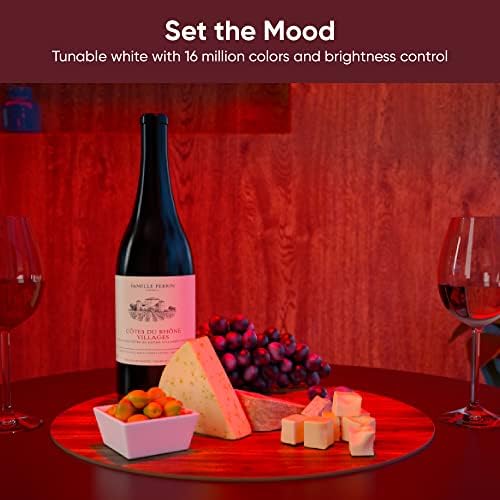
You get access to 16 million colors, so you can set a saturated blue for a gaming corner, a soft amber for dinner or a gentle green for background ambiance. The Wyze app offers presets and custom scenes, and you can save favorites for one-tap changes. Colors stay vivid even at lower brightness, which keeps mood lighting useful rather than washed out or dull.
For everyday use, you will likely lean on a few go-to scenes rather than constant color shifting, and schedules make that effortless. Timers and automations let you create a gentle wake-up fade or an evening wind-down that shifts to warm white. Renters will love how easily you can personalize a space without permanent fixtures, as we note in our renter-friendly smart lighting guide.
App Experience, Voice Control and Setup
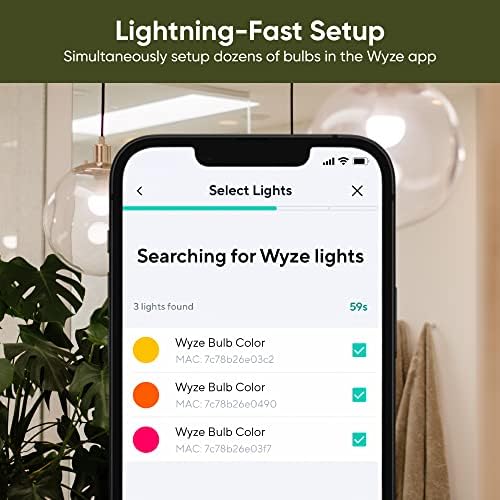
Setup connects directly over 2.4GHz WiFi, so you do not need a separate hub or bridge, and the E26 base fits standard lamps. The Wyze app walks you through pairing, naming rooms and grouping bulbs, and our assessment found the process straightforward for beginners. Once connected, you can control power, brightness, white temperature and color from anywhere, including when you are away from home.
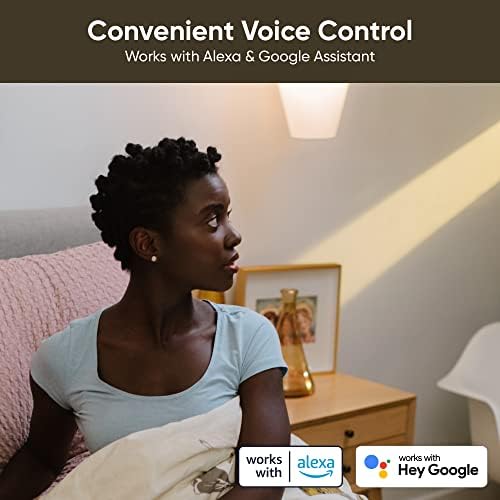
Voice control with Alexa and Google Assistant works well for hands-free adjustments, like dimming for a movie or turning off lights as you leave. You can also build routines that link the bulb with other Wyze or smart home devices for coordinated actions. If you want to expand to more rooms while keeping things simple, you can pair this insight with picks from our affordable smart bulb roundup for additional spaces.
Design, Compatibility and Everyday Reliability
The bulb uses a standard E26 base and fits most lamps and fixtures rated for A19 bulbs, with a frosted diffuser that spreads light evenly. As a two-pack, it is convenient for matching a pair of bedside lamps or a living room set without mixing models. The build feels solid and the simple white housing blends into most decor without drawing attention.
Because it relies on 2.4GHz WiFi, you should place it within strong signal range and keep your router’s 2.4GHz network enabled for stable pairing. We observed steady connection when the network was not crowded, but like all WiFi bulbs, responsiveness depends on your home network quality. If your home is very large, a mesh system or a closer access point helps maintain quick, reliable control.
Who Shouldn’t Buy This
This bulb is not ideal if you need native Apple HomeKit, Zigbee or Z-Wave hub integration, or if your network only supports 5GHz WiFi. You should also look elsewhere if you want Bluetooth-only control for offline use, and instead consider bulbs built specifically for those ecosystems or a dedicated hub system.
Verdict
If you want bright, tunable white plus rich RGB in a simple, hub-free package, the WYZE Bulb Color, 1100 Lumen WiFi RGB and Tunable is an easy recommendation for 2026 that balances everyday usability, voice control and vibrant color for most homes.
Frequently Asked Questions
Does the Wyze smart light bulb work with Alexa and Google Assistant without a hub?
Yes, it works directly with both Alexa and Google Assistant over WiFi with no hub required in 2026. You can turn the bulb on and off, dim it, change white temperature or set colors with voice commands. For setup tips and automation ideas, see our Smart Lighting category for related guides.
How bright is the Wyze Bulb Color and can you adjust the white temperature?
It delivers up to 1100 lumens, which is bright enough for primary living spaces, and you can dim it smoothly for mood lighting. The white temperature is fully tunable, so you can choose warm, neutral or daylight tones to match your activity. This makes it versatile for work, relaxation and entertaining without swapping bulbs.
Do you need the Wyze app to control the bulb and can you set schedules?
You will need the Wyze app for initial pairing, firmware updates and creating custom scenes, schedules and timers. After setup, you can control the bulb from the app, with voice assistants or through routines that automate brightness and color. The app also lets you group multiple bulbs so you can control a whole room with one tap.






Write Your Review
No reviews yet. Be the first to share your experience!