

If you spend hours at a desk every day, you already know how much your typing position matters. A poorly placed keyboard forces your wrists into awkward angles, your shoulders creep upward, and fatigue sets in faster than it should. The right keyboard tray solves all of that by repositioning your hands at a natural, comfortable height while also clearing valuable space on your desktop.
This guide is for anyone who wants to improve their workstation ergonomics, whether you are outfitting a home office, a corporate desk, or a gaming setup. We evaluated 30 models from brands like VIVO, Fellowes, Lorell, HUANUO, Klearlook, and BONTEC to bring you the most reliable, well-reviewed options on the market in 2026.

Pros
- Exceptional adjustability with multiple planes of motion ensures optimal ergonomic positioning for any body type
- Space-saving slide-out design keeps desk clutter-free while providing ample surface area for peripherals
- Sturdy 10-lb platform maintains stability during typing without wobbling or shifting
- Integrated wrist rest reduces fatigue during long work sessions and improves comfort
- Simple installation with clear instructions and all hardware included
Cons
- Requires specific desk clearance measurements and no crossbars, limiting compatibility with some desk designs
- Knob must be tightened during use and loosened for adjustments, adding minor inconvenience to repositioning
- Initial setup and adjustment learning curve needed to find optimal ergonomic position
The HUANUO Under Desk Keyboard Tray is a full-featured ergonomic solution designed for office workers, remote professionals, and anyone spending extended hours at a desk. This adjustable keyboard platform combines space-saving functionality with comprehensive ergonomic support to reduce strain and improve workspace efficiency. It addresses two common workplace complaints: cluttered desks and wrist discomfort from prolonged keyboard use.
The standout feature is the exceptional adjustability across three dimensions. With 6.3 inches of height adjustment, 180-degree left-right swivel, and a tilt range from 6 degrees up to 22 degrees down, users can dial in the perfect ergonomic position. The 25 x 9.84-inch surface accommodates full-size keyboards, mice, and accessories simultaneously. The included padded wrist rest further reduces strain during long typing sessions, while the slide-out design completely hides the platform under the desk when not needed, effectively doubling usable desktop space.
Build quality is solid with a 10-pound construction that resists wobbling during typing. The platform maintains stability even with heavier keyboards and daily professional use. Installation is straightforward with all necessary hardware and clear instructions provided. However, the knob system requires loosening before adjustments and tightening during use, which adds a minor operational step compared to some competitors.
Potential limitations include specific desk compatibility requirements, as the tray needs adequate clearance beneath the desk and sufficient width for rotation. Users must verify their desk measurements before purchasing. The learning curve for optimal positioning may take a few adjustments to perfect, but the wide range of adjustability ensures most users will find their ideal setup.
The HUANUO Under Desk Keyboard Tray delivers excellent value for professionals prioritizing ergonomics and workspace organization. Its comprehensive adjustability, generous work surface, and space-saving design make it a smart investment for anyone looking to reduce strain and create a more efficient desk environment.
Dimensions and Capacity: 25 x 9.84 inches work surface, 10 lbs total weight, supports full-size keyboards and standard mice
Adjustment Range: 6.3 inches vertical height adjustment, 180-degree left-right swivel, 6 degrees upward tilt, 22 degrees downward tilt
Installation: Minimum desk thickness greater than 0.6 inches, requires 14.17 inches clearance from desk edge to crossbar for sliding (16.22 inches if full slide-under needed), minimum 25 inches width for basic use (35.4 inches if rotation needed)
Included Components: Keyboard tray platform, padded wrist rest, all mounting hardware, installation instructions
Who Should Buy This: Remote workers, office professionals, students, and anyone spending 6+ hours daily at a desk. Ideal for those experiencing wrist pain, neck strain, or seeking to optimize workspace ergonomics and organization.
Desk Compatibility Check: Before purchasing, measure the space beneath your desk. Ensure no crossbars obstruct the tray path and verify adequate width for your needs. Check that your desk thickness exceeds 0.6 inches for proper mounting.
Setup Tips: Take time to adjust all three dimensions to your specific body measurements and sitting position. Start with the tray at elbow height when arms are at rest, then fine-tune tilt and swivel for comfort. Remember to loosen the knob before adjusting and tighten before typing.
Maintenance: Periodically check that all mounting bolts remain tight, especially after repositioning. Wipe the work surface regularly to maintain cleanliness. The wrist rest padding may benefit from occasional cleaning with a damp cloth.

Pros
- Generous 34-inch tray accommodates full-size keyboards and mice with room for accessories
- Smooth gliding mechanism provides effortless extension and retraction for ergonomic positioning
- Non-invasive C-clamp mounting preserves desk integrity and allows easy removal or relocation
- Sturdy construction supports up to 11 lbs without wobbling or sagging during daily use
- Affordable solution for improving workspace ergonomics and desk organization
Cons
- Requires clean, square desk edges without bevels or crossbars, limiting compatibility with some desk styles
- Maximum desk thickness of 1.25 inches may exclude thicker or specialty desks from compatibility
- Requires 39.4 inches of total desk width for clamp-to-clamp installation, necessitating measurement before purchase
The VIVO MOUNT-KB15EB is an under-desk keyboard tray designed for professionals and remote workers who want to maximize workspace efficiency while improving typing ergonomics. This extra-large platform measures 34 by 11 inches, providing ample surface area for full-size keyboards, mice, and small accessories. It's ideal for anyone working from a cramped desk or seeking a more organized, ergonomic workspace without permanent modifications.
The standout feature is its smooth gliding track system that extends the tray 8.5 inches from your desk, allowing you to position your keyboard at the perfect ergonomic angle. The design reduces strain on wrists and shoulders during extended typing sessions, a key benefit for professionals spending hours at their computers daily. The tray holds up to 11 pounds, ensuring stable support for heavier mechanical keyboards and external mice without flexing or movement.
Build quality is solid throughout, with sturdy construction and reliable C-clamp mounting hardware that keeps everything firmly in place. The adjustable clamps accommodate desk thicknesses up to 1.25 inches and require no drilling, protecting your desk investment while remaining easily removable if needed. Assembly is straightforward with all hardware included, and most users report installation takes just minutes.
The main limitation is desk compatibility. Your desk must have clean, square edges without bevels, crossbars, or raised edges for the clamps to secure properly. Additionally, you need 39.4 inches of width available on your desk for the clamps to fit, making this unsuitable for smaller or uniquely designed desks. Pre-purchase measurement is essential to avoid compatibility issues.
Overall, the VIVO keyboard tray is an excellent value for workspace optimization and ergonomic improvement. It delivers practical benefits for remote workers, developers, and office professionals seeking to reclaim desk space and enhance comfort without expensive desk replacements or permanent modifications.
Dimensions: 34 x 11 inches (tray surface), 39.4 inches total width including clamps
Weight Capacity: 11 pounds maximum
Extension Range: Extends 8.5 inches from desk edge
Desk Compatibility: Maximum desk thickness of 1.25 inches, requires clean square edges without bevels or crossbars
Mounting System: Adjustable C-clamps, damage-free installation
Surface Material: Durable platform with smooth gliding tracks
Color: Black frame
Assembly: Tool-free setup, all hardware included
Patent Status: Patent pending design
Before You Buy: Measure your desk carefully. Check that your desk surface is level with clean, square edges and has no bevels, crossbars, or raised edges. Confirm your desk thickness does not exceed 1.25 inches. Ensure you have at least 39.4 inches of available width on your desk for the clamp-to-clamp installation.
Best For: Remote workers, office professionals, content creators, programmers, and anyone with limited desk space seeking ergonomic keyboard positioning. Ideal for standard office desks and home workstations with simple, clean edges.
Installation Tips: Clear the area under your desk where you plan to mount the tray. Follow the included instructions carefully, adjusting the C-clamps evenly for balanced support. Test the extension and retraction mechanism before loading your keyboard and mouse.
Maintenance: Periodically check clamp tightness and wipe the gliding tracks clean to maintain smooth operation. The damage-free clamps allow easy removal if you need to relocate the tray or remove it temporarily.

Pros
- Exceptional ergonomic design with multiple adjustment options for proper wrist and arm positioning
- Space-efficient hideaway design keeps desk clutter-free when tray is retracted
- Smooth, reliable sliding mechanism provides easy access and repositioning
- Comprehensive mounting hardware eliminates additional purchases
- Affordable price point for quality ergonomic workspace improvement
Cons
- Weight capacity of 4.4 lbs limits use to standard keyboards and mice only, not suitable for mechanical or heavier peripherals
- Requires minimum 5/8-inch desktop thickness and 14.25 inches of clearance between desk edge and crossbar
- May require additional spacer bracket (sold separately) if installing on height-adjustable desks
The VIVO MOUNT-KB03B is an under-desk keyboard and mouse platform designed for professionals and remote workers who spend extended hours at their desks. This ergonomic accessory addresses a common workplace problem: poor typing posture that leads to wrist strain, neck tension, and reduced productivity. If you work from home, use a desktop computer, or simply want to improve your workspace ergonomics, this tray mount offers a practical solution.
The standout feature of this keyboard tray is its comprehensive adjustability. With a 5-inch height adjustment range, +6° to -22° tilt capability, and a full 360-degree rotation, users can customize their typing angle and position to match their unique body mechanics and desk setup. The smooth sliding track mechanism allows the tray to glide effortlessly underneath the desk when not in use, reclaiming valuable workspace. The gel-padded wrist support provides cushioning during long typing sessions, actively reducing strain on sensitive wrist tendons.
Build quality is solid with steel frame construction and a durable particle board tray surface. The universal 25x10-inch platform accommodates most standard keyboards and mice on the market, making it a versatile choice across different equipment setups. Assembly is straightforward with all mounting hardware included, though installation does require some basic tools and attention to desk specifications like thickness and clearance dimensions.
The main limitation is the 4.4-pound weight capacity, which works fine for standard keyboards but may not suit heavier mechanical keyboards or dual-monitor setups. Additionally, installation on height-adjustable desks requires a separate spacer bracket, adding to the overall cost. Desks must also meet minimum thickness requirements and have adequate clearance for the sliding track to function properly.
Overall, the VIVO MOUNT-KB03B delivers genuine ergonomic benefits at an accessible price point. Its adjustable design, smooth operation, and space-saving functionality make it a smart investment for anyone seeking to reduce typing-related discomfort and optimize their workspace. The strong customer ratings reflect its reliability and effectiveness in real-world use.
Dimensions and Capacity: Keyboard tray measures 25 inches by 10 inches with a sliding track of 14.25 inches by 6.25 inches. Weight capacity is 4.4 pounds with a total tray weight of 10 pounds. Minimum desktop thickness requirement is 5/8 inch.
Adjustment Range: Height adjustment spans 0 to 5 inches. Tilt angle ranges from +6 degrees to -22 degrees. Full 360-degree rotation capability for complete positioning flexibility.
Materials and Compatibility: Constructed from particle board and steel for durability. Fits most standard keyboards and mice on the market. Available in multiple color options to match various desk aesthetics.
Installation: All mounting hardware included for under-desk installation. Requires 14.25 inches of clearance between desktop edge and crossbar. Height-adjustable desk users may need separate spacer bracket (MOUNT-SPACER01).
Who Should Buy This Product: This keyboard tray is ideal for office workers, remote employees, students, and anyone experiencing wrist or neck discomfort from typing. It works best for users with standard desk setups and conventional keyboards who want to improve their ergonomic positioning without major desk modifications.
Who Should Look Elsewhere: Users with mechanical keyboards or other heavy peripherals exceeding 4.4 pounds should consider higher-capacity alternatives. Those with desks thinner than 5/8 inch or with limited clearance space may face installation challenges. Gaming setups requiring multiple heavy devices would benefit from tray models with greater weight capacity.
Installation Considerations: Before purchasing, verify your desk thickness and measure the clearance between your desktop edge and any crossbars or support structures. Ensure you have at least 14.25 inches of unobstructed space for the sliding track. If using a height-adjustable desk, plan to purchase the spacer bracket separately for proper fit.
Maximizing Benefits: To get the most from this tray, take time to adjust the height and angle to match your seated position with elbows at 90 degrees and wrists in neutral alignment. Use the gel wrist padding consistently, and position the tray at the correct distance from your body to minimize reaching and strain.

Pros
- Excellent ergonomic design with adjustable tilt reduces wrist and neck strain for long work sessions
- 360-degree rotation and under-desk mounting maximize workspace organization and desk surface area
- Thoughtful integrated storage features, phone slot, and headphone hanger eliminate desktop clutter
- Sturdy, stable construction minimizes typing vibration and wobble for precision work and gaming
- Large 25-inch platform accommodates various keyboard and mouse combinations comfortably
Cons
- Height is not adjustable, which may limit compatibility with certain desk heights or user preferences
- Fixed vertical positioning could be problematic for users requiring significant height customization
- C-clamp mounting requires suitable desk edge and may not work with all desk types or thicknesses
The Klearlook keyboard tray is an under-desk mounting solution designed for office workers, remote employees, and content creators seeking ergonomic support and workspace organization. Its generous 25-inch width accommodates full-size keyboards and mice, while the integrated storage drawer and phone slot make it an all-in-one productivity hub for cluttered desks.
The standout feature is the adjustable tilt angle combined with 360-degree swivel capability, allowing users to find their optimal typing position and rotate the entire platform under the desk for storage. The integrated mouse pad provides smooth tracking, and the built-in headphone hanger adds practical value. The durable construction delivers stable support without wobbling, which is critical for both typing accuracy and gaming performance.
Build quality is solid with robust materials that feel stable during extended use. The c-clamp fixture securely attaches to desk edges, and the platform itself resists flexing under keyboard and mouse pressure. The inclusion of a wrist rest adds comfort for long sessions, and the drawer mechanism operates smoothly for organizing cables, pens, and small items.
The main limitation is the fixed, non-adjustable height, which may not suit users with atypical desk heights or those requiring significant vertical customization. Additionally, the c-clamp design requires a suitable desk edge and may not work with all desk materials or thicknesses. Some users with very tall frames might find the platform sits too low despite the tilt adjustment.
Overall, the Klearlook keyboard tray delivers strong ergonomic value and intelligent workspace organization features at a reasonable price point. It is best suited for standard desk setups where height customization is not critical, and it excels at decluttering desks while promoting healthier typing posture.
Dimensions: 25 inches width x 11.02 inches depth
Mounting: C-clamp fixture for under-desk attachment
Rotation: 360-degree swivel capability
Adjustability: Tilt angle adjustable, height fixed (non-adjustable)
Platform Features: Integrated mouse pad, wrist rest, storage drawer, phone slot, headphone hanger
Material: Durable, robust construction with wobble-resistant design
Compatibility: Fits most standard keyboard and mouse combinations on standard desk edges
Who Should Buy: The Klearlook keyboard tray is ideal for remote workers, office employees, gamers, and content creators with standard desk heights who want to improve ergonomics and reduce desktop clutter. It works best in home offices and professional settings where space optimization is a priority.
Who Should Skip: Users with non-standard desk heights, very thick desk edges that won't accommodate the c-clamp, or those requiring significant height adjustability should look for alternative solutions with vertical adjustment features.
Installation Considerations: Verify your desk edge thickness and material compatibility before purchasing. Ensure adequate under-desk clearance for the platform when swiveled down. The c-clamp requires proper tightening to prevent shifting during use.
Best Use Cases: Remote work setups, small apartment offices, shared workspace organization, gaming stations where mouse precision matters, and professional environments where ergonomics and tidiness are valued.

Pros
- Excellent ergonomic design with adjustable height and tilt reduces long-term wrist and shoulder pain
- Comprehensive storage features keep desk organized with dedicated spaces for phone, headset, and small items
- Smooth sliding mechanism and stable platform provide reliable performance for daily typing and gaming
- Quality construction delivers durability and consistent support for extended use
- Responsive customer service with satisfaction guarantee for peace of mind
Cons
- Requires minimum desk width of 24.4 inches and 16 inches of under-desk clearance, limiting compatibility with smaller or compact desks
- May have a learning curve for optimal height and tilt adjustment to find your ideal ergonomic position
- Installation requires ensuring no edge frames on desk, which could be problematic for desks with complex designs
The Klearlook ergonomic keyboard tray is an under-desk platform designed for professionals, remote workers, and gamers who spend extended hours at their desks. This solution addresses common ergonomic issues by positioning your keyboard and mouse at an optimal height and angle, reducing strain on your wrists, shoulders, and neck during long work sessions.
The standout feature of this keyboard tray is its multifunctional design that goes beyond basic keyboard support. It includes a leather mouse pad, integrated wrist rest, phone holder, headset hook, and a storage drawer for keeping small items organized. The smooth sliding mechanism allows you to easily adjust the tray in and out, providing flexibility between active use and storage modes. The adjustable height and tilt positioning enable you to customize the setup to match your body mechanics and preferred typing angle.
Build quality appears solid based on user feedback, with a sturdy platform that maintains stability during typing and gaming. The construction is designed to withstand daily use without wobbling or shifting, which is essential for maintaining proper ergonomic positioning. The leather mouse area and padded wrist rest add comfort elements that enhance the overall user experience during extended work periods.
One consideration is the space requirements: your desk must have at least 24.4 inches of width and over 16 inches of under-desk clearance with no edge frames. This means the product isn't compatible with all desk types, particularly compact or specialty desks. Additionally, finding your optimal height and tilt settings may require some experimentation to achieve maximum comfort.
Overall, the Klearlook keyboard tray delivers genuine ergonomic benefits combined with practical organization features at a reasonable price point. It's an excellent investment for anyone experiencing wrist or shoulder discomfort from prolonged desk work, or for those simply looking to create a more organized and efficient workspace.
Before purchasing, verify that your desk meets the minimum requirements: at least 24.4 inches of width, over 16 inches of clearance under the desk, and no protruding edge frames that would obstruct installation. These specifications are crucial for proper fit and stable performance.
Consider your primary use case. If you spend 6+ hours daily at your desk, the ergonomic benefits of adjustable height and tilt positioning will provide significant comfort improvements. Gamers will appreciate the smooth sliding mechanism and dedicated mouse pad area, while office workers will benefit from the phone holder and headset hook for cable management.
The storage drawer and additional compartments make this tray particularly valuable if your desk is currently cluttered or if you work in a space where organization is important. This all-in-one solution reduces the need for separate desk organizers and accessories, creating a cleaner, more professional appearance.
Installation is straightforward but requires careful measurement and alignment. Set aside 15-20 minutes for setup and take time to adjust the height and tilt to match your body mechanics. The investment in proper ergonomic positioning pays dividends in comfort and productivity over time.

Pros
- Exceptional ergonomic flexibility with 360-degree rotation and multiple adjustment angles
- All-in-one organization with storage drawer, phone slot, and headphone hanger
- Works in multiple configurations, adapting to different desk heights and personal preferences
- Solid, stable construction minimizes movement and enhances typing comfort
- Generously sized platform accommodates various keyboard and mouse combinations
Cons
- Higher price point at $119.99 compared to basic keyboard trays
- May require careful installation to achieve optimal stability depending on desk type
- Storage drawer capacity is limited for larger items
The Klearlook Upgraded Adjustable Keyboard Tray is a comprehensive ergonomic solution designed for anyone spending extended hours at a desk. Whether you work from home, manage a corporate office, or engage in competitive gaming, this keyboard tray adapts to your setup with dual installation options for both above-desk and under-desk mounting.
What sets this tray apart is its exceptional range of motion and comfort features. The 360-degree horizontal rotation combined with 237-degree vertical arm adjustment and 180-degree tilt capability allows you to find your perfect typing angle, reducing neck strain and wrist pressure. The integrated wrist rest provides continuous support, while the included mouse pad ensures smooth, precise cursor control during long work sessions.
Beyond ergonomics, the Klearlook tray functions as a complete workspace organizer. The convenient storage drawer keeps pens, cables, and small items within reach, while the dedicated phone slot and built-in headphone hanger eliminate desktop clutter. The spacious 24.4-inch by 10-inch platform easily accommodates standard and mechanical keyboards alongside gaming mice without feeling cramped.
The construction quality is notably robust, with durable materials that minimize wobbling and provide a stable foundation for typing and mousing tasks. When you need desk space back, the tray simply slides underneath, making it ideal for small home offices or hot-desking environments. The only real drawback is the investment required upfront and ensuring proper installation for optimal stability.
This keyboard tray delivers genuine ergonomic benefits backed by thoughtful design. It's a smart investment for professionals and gamers who value comfort, organization, and workspace efficiency in equal measure.
The Klearlook tray addresses common workplace injuries through multiple ergonomic features. The adjustable typing angle reduces the strain on your neck and shoulders by allowing you to position your keyboard at the optimal height, eliminating the forward head posture that causes tension over time.
The integrated wrist rest cushions your forearms during typing, reducing pressure on the carpal tunnel and alleviating repetitive strain injuries. Combined with the mouse pad positioned at the same height as your keyboard, your arms stay in a neutral position throughout the day, supporting better circulation and reducing fatigue.
The extensive range of motion, including 360-degree rotation and 237-degree vertical adjustment, means you can customize your setup for your unique body mechanics. Whether you prefer your keyboard slightly elevated, completely flat, or at an angle, this tray accommodates your preferences without compromise.
The Klearlook keyboard tray offers straightforward installation in either above-desk or under-desk configuration. Above-desk installation uses a sturdy mounting clamp that attaches to your existing desk surface, while under-desk installation utilizes a secure bracket system that slides under your desktop. Both methods are tool-free or require minimal tools depending on your desk material.
The product includes video guides for both installation methods, making setup accessible even for users without technical experience. The dual-installation flexibility means you can adjust your setup as your workspace or ergonomic needs change over time, making this a long-term investment that adapts to your life.

Pros
- Generous work surface keeps keyboard, mouse, and devices organized in one accessible location
- Smooth articulation with multiple adjustment angles supports proper ergonomic positioning for any user
- Gravity lock system prevents accidental movement while remaining responsive to intentional adjustments
- Works with standard desks including those with built-in beams, expanding compatibility options
- Removable components allow customization based on individual comfort preferences
Cons
- Not compatible with glass, stone, or plastic desktop surfaces, limiting installation options
- Requires minimum 18mm desktop thickness and 20-inch desk depth, which may exclude some compact workstations
- Weight capacity of 6.6 pounds restricts use to standard keyboards and mice, not heavier devices
The Eureka Ergonomic Under Desk Keyboard Tray is a full-featured ergonomic solution designed for office professionals, remote workers, and gamers who spend extended hours at their desks. This under-desk platform addresses common posture and workspace organization challenges by providing a dedicated, adjustable surface for keyboards, mice, and supplementary devices.
The standout feature is its exceptional adjustability. With 360-degree horizontal swivel, 43-degree vertical tilt range, and smooth height adjustment, users can position their keyboard and mouse at the exact angle and height their body requires. The gravity self-locking mechanism is particularly clever, preventing accidental downward sliding while remaining responsive to intentional movement. The spacious 28.3x10.2-inch platform offers genuine working room, accommodating full-size keyboards, ergonomic mice, and even small tablets or laptops without crowding.
Build quality reflects its mid-range price point. The tray features durable carbon fiber texture, stable mechanical construction, and removable components including the wrist rest lip and mouse pad. The mounting system uses self-tapping screws compatible with wood and MDF desks, and notably, the design accommodates desks with beam structures that often prove problematic for standard keyboard trays. Assembly is straightforward, and the manufacturer provides setup videos and responsive customer support.
Key limitations deserve mention. The tray requires solid wood or MDF surfaces with at least 18mm thickness, eliminating glass and stone desktop options. The mounting bracket needs 20+ inches of desk depth, which may be tight for compact workstations. The 6.6-pound weight capacity restricts it to standard peripherals. Additionally, users with very small desks under 39.5 inches wide should verify clearance before purchase.
Overall, this keyboard tray delivers genuine ergonomic value for standard office setups. It's an intelligent investment for anyone experiencing neck, shoulder, or wrist discomfort from elevated keyboard positioning, offering substantial adjustability and workspace efficiency at a reasonable price point.
Physical Dimensions: Tray surface measures 28.3 inches long by 10.2 inches wide. Mounting bracket extends 17.8 inches from the desk edge. Weight capacity is 6.6 pounds.
Desk Requirements: Desktop thickness must be at least 18mm (0.71 inches). Desk depth must be at least 20 inches. Recommended minimum desk dimensions are 39.5 inches wide by 29.1 inches high. Compatible with wood, MDF, and similar solid materials. Not compatible with glass, stone, or plastic surfaces.
Adjustment Range: 360-degree horizontal rotation, 43-degree vertical tilt, and height adjustment via gravity self-locking mechanism. Includes removable wrist rest lip and carbon fiber mouse pad.
Assembly: Self-tapping screw mounting system. Includes setup video guides. No tools required beyond basic hardware provided.
Who Should Buy: Office workers, remote employees, content creators, and gamers experiencing neck or wrist strain from standard desk setups. Best suited for users with solid wood or MDF desks measuring at least 39.5 inches wide and 20 inches deep.
Who Should Reconsider: Owners of glass or stone desktops, users with desks under 20 inches deep, those with very thin desktops (under 18mm), and anyone needing to support devices heavier than 6.6 pounds on the tray.
Key Considerations Before Purchase: Measure your desk thickness, depth, and width to ensure compatibility. Verify that your desktop material is wood or MDF. Confirm you have adequate legroom below the desk for comfortable leg positioning when the tray is extended. Consider whether the 28.3-inch length fits your workspace layout without obstruction.
Maximizing Value: Take full advantage of the adjustability range to find your optimal ergonomic position. Remove the wrist rest or mouse pad if they interfere with your setup. Use the gravity lock feature as intended, gently lifting to adjust rather than forcing movement. Ensure proper desk height relative to your chair for maximum ergonomic benefit.
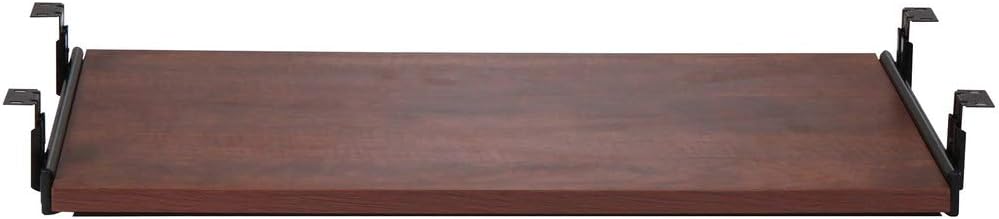
Pros
- Improves ergonomics by positioning keyboard at optimal height and angle for wrist health
- Easy installation and universal desk compatibility save time and frustration
- Smooth gliding action and sturdy construction ensure years of dependable use
- Compact storage when not in use keeps desk surface clutter-free
- Excellent value for an ergonomic accessory with strong customer satisfaction ratings
Cons
- Cherry finish may show dust and fingerprints more visibly than darker colors
- Limited adjustment options once installed, so proper initial setup is important
- Melamine surface requires careful handling to avoid chips or scratches over time
The Lorell 87526 keyboard tray is an essential ergonomic accessory designed for office professionals, remote workers, and anyone spending extended hours at a desk. This under-desk platform solves a common workplace problem: keyboards positioned at desk height that cause wrist strain and poor posture. It's an affordable way to upgrade your workspace without replacing furniture.
The standout feature is the smooth sliding mechanism that extends and retracts effortlessly, allowing you to position your keyboard at the optimal height for your body. The 26-inch width accommodates standard and ergonomic keyboards, while the durable melamine laminate surface resists daily wear and spills. Universal compatibility with Lorell Essential Series desks and most standard office desks means you won't need special tools or professional installation.
Build quality is solid throughout, with smooth gliding action that remains consistent over time. The cherry finish adds a professional appearance to any workspace, though it does require occasional dusting to maintain its appearance. The compact design tucks completely under your desk when not in use, preserving valuable work surface space for other tasks and materials.
The main consideration is that this tray offers fixed positioning once installed, so taking time to adjust height and angle initially ensures long-term comfort. Some users with very large keyboards or multiple input devices may find 26 inches slightly limiting. However, the 5-year warranty demonstrates manufacturer confidence in durability.
For budget-conscious office workers seeking ergonomic improvement without major expense, the Lorell 87526 delivers excellent value. It's a practical investment in comfort and productivity that most users report noticing immediately in their daily work experience.
Dimensions: 26 inches wide x 15-3/8 inches deep
Material: Durable melamine laminate surface with slide mechanism
Finish: Cherry
Compatibility: Lorell Essential Series desks and most standard office desks
Operation: Manual slide-out mechanism for easy extension and retraction
Storage: Slides completely under desk when not in use
Warranty: Lorell Limited 5-Year Warranty
Origin: Imported
Who Should Buy This Keyboard Tray? This product is ideal for office workers, remote employees, students, and anyone who spends 4+ hours daily typing at a desk. If you experience wrist pain, neck strain, or poor posture while working, this tray can significantly improve comfort.
Installation Considerations: Measure your desk thickness and verify that your keyboard will fit on the 26-inch surface before purchasing. The tray requires some desk space underneath, so ensure your desk has clearance for the slide mechanism. Most installations take 15-30 minutes without special tools.
Maintenance Tips: Periodically wipe the melamine surface with a soft, damp cloth to remove dust and maintain appearance. Avoid placing heavy objects on the tray that could damage the finish. Check the slide mechanism occasionally to ensure smooth operation.
Alternatives to Consider: If you need more adjustability, look for motorized or multi-angle keyboard trays. If space is extremely limited, consider a smaller 20-inch model. For standing desks, verify compatibility before purchasing.

Pros
- Perfect solution for corner and L-shaped workstations with independently rotating clamps
- Quick installation without tools or desktop damage, ideal for renters and temporary setups
- Smooth sliding mechanism and adjustable height promote better ergonomics and reduce wrist strain
- Sturdy steel and particle board construction supports up to 11 lbs reliably
- Generous 26.8-inch tray width accommodates most keyboard and mouse combinations
Cons
- Limited to desktops between 0.5 and 1.25 inches thick, not compatible with beveled edges
- 11 lb weight capacity may be restrictive for users wanting to add multiple peripherals or heavier equipment
- Tray sits relatively close to desk surface, which may feel cramped for some users
The VIVO MOUNT-KB10C is a clamp-on keyboard tray purpose-built for corner and L-shaped desk configurations. This product targets professionals, remote workers, and gamers who need to maximize limited desk space while maintaining ergonomic comfort. The swiveling C-clamp design makes it particularly valuable for anyone working at a corner workstation.
The standout feature is the 90-degree rotating clamps that independently adjust to fit both sides of an L-shaped desk without requiring any drilling or permanent modifications. The tray slides smoothly with an 8.5-inch extension, and you can position it between 1.5 to 2.75 inches below your desktop surface. This flexibility allows users to find their ideal typing angle and reduce wrist and shoulder strain during long work sessions.
Build quality is solid with steel clamps and a particle board tray surface topped with anti-skid padding. The 26.8-inch width (32.5 inches including clamps) fits most standard keyboards and mice, and the 11 lbs weight capacity handles typical input devices plus a few small accessories. Installation is straightforward with provided hardware and clear instructions.
The main limitation is desktop compatibility. Your desk surface must be between 0.5 and 1.25 inches thick with no beveled edges, which excludes some modern standing desks and premium furniture. Additionally, the 11 lb capacity may feel restrictive if you plan to add multiple peripherals or heavier equipment to the tray.
Overall, the VIVO keyboard tray delivers excellent value for corner desk users seeking a damage-free, ergonomic workspace upgrade. Its intelligent clamp design and smooth operation make it one of the better options available for L-shaped workstations.
Dimensions: 26.8 inches wide by 11 inches deep (32.5 inches including clamps). Extension distance is 8.5 inches from desk edge.
Height Range: Adjustable from 1.5 to 2.75 inches below desktop surface for ergonomic positioning.
Weight Capacity: Supports up to 11 lbs of keyboard, mouse, and accessories.
Material: Steel clamps with particle board tray surface and anti-skid padding.
Compatibility: Desktop thickness must be between 0.5 and 1.25 inches. Not compatible with beveled or rounded desk edges. Fits standard keyboards and most mouse types.
Clamp Design: Sturdy C-clamps with 90-degree swivel capability and 45-degree track length of 12.3 inches. Clamps rotate independently for custom corner desk placement.
Is This Right for You? The VIVO MOUNT-KB10C is ideal if you have an L-shaped or corner desk and want to free up surface space without permanent modifications. It works best for standard office keyboards and mice in typical work environments.
Before You Buy: Measure your desk thickness carefully. It must be between 0.5 and 1.25 inches, and your desk edges cannot be beveled or rounded. Check that you have adequate space below your desk for the tray to extend. If you plan to use heavy gaming peripherals or multiple devices, verify they fit within the 11 lbs weight limit.
Installation Tip: The swiveling clamps make installation straightforward, but take time to position them correctly on both sides of your corner before fully tightening. This ensures even pressure and smooth operation. The anti-skid padding protects your desk, so you can adjust positioning as needed without worry.
Alternatives to Consider: If your desk has beveled edges or exceeds 1.25 inches thickness, look for alternative mounting methods. For heavier peripheral setups, consider a keyboard tray with higher weight capacity or a monitor arm with integrated keyboard platform.

Pros
- Genuinely ergonomic design reduces neck and shoulder strain by positioning keyboard at optimal height
- Flexible mouse tray placement accommodates both left and right-handed users
- Sturdy construction with impact-resistant materials handles daily use reliably
- Simple installation process with template guide makes setup manageable for most users
- Exceptional value for an ergonomic desk accessory at under $35
Cons
- Requires 23.5 inches of unobstructed width and 14.5 inches of depth under desk, limiting compatibility with some desk designs
- Installation involves drilling pilot holes into desk underside, which may concern renters or those with delicate furniture
- Mouse tray is relatively small at 7.25 x 7.5 inches, which may feel cramped for users with larger mice or trackpads
The Fellowes Office Suites Underdesk Keyboard Drawer is an ergonomic desk accessory designed for office workers, remote employees, and anyone spending extended hours at a computer. It addresses a common workspace problem by moving your keyboard and mouse off the desktop, freeing up valuable real estate while simultaneously improving your typing posture and comfort.
The standout feature is its three adjustable height settings, allowing you to customize the keyboard position to match your body mechanics and preferred work angle. This flexibility is crucial for reducing strain during long work sessions. The mouse tray is equally thoughtful, offering mounting options on either side of the keyboard platform or the ability to stow it underneath when not in use, making it adaptable to different work styles and desk configurations.
Build quality is solid throughout. The platform features sturdy, impact-resistant construction that supports standard keyboards up to 20 inches wide without flexing or wobbling. The black and silver color scheme is professional and blends seamlessly with modern office furniture. Installation is straightforward, using a template guide and standard screws, though it does require drilling pilot holes into your desk underside.
The main limitation is space requirements: your desk must have at least 23.5 inches of width and 14.5 inches of depth available underneath, with no obstructions like crossbars. Additionally, the mouse tray is compact at 7.25 x 7.5 inches, which may feel tight for larger peripherals. The permanent mounting also makes it unsuitable for renters or those reluctant to modify furniture.
Overall, this is an excellent value ergonomic solution for improving workspace comfort and efficiency. If your desk has adequate clearance and you're willing to install it permanently, the Fellowes keyboard drawer delivers measurable benefits in posture, comfort, and desktop organization.
Installation requires mounting the keyboard drawer to the underside of your desk using the included hardware and a provided template. Before beginning, verify that your desk has at least 23.5 inches of clear width and 14.5 inches of depth underneath, with no support bars or obstructions in the mounting area.
The process involves four main steps. First, align the drawer slides with the keyboard tray and secure them with chrome self-tapping screws on both sides. Second, attach adjustable mounting brackets on each side using brass machine screws. Third, use the instruction template as a guide to mark and drill pilot holes (approximately 3/8 inch deep) into your desk underside, being careful not to drill through the desktop. Finally, insert the mounting screws into the adjustable brackets on both sides.
Most users report the installation takes 30 to 60 minutes with basic tools. A power drill, screwdriver, and masking tape are essential. The template system significantly simplifies the process by eliminating guesswork about hole placement. If you're uncomfortable drilling into your desk or lack the necessary tools, consider having a handyperson handle the installation.
Keyboard Platform: Accommodates keyboards up to 20 inches wide and 7 5/8 inches deep. Sturdy, impact-resistant construction with black and silver finish.
Mouse Tray: Dimensions of 7.25 inches by 7.5 inches. Can be mounted on right or left side of keyboard tray or stored underneath when not in use.
Space Requirements: Requires 23.5 inches of width and 14.5 inches of depth underneath desk. Installation area must be free of obstructions such as crossbars or support structures.
Height Adjustments: Three adjustable height positions to accommodate different body types and work preferences.
Installation Hardware: Includes Phillips Rounded Head Screws number 7 at 3/4 inch length, chrome self-tapping screws, and brass machine screws. Mounting template provided for accurate hole placement.
Model: Fellowes Office Suites 9140305

Pros
- Spacious 25.6-inch platform accommodates full keyboard and mouse setup with room for accessories
- Smooth gliding mechanism operates silently with high-quality metal rails for reliable daily use
- Flexible installation options including non-damaging C-clamps work for most standard desks
- Ergonomic design reduces physical strain and promotes better posture during typing
- Safety back baffle prevents keyboard from sliding off the tray during operation
Cons
- C-clamp installation limited to desks with maximum 1.63-inch thickness, requiring screw mounting for thicker surfaces
- Reduced keyboard clearance with thicker desktops may impact ergonomic positioning
- Requires adequate horizontal desk space (30 inches total including clamps) which may not suit compact workstations
The XINLEI under-desk keyboard tray is a practical ergonomic solution designed for office workers, remote professionals, and anyone seeking to optimize their workspace. This large platform accommodates both keyboard and mouse while keeping your desk surface clear and organized, making it particularly valuable for small office spaces or shared workstations.
The standout feature is its smooth metal sliding mechanism that extends up to 12.24 inches, allowing you to position your keyboard at the perfect angle for typing comfort. The 25.6-inch platform provides ample space for full-sized keyboards and mouse pads, while the safety ledge stopper prevents accidental slips during work. The ergonomic design reduces strain on wrists and shoulders, a significant benefit for professionals spending long hours at their desks.
Build quality is solid, with protective EVA pads safeguarding your desk surface from damage. The C-clamp design offers a non-permanent installation option, making it ideal for renters or office environments where desk modifications aren't allowed. For thicker desks beyond 1.63 inches, the included screw installation method provides a secure alternative, though this requires drilling.
The main limitation is that C-clamp compatibility depends on desk thickness, and very thick desktops may reduce keyboard clearance below the desk surface. Additionally, the tray requires sufficient horizontal space (30 inches total), which may not suit minimalist or compact desk setups.
Overall, the XINLEI keyboard tray delivers excellent value for ergonomic workspace improvement. It combines practical functionality with flexible installation options and solid construction, making it a reliable choice for anyone looking to enhance desk organization and typing comfort without permanent desk modifications.
Dimensions: 25.6 inches wide x 11.8 inches deep (30 inches total including clamps)
Material: Metal sliding rails with EVA protective pads
Installation Methods: C-clamp (maximum desk thickness 1.63 inches, height clearance 4.45 inches) or screw mounting (height clearance 2.4 inches)
Sliding Range: Extends up to 12.24 inches, retracts up to 7.75 inches
Safety Features: Back baffle stopper prevents keyboard slippage, protective EVA pads protect desk surface
Color: Black
Weight Capacity: Suitable for standard keyboard and mouse setup with small accessories
Best For: Remote workers, office professionals, students, and anyone seeking ergonomic desk organization without permanent modifications. Ideal for renters or shared workspaces.
Consider This Product If: You have a standard desk thickness under 1.63 inches and want non-permanent installation, you need extra desk space, or you experience wrist and shoulder strain from typing.
Measure Before Buying: Ensure your desk is at least 30 inches wide to accommodate the full tray with clamps. Check desk thickness for C-clamp compatibility, or plan for screw installation if your desk exceeds 1.63 inches.
Installation Tips: C-clamp installation is tool-free and reversible, making it perfect for renters. Screw mounting requires drilling but works with thicker desks and creates a neater appearance.

Pros
- Damage-free installation with adjustable C-clamps fits desks 0.3 to 1.9 inches thick
- Ergonomic angles and smooth ball-bearing glide reduce fatigue and improve typing comfort
- Space-saving design frees up desk real estate for monitors and work materials
- Built-in cable management and safety flap keep cords organized and items secure
- Responsive customer support and complete assembly package included
Cons
- Not compatible with beveled-edge desks or desks with under-desk support structures
- Requires minimum 33-inch desk length and 1.9-inch maximum thickness for proper installation
- Limited 5.7-inch maximum extension may feel restrictive for some users
The AX01WB01 under-desk keyboard tray is a practical solution for office workers, programmers, and students who want to maximize desk space while improving ergonomic comfort. This 27.3-inch slide-out platform mounts securely beneath your desk using adjustable C-clamps, eliminating the need for drilling or permanent modifications. It is designed for standard office desks and works best in professional and home office environments where space optimization and wrist health are priorities.
The standout feature is the dual C-clamp mounting system combined with built-in ball bearings that deliver smooth, wobble-free operation. Users can easily adjust height and angle even after installation, and the tray extends up to 5.7 inches from the desk edge for comfortable typing positions. The integrated cable management system keeps keyboard and mouse cords organized, while the built-in safety flap prevents items from falling off during use. With a 11-pound weight capacity, the tray handles keyboards, mice, and small accessories without flex or instability.
Build quality is solid with sturdy construction and protective padding on the clamps to safeguard your desk surface. The no-drilling installation approach is a major advantage for renters and those hesitant about permanent desk modifications. Assembly is straightforward with all hardware included, and the responsive customer support team is available for installation questions or concerns.
The main limitation is compatibility. The tray does not work with beveled-edge desks, under-desk support structures, or desks thinner than 0.3 inches or thicker than 1.9 inches. Additionally, your desk must be at least 33 inches long to accommodate the 32.5-inch clamp span. The 5.7-inch maximum extension may feel limited for users who prefer keyboards positioned far from the desk edge.
Overall, this is a reliable, affordable keyboard tray that delivers genuine ergonomic benefits and space savings for compatible desks. The no-damage C-clamp system and smooth operation make it an excellent choice for anyone seeking to improve desk ergonomics without commitment or desk modification. Verify your desk dimensions and edge style before purchasing to ensure compatibility.
Before purchasing, verify that your desk meets these specific requirements. Your desk thickness must fall between 0.3 inches and 1.9 inches maximum. Desks thicker than 1.9 inches cannot accommodate the C-clamps, and desks thinner than 0.3 inches lack sufficient material for secure mounting.
Your desk must be at least 33 inches in length because the keyboard tray spans 32.5 inches from clamp to clamp. Measure carefully to ensure adequate space. Desks with beveled or angled bottom edges are not compatible with this tray, as the clamps require a flat, straight edge for proper grip and stability.
Under-desk support structures, crossbars, or reinforcing tubes at the edges will prevent proper clamp installation. If your desk has these features, this tray is not suitable. Standard office desks without these obstructions work perfectly. When in doubt, contact customer support with your desk specifications for confirmation before ordering.

Pros
- Exceptional space-saving solution that immediately expands usable desk surface area for monitors, documents, or creative work
- Ergonomic design with multiple height settings promotes proper wrist alignment and reduces repetitive strain injuries during long workdays
- Smooth ball-bearing tracks deliver whisper-quiet operation with buttery-smooth gliding motion in and out
- Robust steel and MDF construction handles daily wear with impressive weight capacity and longevity
- Straightforward installation process requires minimal tools and takes under 30 minutes for most users
Cons
- Requires minimum 12" of clearance beneath your desk, which may not accommodate desks with limited leg room or adjustable desk bases
- Weight capacity of 11 lbs limits compatibility with heavier mechanical keyboards or dual-monitor arm setups
- Five discrete height settings offer less fine-tuning precision compared to infinitely adjustable alternatives
The VIVO MOUNT-KB27HB is an under-desk keyboard tray designed for professionals and remote workers who want to maximize desktop real estate while improving ergonomic comfort. This sliding platform mounts directly beneath your desk surface, creating a dedicated lower tier for keyboards, mice, and small accessories that typically clutter workspace.
The standout feature is the height-adjustable mounting system with five preset positions that allow 2.4" of total vertical adjustment. This flexibility ensures your keyboard sits at the optimal angle relative to your seated position, promoting neutral wrist alignment and reducing fatigue during extended typing sessions. The smooth ball-bearing tracks deliver effortless gliding motion, extending 7.8" outward and retracting fully 12" under the desk for seamless access and storage.
Build quality impresses with heavy-duty steel brackets and a durable MDF board surface measuring 26.8" x 11" inches, easily accommodating full-size keyboards and standard mice. The 11-pound weight capacity handles most peripheral combinations without flex or wobble. Installation is straightforward with included hardware and clear instructions, though you'll need a drill and basic tools for mounting.
The primary limitation is the 12" clearance requirement beneath your desk, which may prove problematic for desks with shallow leg room or compact adjustable bases. Additionally, the five discrete height positions lack the infinite adjustment granularity of premium alternatives, though most users find the preset intervals adequate for their needs.
This keyboard tray delivers excellent value for anyone seeking workspace expansion and ergonomic improvement. Its robust construction, intuitive design, and straightforward installation make it an outstanding choice for budget-conscious professionals prioritizing comfort and desk organization.
Physical Dimensions and Capacity
Tray surface: 26.8" x 11" with 0.6" thickness. Maximum extension from desk edge: 7.8". Under-desk clearance required: 12" (including track). Weight capacity: 11 lbs. Total track length: 12.3".
Height Adjustment and Positioning
Vertical adjustment range: 2.4" total with five preset positions spaced 0.6" apart. Tray sits 2.5" to 5" below desk surface depending on selection. Leg clearance: 4.2" to 6.6" total distance under desk.
Materials and Mounting
Construction: Steel brackets and MDF board. Finish: Black. Bracket configuration options: inward position (mounting holes 23.5" to 25" apart) or outward position (mounting holes 28.8" to 30.4" apart). Total tray length with brackets extended: 31.5".
Who Should Buy This Product
This keyboard tray suits remote workers, office professionals, students, and gamers seeking to reclaim desktop space and improve typing ergonomics. It works particularly well for compact desks, shared workspaces, and home offices where vertical space optimization is critical.
Compatibility Considerations
Verify your desk has at least 12" of clearance underneath before purchasing. Measure your keyboard and mouse combined width to ensure they fit within the 26.8" tray surface. Confirm your desk thickness accommodates the mounting brackets, which require secure fastening into solid wood or reinforced surfaces.
Installation Tips
Choose mounting height based on your seated position and chair height. Most users find the middle three settings optimal for neutral wrist positioning. Use a drill with appropriate bits for your desk material. Consider mounting at the desk's edge closest to your dominant side for natural mouse access.

Pros
- Excellent ergonomic solution that promotes healthier typing angles and reduces neck and shoulder strain
- Full 360-degree swivel capability offers unmatched flexibility for personalized workspace configuration
- Single clamp design simplifies installation and adjustment compared to multi-clamp alternatives
- Ample tray space accommodates larger keyboards and mouse without cramping your setup
- Effective space-saving feature stores tray under desk when not in use for clean aesthetics
Cons
- Requires specific desk compatibility, not suitable for desks with beveled edges, raised edges, or under-desk crossbars
- Maximum desk thickness of 2 inches limits compatibility with thicker or specialty desks
- 360-degree rotation requires 32 inches of clearance around the desk, which may not work in compact spaces
The VIVO MOUNT-KB04CB is an under-desk keyboard tray designed for professionals and remote workers who want to improve their typing ergonomics and reclaim desktop space. This rotating platform mounts directly to your desk via a single C-clamp, positioning your keyboard and mouse below the work surface for optimal posture and reduced strain on your neck, shoulders, and wrists.
The standout feature is the full 360-degree rotation capability, allowing you to swivel the tray in any direction for maximum flexibility. The spacious 22.8 x 9.8 inch platform comfortably accommodates standard and larger keyboards plus your mouse, with a weight capacity of 11 lbs. When not in use, the tray pivots neatly under your desk for discreet storage and a cleaner desktop appearance.
Build quality is solid with a sturdy C-clamp that securely holds the tray in place without damaging your desk surface. The single-clamp design simplifies installation and makes adjustments straightforward. Rounded corners add safety and durability for daily use. The product uses a patent-pending design that sets it apart from standard keyboard trays.
The main limitation is desktop compatibility. Your desk must have a level underside with clean square edges, no bevels, and no under-desk crossbars or supports in the clamp location. The maximum desk thickness is 2 inches, and the 360-degree rotation requires approximately 32 inches of clearance around your setup, which may be restrictive in smaller workspaces.
Overall, the VIVO MOUNT-KB04CB is an effective ergonomic solution for those with compatible desks. It delivers real benefits in posture improvement and space savings, backed by straightforward installation and reliable construction. Verify your desk compatibility before purchasing to ensure a proper fit.
Dimensions and Capacity: Tray size is 22.8 x 9.8 inches with a weight capacity of 11 lbs. Maximum desk thickness supported is 2 inches.
Rotation and Clearance: Full 360-degree rotation requires 32 inches of clearance around the circumference for optimal functionality.
Mounting: Single adjustable C-clamp design for easy installation and secure attachment without desk damage.
Compatibility Requirements: Requires level desktop underside with clean square edges. Not compatible with beveled edges, raised edges, lipped desks, or under-desk crossbars or supports.
Design: Patent-pending rotating platform with rounded corners for safety and convenience. Pivots under desk for storage when not in use.
Is This Right for You? This keyboard tray is ideal if you spend extended hours typing and want to improve your posture, reduce desk clutter, or customize your workspace angles. It works best for standard office and home setups with compatible desks.
Check Desktop Compatibility First: Before purchasing, verify your desk has a level underside with clean square edges, no bevels, and no under-desk supports or crossbars in the intended clamp location. Measure your desk thickness to ensure it does not exceed 2 inches.
Measure Your Space: Confirm you have approximately 32 inches of clearance around your desk for full 360-degree rotation. In tighter spaces, rotation range may be limited.
Installation Tips: Installation is straightforward with the single C-clamp, but ensure your desk edge is smooth and clean for optimal clamping. Adjust the clamp gradually to avoid over-tightening, which could damage your desk.
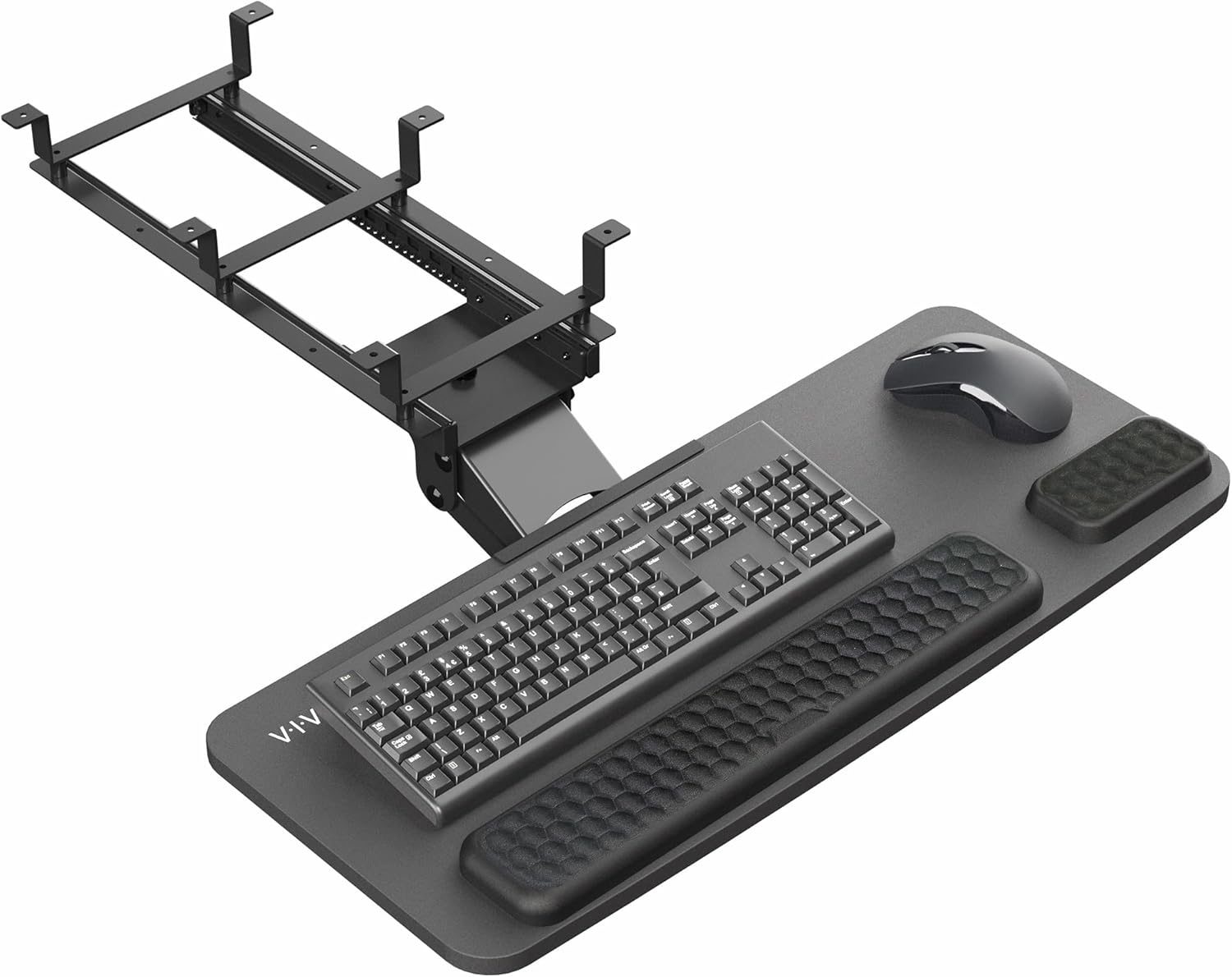
Pros
- Excellent adjustability with 30-degree tilt range and 6.3-inch vertical movement ensures proper ergonomic positioning for different users
- Plush foam padding provides genuine comfort during long work sessions, reducing wrist fatigue and strain
- Universal sizing accommodates most keyboards and mice without compatibility concerns
- Sturdy construction with 12-pound capacity handles daily use without wobbling or shifting
- Complete hardware package and clear instructions make installation straightforward for most users
- Rotating and push-back functionality effectively reclaims desktop space for monitors, documents, and other essentials
Cons
- Desk must support at least 12 pounds of under-mounted weight, which may be problematic for thinner or lighter-duty desks
- Requires minimum 0.7-inch desktop thickness for proper mounting, eliminating compatibility with some smaller or portable desk solutions
- Price point at $89.99 is higher than basic keyboard trays, though justified by premium padding and adjustability features
The VIVO Premium Adjustable Keyboard and Mouse Platform Tray is a well-designed ergonomic solution for office workers, remote employees, and gamers who spend hours at their desks. This under-desk mounting system addresses a common workplace problem: poor keyboard positioning that leads to neck strain, shoulder tension, and wrist discomfort. By moving your input devices below the desk surface, you can achieve healthier typing angles while simultaneously reclaiming valuable desktop real estate.
The standout feature is the combination of adjustability options. With 30 degrees of tilt capability and 6.3 inches of vertical height adjustment, users can dial in their perfect ergonomic position. The full rotational capability and push-back functionality add genuine convenience, allowing you to swing the tray aside when you need the desk space clear. The premium plush foam padding is noticeably thicker than budget alternatives, providing real wrist support during extended work sessions without feeling cheap or thin.
Build quality is solid throughout. The 26.8 x 11.2-inch tray surface accommodates virtually all standard-size keyboards and mice, and the universal mounting system works with both straight and corner desks. Installation is straightforward with all hardware included, though you'll want to verify your desk can handle the 12-pound under-mounted weight before purchasing. The tray feels stable in use without wobbling or shifting during typing.
The main limitation is compatibility with lighter desks or those thinner than 0.7 inches. Additionally, at $89.99, this is a premium product compared to basic keyboard trays, though the superior padding, adjustability, and build quality justify the investment for anyone serious about ergonomics.
Overall, the VIVO Premium Keyboard Tray delivers genuine ergonomic benefits backed by solid construction and thoughtful design. It's an excellent choice for anyone struggling with desk posture or wanting to maximize workspace efficiency.
Dimensions: 26.8 x 11.2 inches (tray surface area)
Adjustability: 30 degrees of tilt range, 6.3 inches of height adjustment, full 360-degree rotation
Padding: Premium plush foam for wrist and forearm support
Weight Capacity: 12 pounds maximum
Compatibility: Universal fit for standard keyboards and mice, fits straight and corner desks
Minimum Desktop Thickness: 0.7 inches required for proper mounting
Installation: All mounting hardware and instructions included
Color: Black

Pros
- Significantly increases usable desk surface area for monitors, documents, and workspace organization
- Reduces repetitive strain injuries with proper ergonomic positioning of keyboard and mouse
- Integrated storage drawer eliminates clutter and keeps essentials within arm's reach
- Robust C-clamps provide rock-solid stability without marring desk finish
- Smooth gliding mechanism makes repositioning effortless throughout the workday
Cons
- Not compatible with beveled desk edges, limiting installation options for some modern desks
- Requires desk thickness between specific measurements, potentially excluding thinner or thicker surfaces
- Maximum 8.5-inch extension may feel tight for users with larger keyboards or dual-monitor setups
The VIVO under-desk keyboard tray is a practical solution for office workers, students, and remote professionals who struggle with limited desk space. This pull-out platform mounts securely beneath your desk using sturdy C-clamps, instantly freeing up valuable surface area while promoting better ergonomics. It's designed for anyone seeking to optimize their workspace without a complete desk overhaul.
The standout feature is the combination of functionality and thoughtful design. The 26.8-inch tray slides smoothly and extends up to 8.5 inches from the desk edge, providing comfortable keyboard and mouse positioning. The integrated 17-inch pencil drawer adds genuine utility, storing pens, notepads, and small accessories within easy reach. Users consistently praise the smooth gliding mechanism and the amount of clutter reduction achieved with this single addition.
Build quality is solid throughout. The heavy-duty C-clamps grip firmly without damaging your desk surface, and the tray itself feels sturdy under regular use. Assembly is straightforward with included hardware and instructions. The tray sits 2 to 2.75 inches below your desk depending on thickness, creating an ideal ergonomic angle that reduces wrist and shoulder strain during extended typing sessions.
The main limitation is compatibility. Your desk must be between 0.75 and 1.25 inches thick, and beveled edges are not supported. Additionally, if your desk space is extremely tight, the 32.5-inch total width from clamp to clamp may pose installation challenges. These are worth checking before purchase but won't affect most standard office desks.
The VIVO keyboard tray delivers excellent value for workspace optimization and ergonomic improvement. It's a smart investment for anyone dealing with cramped desk conditions or looking to reduce strain-related discomfort. The combination of practical storage, smooth operation, and durable construction makes it a reliable choice for long-term daily use.
Dimensions and Capacity
Tray size: 26.8 x 11 inches (32.5 inches including clamps)
Pencil drawer length: 17 inches
Maximum tray extension: 8.5 inches from desk edge
Maximum combined extension: 18.5 inches (tray plus drawer)
Pencil drawer weight capacity: 11 lbs
Tray height below desk: 2 to 2.75 inches
Compatibility Requirements
Maximum desk thickness: 1.25 inches
Minimum desk thickness: 0.75 inches
Not compatible with beveled desk edges
Clamp-to-clamp total length: 32.5 inches
Construction and Hardware
Mount type: Adjustable C-clamps
Material: Durable platform construction
Assembly: Includes all hardware and instructions
Installation: No special tools required
Is This Right For You?
This keyboard tray is ideal if you have limited desk space, work long hours at a computer, or want to improve your typing posture. It works best for standard office desks with flat edges and appropriate thickness. If your desk has a beveled edge or is thicker than 1.25 inches, you'll need to look elsewhere.
Installation Checklist
Before purchasing, measure your desk thickness and verify it falls between 0.75 and 1.25 inches. Confirm you have at least 32.5 inches of horizontal space available on your desk for the clamps. Check that your desk edges are flat, not beveled. Ensure you have adequate clearance below the desk for your legs and feet when the tray is extended.
Getting the Most From Your Keyboard Tray
Position the tray so your elbows rest at a 90-degree angle when typing. Adjust the C-clamps firmly but don't over-tighten, as this can damage your desk finish. Use the pencil drawer for frequently accessed items like pens, notepads, and USB drives. Regularly slide the tray in and out to ensure the mechanism stays smooth and free of debris.

Pros
- Excellent ergonomic design with multiple adjustment options for personalized comfort
- Space-efficient under-desk mounting keeps your work area organized and uncluttered
- Smooth swivel and tilt mechanism provides intuitive positioning for any typing preference
- Durable steel and particle board construction supports up to 11 lbs with stable performance
- Comprehensive warranty and support demonstrate strong manufacturer confidence in product quality
Cons
- Requires careful desk measurement, as the 18-inch track needs adequate clearance underneath
- 11 lb weight capacity may not accommodate very large or multiple peripheral devices simultaneously
- Assembly required, though hardware is included and process is described as straightforward
The VIVO MOUNT-KB01 is an under-desk keyboard and mouse tray designed for professionals, remote workers, and anyone spending extended hours at a computer. This ergonomic solution mounts directly underneath your desk to free up valuable surface space while improving your typing posture and overall comfort during work sessions.
The standout features include a full 360-degree swivel mechanism, 5-inch height adjustment range, and a tilting function that pivots from +23 to -18 degrees. These adjustments allow you to position your keyboard at the exact angle and height that suits your body mechanics and desk setup. The removable plush wrist padding provides cushioning to reduce strain during extended typing, while the 18-inch extension track lets you slide the tray forward or backward as needed.
Build quality is solid with a steel frame and particle board construction that weighs 13 pounds and supports up to 11 pounds of equipment. The 25 x 10-inch tray is spacious enough to accommodate most standard keyboards and mice simultaneously, making it a genuinely universal solution. Assembly is straightforward with all necessary hardware included, and the installation process takes minimal time.
The primary consideration is measuring your desk's underside carefully, as the 18-inch track requires adequate clearance to function properly. Additionally, the 11-pound weight capacity means very large mechanical keyboards or multiple heavy peripherals may exceed the limit. For most users with standard keyboard and mouse setups, this is a non-issue.
Overall, the MOUNT-KB01 delivers excellent value for anyone seeking ergonomic improvements without sacrificing desk space. The combination of adjustability, build quality, and manufacturer support makes this a reliable choice for long-term comfort and productivity at your workstation.
Dimensions and Capacity
Keyboard Tray: 25 inches x 10 inches
Track Dimensions: 18 inches x 5.5 inches
Extension Range: 12 inches
Weight Capacity: 11 lbs
Product Weight: 13 lbs
Adjustment Range
Height Adjustment: 5 inches
Tilt Range: +23 degrees to -18 degrees
Swivel: 360 degrees
Materials and Construction
Frame: Steel
Tray Surface: Particle Board
Padding: Removable plush wrist rest
Mounting: Under-desk mount configuration
Warranty and Support
Limited 3-year manufacturer warranty
Friendly tech support included
Is This Right for You?
The MOUNT-KB01 works best if you have a desk with at least 18 inches of clear space underneath and use a standard keyboard and mouse setup weighing under 11 pounds combined. It's ideal for anyone experiencing wrist discomfort, poor typing posture, or those who want to maximize desk surface area for other work materials.
Installation Considerations
Before purchasing, measure the underside of your desk carefully. You need at least 18 inches of horizontal clearance and sufficient vertical space for the tray to move through its adjustment range. The installation process requires basic tools and takes approximately 15-30 minutes depending on your comfort level with assembly.
Setup Tips for Maximum Comfort
Position your keyboard at a height where your elbows rest at approximately 90 degrees when your arms hang naturally. Adjust the tilt angle so your wrists remain in a neutral position, typically a slight negative angle. Use the 360-degree swivel to orient your keyboard perpendicular to your body rather than at an angle, which reduces strain on your shoulders and neck.
Alternative Options
VIVO offers several other keyboard tray models at different price points. The MOUNT-KB03B provides similar functionality, while desk clamp models like the MOUNT-KB05E and MOUNT-KB05HB offer alternative mounting methods if under-desk installation isn't feasible for your setup.

Pros
- Excellent space-saving solution for small or crowded workstations
- RGB lighting adds visual appeal and professional gaming aesthetics to your desk setup
- Ergonomic positioning helps reduce fatigue during long work or gaming sessions
- Easy installation with included hardware and no desk damage from anti-skid padded clamps
- Smooth sliding mechanism makes keyboard and mouse access effortless and convenient
Cons
- Requires a USB power source with at least 1A output to operate the LED lights
- Limited to desks with maximum thickness of 1.25 inches, which may exclude some thicker desk materials
- Maximum extension of 8.5 inches from desk edge may feel shallow for users with larger mouse movements
The VIVO MOUNT-KB05EL is an under-desk keyboard tray designed for gamers, remote workers, and professionals seeking to maximize workspace while improving ergonomics. This 27-inch platform slides beneath your desk to hold keyboards, mice, and small accessories, making it an excellent choice for compact work environments or anyone wanting a cleaner desktop appearance.
The standout feature is undoubtedly the RGB LED lighting that runs along both sides of the tray, cycling through vibrant colors with a breathing motion effect. When powered via USB (1A minimum), the lights create an impressive visual presence that enhances gaming setups and modern workspaces. The smooth gliding tracks make extending and retracting the tray effortless, so you can adjust your typing position throughout the day without friction or resistance.
Build quality is solid with sturdy C-clamps featuring anti-skid padding that securely holds the tray without damaging your desk surface. Installation is straightforward with all necessary hardware included. The tray accommodates desks up to 1.25 inches thick and extends a maximum of 8.5 inches from the desk edge, which works well for most standard setups but may feel restrictive for users with large mouse movements or very deep desks.
The ergonomic positioning genuinely helps reduce strain on your neck, back, and shoulders by positioning your keyboard at a more natural angle. However, you'll need access to a USB power source with adequate amperage to run the LED lights, which may require a dedicated charger if your computer ports are fully occupied.
Overall, this keyboard tray delivers excellent value by combining practical desk organization with appealing RGB aesthetics. The 3-year warranty and responsive tech support add confidence to your purchase. It's highly recommended for anyone seeking better ergonomics, additional desk space, and a touch of gaming flair without breaking the budget.
Dimensions: 26.8 inches wide x 11 inches deep (32.5 inches including clamps) x variable height
Material: Carbon fiber wrapped platform with sturdy metal C-clamps
Weight Capacity: Designed to hold keyboard, mouse, and small accessories
Extension Range: Maximum 8.5 inches slide-out from desk edge
Desk Compatibility: Works with desks up to 1.25 inches thick
LED Lighting: RGB side strips with breathing motion effects
Power Requirements: USB connectivity, requires 5V USB power source with minimum 1A output
Installation: C-clamp mount with anti-skid padding, no tools required
Warranty: Limited 3-year manufacturer warranty with tech support
Who Should Buy This Tray? This product is ideal for gamers wanting RGB aesthetics, remote workers with limited desk space, and anyone seeking ergonomic improvements. It works best in compact home offices, gaming setups, and professional environments where desk organization matters.
Key Considerations Before Purchasing: Measure your desk thickness to ensure it does not exceed 1.25 inches, as thicker surfaces may not clamp securely. Verify you have adequate USB ports or a nearby wall charger to power the LED lights. Consider your mouse movement habits, as the 8.5-inch extension may feel limited for users who prefer larger mouse pads.
Installation Tips: All hardware comes included, making installation straightforward. Ensure the C-clamps are positioned on a solid desk edge for maximum stability. The anti-skid padding protects your desk surface from damage during installation and daily use.
Maintenance: Keep the sliding tracks clean and free of dust for smooth operation. The USB cable should be positioned away from foot traffic to prevent damage. The carbon fiber wrap is durable but can be cleaned with a soft, dry cloth.

Pros
- Excellent ergonomic design helps prevent typing-related pain and discomfort
- Smooth sliding mechanism extends when needed and tucks away to reclaim desktop space
- Built-in drawer keeps small items organized and off your main work surface
- Heavy-duty construction with reliable C-clamp mounting that won't damage desks
- Affordable price point for a quality ergonomic workspace solution
Cons
- Requires at least 11.3 inches of clearance under desk for proper operation, limiting compatibility with some desk styles
- Not compatible with desks featuring beveled or angled edges
- Maximum desk thickness of 1.57 inches may exclude thicker, solid wood desks from compatibility
The HUANUO Under Desk Keyboard Tray is designed for professionals and students who spend extended hours typing at a computer. This slide-out platform addresses two common workspace problems: poor ergonomic positioning and limited desk surface area. The product combines practical functionality with an affordable price, making it accessible for home offices, corporate workspaces, and educational environments.
The standout feature is the ergonomic typing angle that positions your keyboard at an ideal height to reduce wrist and shoulder strain. Combined with the smooth sliding mechanism that extends when in use and retracts to save space, this tray delivers genuine productivity benefits. The included storage drawer is a thoughtful addition that keeps cables, earbuds, and small accessories organized without cluttering your main desktop, contributing to a cleaner and more focused work environment.
Build quality is solid with sturdy dual C-clamps that securely attach to most standard desks without causing damage. The 11 lb weight capacity supports both keyboard and mouse use in sitting or standing positions. Installation is straightforward with clear instructions and labeled parts, allowing most users to set up the tray in under 15 minutes without tools or additional hardware.
Potential limitations include the requirement for at least 11.3 inches of under-desk clearance for operation and incompatibility with beveled desk edges. The maximum desk thickness of 1.57 inches may exclude some solid wood or specialty desks. Buyers should carefully review these dimensional requirements before purchase to ensure proper fit.
Overall, the HUANUO keyboard tray delivers excellent value for anyone seeking to improve workspace ergonomics and organization. Its practical design, reliable construction, and accessible price make it a smart investment for reducing typing discomfort and reclaiming desktop space.
Dimensions: 25.59 inches wide x 11.81 inches deep (30.16 inches including clamps). Extends 7.76 inches from desk edge when in use, sits 11.3 inches back when retracted.
Weight Capacity: 11 pounds maximum load. Supports keyboard, mouse, and light accessories simultaneously.
Mounting: Dual C-clamp system. Compatible with desks 0.39 to 1.57 inches thick. Not compatible with beveled or angled desk edges.
Material: Heavy-duty construction with non-slip surface. Includes backstop to prevent keyboard from sliding off. Built-in storage drawer for small items and cable management.
Clearance Requirements: Minimum 11.3 inches of vertical clearance under desk required for smooth operation.
Before You Buy: Measure your desk thickness (must be between 0.39 and 1.57 inches) and verify at least 11.3 inches of clearance underneath. Check that your desk edges are straight, not beveled or rounded.
Best For: Home office workers, remote employees, students, and anyone experiencing wrist or shoulder pain from typing. Works well in both traditional sitting and standing desk setups.
Installation Tips: Follow the included instructions carefully. Ensure C-clamps are tightened securely but not over-tightened to avoid desk damage. Test the sliding mechanism gently before placing full weight on the tray.
Maintenance: Periodically check clamp tightness as desks may shift with temperature and humidity changes. Clean the sliding rails with a dry cloth to maintain smooth operation. The storage drawer can be removed for easy cleaning.
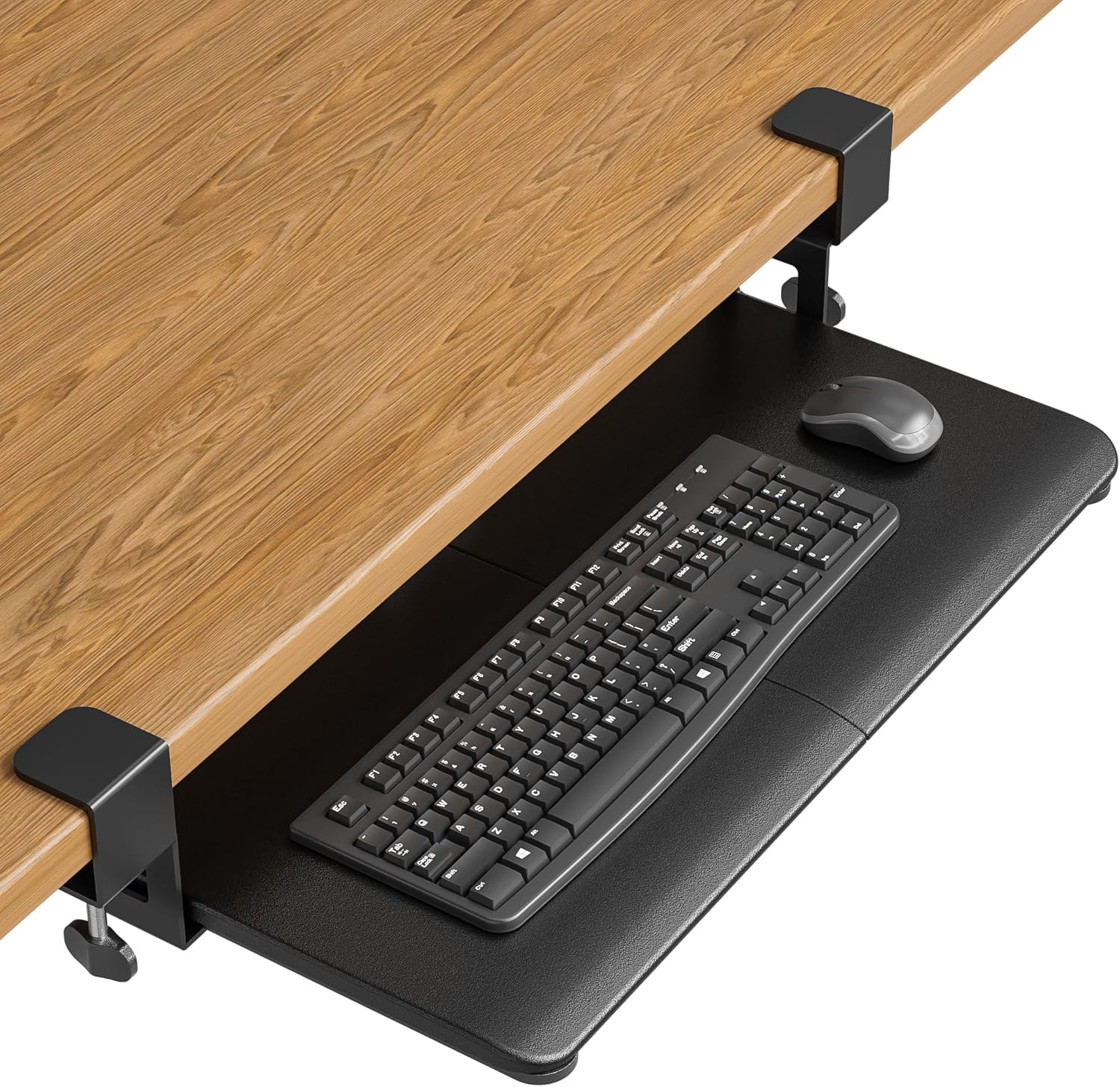
Pros
- No-drill installation preserves desk integrity and takes just minutes to set up with C-clamps
- Spacious 25.6 x 11.8 inch platform accommodates standard keyboards and mice comfortably
- Smooth gliding motion and protective padding deliver reliable daily performance
- Compact storage when retracted makes it ideal for small offices and work-from-home spaces
- Affordable solution for improving workspace ergonomics and organization
Cons
- Requires flat, straight desk edges with unobstructed undersides, limiting compatibility with curved or beveled desks
- Not suitable for large gaming keyboards, vertical mice, or split ergonomic keyboards due to size constraints
- Minimum clearance requirements of 31.3 inches width and 11.8 inches depth may not work for compact desks
The BONTEC Under Desk Keyboard Tray is a practical space-saving solution designed for office professionals, remote workers, and students who want to maximize their desktop real estate. By positioning your keyboard and mouse below the desk surface, this tray frees up valuable space for monitors, documents, and other workspace essentials while promoting a more ergonomic typing position.
The standout feature is its tool-free installation system using sturdy C-clamps that secure to desks up to 1.97 inches thick without any drilling or permanent modifications. The 25.6 x 11.8 inch platform provides ample space for standard keyboards and mice, while the smooth gliding mechanism makes it effortless to pull out when needed and slide back underneath when finished. Anti-skid padding protects your desk finish and ensures stable placement during typing sessions.
Build quality is solid for the price point, with protective pads and reliable C-clamp hardware that keeps the tray stable when fully tightened. The platform supports up to 11 lbs of weight, which is sufficient for most standard input devices. However, the tray's compatibility is limited to desks with flat, straight edges and unobstructed undersides, making it unsuitable for curved, beveled, or desks with support bars underneath.
Potential drawbacks include size limitations for users with large gaming keyboards, vertical mice, or split ergonomic keyboards. Additionally, you'll need to verify that your desk has at least 31.3 inches of width and 11.8 inches of depth underneath to accommodate the tray properly. These compatibility requirements mean careful measurement before purchase is essential.
Overall, the BONTEC keyboard tray delivers excellent value for compatible desk setups, offering meaningful ergonomic and space-saving benefits without the cost or commitment of permanent modifications. It's an ideal choice for anyone looking to optimize their workspace with a reversible, affordable solution.
Desk Requirements: Your desk must have a flat, straight edge and completely unobstructed underside for C-clamp mounting. Curved, beveled, rounded edges, or desks with crossbars and support beams underneath are not compatible with this tray.
Space Dimensions: Measure at least 31.3 inches of width and 11.8 inches of depth underneath your desk before ordering. This clearance is necessary for both installation and smooth operation of the slide-out mechanism.
Desk Thickness: The C-clamp system accommodates desks up to 1.97 inches thick. Check your desk thickness to ensure proper clamping without gaps or instability.
Device Compatibility: The 25.6 x 11.8 inch platform works best with standard keyboards and mice. Large gaming keyboards, vertical mice, and split ergonomic keyboards may not fit properly. Verify your device dimensions and height clearance before purchasing.

Pros
- Excellent space optimization for cramped desks and small home offices
- Adjustable height feature promotes ergonomic comfort and reduces typing-related strain
- Sturdy wood and steel construction withstands daily use without wobbling or degradation
- Simple installation with pre-positioned mounting holes avoids damage to desk surfaces
- Multiple size and color options provide flexibility for different desk configurations
Cons
- Requires desks at least 0.67 inches thick for proper mounting compatibility
- Regular maintenance with lubricant needed to keep ball-bearing slides operating smoothly
- Wood finish may show wear over time with heavy daily use
The FRMSAET keyboard drawer tray is a practical under-desk storage solution designed for office professionals, remote workers, and students who struggle with limited desktop space. This heavy-duty pull-out platform keeps your keyboard and mouse within arm's reach while freeing up valuable workspace for monitors, documents, and other essentials.
The standout feature is the four-position adjustable height system, which allows you to customize the tray to match your ideal typing height and promote proper wrist alignment. Combined with the smooth 14-inch ball-bearing slides, this creates a comfortable and ergonomic work environment that reduces fatigue during extended typing sessions. The 50-pound weight capacity ensures the tray can support full-size mechanical keyboards, wireless mice, and other peripherals without any sagging or instability.
Build quality is solid throughout, with wood construction that feels premium and steel ball-bearing slides that operate with minimal noise. The pre-drilled mounting holes and included hardware make installation straightforward, typically requiring just a screwdriver and 15 minutes of your time. Available in multiple sizes (20, 24, and 30 inches) and finishes including black, white, brown, and mahogany, you can easily match your existing desk setup.
The main limitation is that your desk must be at least 0.67 inches thick for proper mounting, and the ball-bearing slides benefit from occasional lubrication to maintain smooth operation. Some users report that wood finishes can show signs of wear with very heavy daily use, though this is normal for wooden furniture in high-traffic environments.
Overall, the FRMSAET keyboard drawer delivers excellent value for anyone seeking to maximize desk space and improve typing ergonomics. The adjustable height feature, sturdy construction, and easy installation make it a worthwhile investment for home offices and professional workspaces alike.
Dimensions: Available in 20-inch, 24-inch, and 30-inch widths to fit various desk sizes.
Material: Heavy-duty wood construction with steel ball-bearing slides and steel hardware.
Height Adjustment: Four adjustable height positions for customized ergonomic setup.
Slide Mechanism: 14-inch ball-bearing slides with 50-pound weight capacity per tray.
Finish Options: Black, White, Brown, Burly Wood, Mahogany, Cherry, and Gray Rock finishes available.
Installation: Pre-drilled mounting holes, requires desks minimum 0.67 inches thick. All hardware and screws included.
Maintenance: Occasional lubrication of ball-bearing slides recommended for optimal performance.
Who Should Buy This Product: Remote workers and office professionals with limited desk space, anyone experiencing wrist or neck strain from elevated keyboards, students with compact dorm desks, and home office enthusiasts looking to maximize workspace.
Size Selection: Measure your desk width and choose accordingly. The 30-inch option suits larger desks and accommodates extended keyboard and mouse setups, while 20-inch and 24-inch sizes work well for compact workspaces.
Desk Compatibility: Verify your desk is at least 0.67 inches thick before purchasing. Most standard office desks meet this requirement, but some thin folding tables may not be compatible.
Installation Tips: Use the provided mounting holes to avoid drilling into your desk. Tighten all screws securely to prevent wobbling, and apply lubricant to the ball-bearing slides every few months for smooth operation.
Color and Finish: Select a finish that complements your existing desk and office decor. Darker finishes like black and mahogany hide dust better, while lighter finishes like white and natural wood create a modern aesthetic.

Pros
- Large work surface reduces main desk clutter and creates a more organized workspace
- Comprehensive adjustability in height, tilt, and swivel accommodates various body types and preferences
- Smooth sliding mechanism and easy tool-free adjustments enhance user convenience
- Integrated wrist rest adds comfort during long working sessions
- Sturdy construction with carbon steel frame provides reliable long-term durability
Cons
- 3.8 out of 5 star rating suggests some users experienced durability or alignment issues over time
- Maximum 11-pound weight capacity limits use with heavier keyboards or multiple accessories
- Compatibility limited to wooden tables, not suitable for desks with support beams or metal frames
The VEVOR PE-KB01 under-desk keyboard tray is designed for anyone spending significant time typing at a computer, whether in a home office or corporate environment. This adjustable platform brings ergonomic typing support and workspace organization to any standard wooden desk, helping users maintain proper posture while reducing clutter on their main work surface.
The standout feature is the comprehensive adjustability: 7.5 inches of vertical height adjustment, 38 degrees of tilt range, and 180-degree horizontal swivel give users complete control over keyboard positioning. The spacious 25x9.8 inch surface comfortably holds most standard keyboards, mice, and accessories in one place. The smooth 9.5-inch slide-out mechanism works intuitively, allowing quick access when needed and easy storage when not in use. The integrated wrist rest provides cushioned support for extended typing sessions.
Build quality centers on an MDF board top paired with a Q235 carbon steel frame, creating a sturdy platform that supports up to 11 pounds of equipment. The tool-free adjustment system using simple knobs makes height and angle changes quick and accessible to all users. Installation is straightforward with provided hardware and instructions, though assembly requires basic mechanical aptitude.
The main limitations include a 3.8-star rating that suggests some durability concerns from users, a maximum weight capacity that may restrict use with heavier mechanical keyboards or dual-monitor setups, and incompatibility with desks featuring support beams or metal frames. The product works exclusively with wooden table surfaces.
For users prioritizing ergonomic comfort and desk organization in a standard home or office setting, the VEVOR PE-KB01 delivers solid value. The extensive adjustability options and spacious work surface address common typing posture issues effectively. However, potential buyers should verify desk compatibility and consider weight requirements before purchasing.
Dimensions and Capacity: Work surface measures 25 x 9.8 inches (635 x 250 mm) with a maximum load capacity of 11 pounds (5 kg). The platform weighs 10.25 pounds (4.65 kg) when assembled.
Adjustment Range: Height adjustment spans 0 to 8.7 inches (0 to 220 mm). Vertical tilt adjustment ranges from +6 degrees to -25 degrees for optimal angle customization. Horizontal swivel reaches 180 degrees for flexible positioning.
Sliding Mechanism: Slide-out extension measures 9.5 inches (241 mm), allowing convenient keyboard access and storage underneath the desk surface.
Materials and Construction: Top surface constructed from MDF board with a Q235 carbon steel frame providing durability and stability. Includes integrated wrist rest for ergonomic support.
Package Contents: One keyboard tray, fixed frame, keyboard bar, mounting hardware (six M5x15 screws, six M5x12 screws, six M5x20 screws, four cross gaskets), and adjustable wrench for assembly.
Is This Right for You? The VEVOR PE-KB01 works best for office workers, remote employees, and home office users who spend several hours daily typing. It suits anyone experiencing neck, shoulder, or wrist strain from poor keyboard positioning. If you have limited desk space or prefer an organized work environment, this tray's spacious surface and storage capability deliver clear benefits.
Desk Compatibility: This keyboard tray mounts exclusively to wooden desks and tables. It is not compatible with desks featuring support beams, metal frames, or non-standard surfaces. Measure your desk thickness and verify mounting space before purchasing to ensure proper installation.
Weight Considerations: The 11-pound maximum capacity suits standard keyboards and mice with light accessories. If you use mechanical keyboards, dual input devices, or heavy equipment, verify total weight before purchase. Exceeding the weight limit may compromise functionality and durability.
Assembly and Adjustment: Installation requires basic mechanical skills and takes approximately 20 to 30 minutes with provided hardware and instructions. The tool-free adjustment system using knobs makes ongoing height and angle changes simple, requiring no additional equipment or expertise.
Long-Term Durability: Review ratings suggest some users experienced issues over extended use. To maximize longevity, avoid exceeding weight limits, ensure proper installation on compatible desk surfaces, and perform regular tightness checks on mounting hardware.

Pros
- Exceptional space-saving design that dramatically increases usable desktop area for monitors, documents, or other work items
- Full 360-degree rotation capability allows you to adjust the tray to your exact ergonomic preferences throughout the day
- Durable construction with 11 lb weight capacity handles standard keyboards and mice without sagging or wobbling
- Non-locking design maintains smooth adjustability so you can reposition the tray whenever needed
- Quick and easy installation process requires minimal tools and technical knowledge
Cons
- Requires 32 inches of clearance space around the desk for full 360-degree rotation, which may be limited in tight workspaces
- Needs at least 3.1 to 3.9 inches of vertical clearance under your desk, which may not fit all desk configurations
- Desktop must be at least 0.75 inches thick for secure mounting, excluding thinner or glass desks
The VIVO MOUNT-KB01B under-desk keyboard tray is a practical solution for anyone looking to reclaim valuable desk space while improving their typing ergonomics. This product is ideal for office professionals, remote workers, students, and anyone with limited desk real estate who wants to maintain a clean, organized workspace without sacrificing comfort.
The standout feature is the full 360-degree rotating capability, which allows you to position your keyboard and mouse at the perfect angle for your body and work style. The 23 x 10 inch tray accommodates standard keyboards and mice while the single mounting bracket keeps everything stable and centered. Unlike locked trays, this design maintains fluid adjustability so you can fine-tune your setup throughout the day as needed.
Build quality is solid thanks to the steel and particle board construction, which reliably supports up to 11 lbs without wobbling or sagging. The screw-in mounting system integrates seamlessly into your existing desk setup, and the tray conveniently swivels completely under the desk when not in use, providing excellent out-of-the-way storage. Installation is straightforward with all hardware and clear instructions included.
The main limitation is the space requirements: you'll need 32 inches of clearance around your desk for full rotation and 3.1 to 3.9 inches of vertical space underneath. Additionally, your desktop must be at least 0.75 inches thick for secure mounting. These considerations mean the tray isn't suitable for every workspace or desk configuration.
Overall, the VIVO MOUNT-KB01B delivers excellent value for desk space optimization and ergonomic improvement. If your desk meets the clearance requirements, this rotating keyboard tray is a smart investment for creating a more comfortable and organized work environment.
Dimensions and Capacity: Tray measures 22.8 inches wide by 9.8 inches deep with 0.6 inch thickness. Weight capacity is 11 lbs. Height clearance ranges from 3.1 to 3.9 inches depending on bracket height settings.
Rotation and Clearance: Full 360-degree rotation with 32 inches of space required for complete circumference movement. The tray pivots smoothly under the desk when not in use.
Materials and Installation: Constructed from durable steel and particle board. Single mounting bracket design with screw-in installation. Desktop thickness must be at least 0.75 inches. All hardware and assembly instructions included.
Color and Design: Available in black with a modern, minimalist aesthetic that complements any office or home workspace setup.
Is This Right for You? This keyboard tray works best if you have a sturdy desk (at least 0.75 inches thick), adequate clearance underneath (3.1 to 3.9 inches), and enough space around your desk for 360-degree rotation (32 inches). It's perfect for anyone struggling with limited desk space or experiencing wrist strain from elevated keyboard positioning.
Installation Considerations: Before purchasing, measure your desk thickness, the vertical space underneath, and the available rotation space around your workstation. The mounting bracket is centrally positioned, so ensure your desk can accommodate a single mounting point. Installation takes minimal time with basic tools.
Ergonomic Benefits: By positioning your keyboard below desk height, you can achieve a more natural arm angle and reduce wrist strain. The 360-degree rotation lets you adjust the tray to match your body mechanics and work preferences throughout the day.
Maintenance and Durability: The steel and particle board construction requires no special maintenance. The non-locking design means the tray will pivot smoothly for years of use, though you should periodically check mounting hardware to ensure it remains tight.
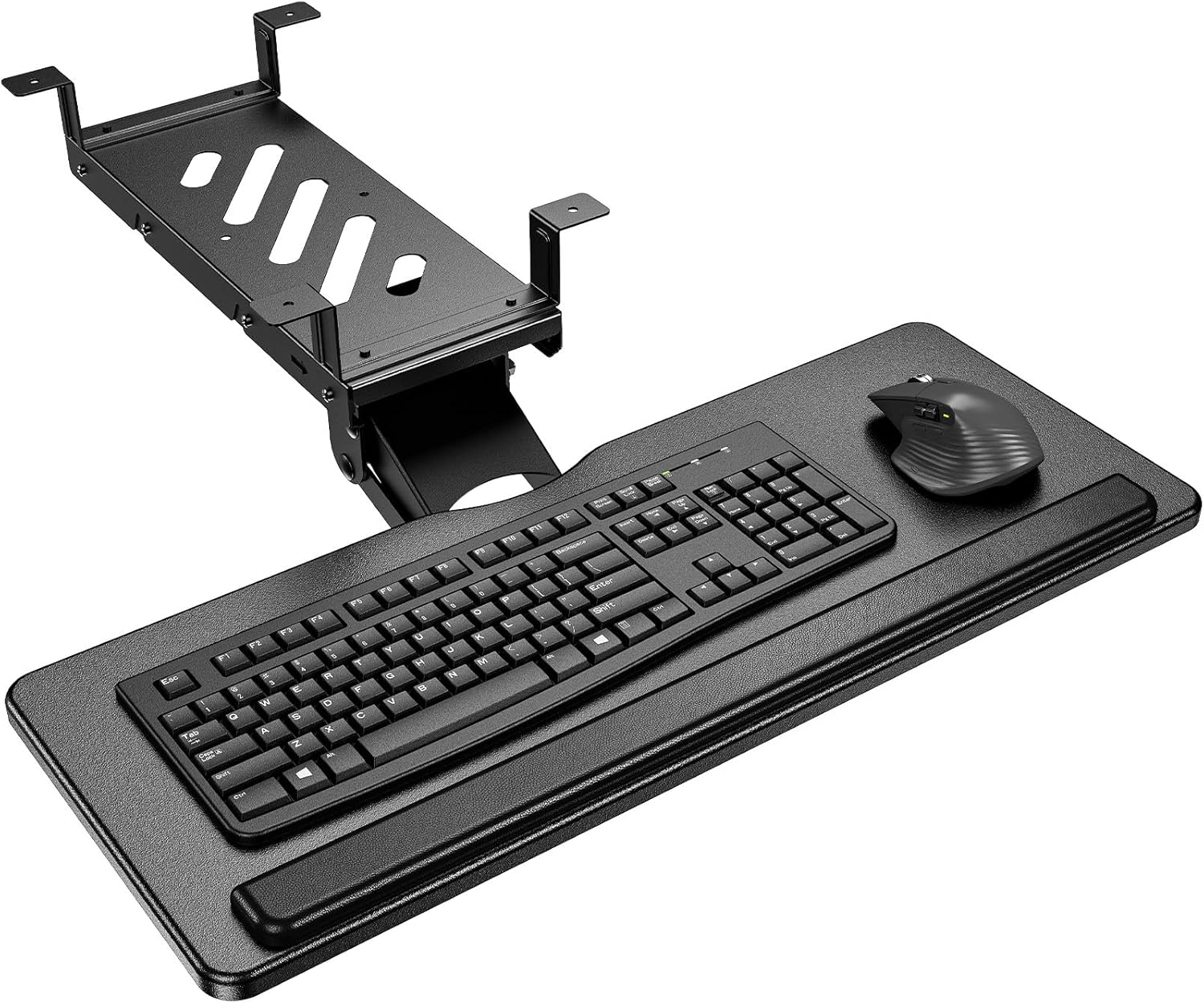
Pros
- Exceptional ergonomic flexibility with multiple adjustment options accommodates various body types and preferences
- Dual bracket system solves compatibility issues for both standard and standing desks with cross beams
- Smooth metal roller track mechanism delivers reliable performance tested for durability
- Intuitive installation process with clear instructions and complete accessories included
- Wrist rest pad provides genuine comfort support for users with typing-related strain concerns
Cons
- Requires desktop depth greater than 17 inches and thickness over 0.6 inches, limiting compatibility with some desk styles
- Full 360-degree swivel function needs at least 35 inches of under-desk width, which may not suit compact workspaces
- Cross-beam installation requires verification that beams are 2 inches or smaller in height
The HUANUO under-desk keyboard tray addresses a genuine pain point for remote workers and office professionals who spend hours typing at their desks. This adjustable platform combines practical functionality with ergonomic design, making it suitable for anyone experiencing wrist strain, shoulder tension, or poor typing posture. Whether you work from home, use a standing desk, or maintain a multi-monitor setup, this tray offers the flexibility to optimize your workspace for comfort.
The standout feature is the comprehensive adjustability system. With 6.3 inches of height adjustment, 180-degree left-right swivel, and a tilt range from 6 degrees up to 22 degrees down, users can find their ideal typing position. The integrated wrist rest pad provides immediate support, while the metal roller track system tested for 20,000 cycles ensures smooth operation over extended use. The 25 x 9.84 inch platform accommodates most keyboards and mice while maintaining an 11-pound weight capacity suitable for typical peripherals.
Build quality stands out through thoughtful engineering. The dual installation bracket system solves a real problem for standing desk users by accommodating cross beams up to 2 inches tall, while standard flat-bottom desks use the primary mounting option. Installation is streamlined compared to competitors, requiring you to hold only the top plate before hanging the tray into position. Complete accessories and clear instructions come included, reducing setup frustration.
Potential limitations exist around desk compatibility. Your desktop must be deeper than 17 inches with thickness exceeding 0.6 inches, and it must be wood, plywood, or particle board. If you want full 360-degree swivel capability, you need at least 35 inches of under-desk width. These constraints eliminate some desk styles but work for the majority of standard home and office setups.
The HUANUO keyboard tray delivers genuine ergonomic value with reliable performance and thoughtful design. For desk-bound professionals seeking to reduce typing strain and improve posture without major workspace renovation, this product offers excellent practical benefits at a reasonable investment level.
Physical Dimensions: Keyboard tray measures 25 inches wide by 9.84 inches deep, providing ample space for standard keyboards and mice. Maximum weight capacity is 11 pounds.
Adjustment Range: Height adjusts up to 6.3 inches, swivel rotates 180 degrees left and right for full 360-degree movement capability, and tilt adjusts from 6 degrees upward to 22 degrees downward.
Installation Compatibility: Fits flat-bottom desks and desks with cross beams up to 2 inches in height. Desktop depth must exceed 17 inches and thickness must be at least 0.6 inches. Compatible with wood, plywood, and particle board surfaces only. Full swivel function requires minimum 35 inches of under-desk width.
Durability: Metal roller track system is tested and rated for 20,000 operational cycles. Includes wrist rest pad and complete installation hardware with mounting plate.

Pros
- Significantly improves desk organization and maximizes workspace by storing keyboard out of view
- SmartFit adjustment system is intuitive and requires no tools for height customization
- Sturdy construction supports keyboard and mouse without wobbling or sagging
- Generous 26-inch width accommodates oversized and ergonomically-shaped keyboards with room to spare
- Affordable price point makes ergonomic desk setup accessible to budget-conscious buyers
Cons
- Limited to three height positions, which may not suit all user preferences or desk heights
- Cable management system requires some initial setup and routing to be fully effective
- May require desk space underneath to accommodate the drawer mechanism
The Kensington SmartFit keyboard tray is designed for professionals who spend extended hours at their desk and want to improve ergonomics without breaking the bank. This under-desk drawer system is particularly valuable for remote workers, office employees, and anyone dealing with limited desktop real estate who needs a practical solution for organizing their keyboard and mouse.
The standout feature is the SmartFit color-coded adjustment system, which makes finding your ideal typing height simple and repeatable. The extra-wide 26-inch tray is genuinely spacious, easily accommodating full-size keyboards alongside a mouse pad and wrist rest. The smooth glide mechanism operates quietly, and the integrated cable management keeps your workspace looking professional and organized. Real-world performance shows this tray handles daily use without sagging or developing play in the mounting hardware.
Build quality is solid throughout, with sturdy materials that feel durable under normal office use. The included wrist rest and mouse pad add value and eliminate the need for separate purchases. Installation is straightforward, though you'll want to ensure adequate space beneath your desk before committing to the three fixed height positions available.
The main limitation is that the three height positions may not perfectly match every user's ideal ergonomic setup, and some taller individuals might find the maximum height insufficient. Additionally, the mounting system requires adequate clearance underneath your desk, so this won't work for desks with pedestals or limited legroom.
Overall, the Kensington SmartFit keyboard tray delivers excellent value for anyone looking to improve posture, reduce desk clutter, and create a more ergonomic workspace. It's a reliable, affordable solution that has earned its reputation among office workers seeking practical ergonomic improvements.
Dimensions: Outer width 26 inches, inner width 24.5 inches, inner depth 11.75 inches
Adjustment: Three height positions using SmartFit color-coded system
Compatibility: Fits all standard and oversized keyboards, includes integrated mousing area
Included Accessories: Wrist rest and mouse pad
Cable Management: Integrated routing system for keyboard and mouse cables
Compliance: TAA Compliant
Color: Black
Installation: Tool-free mounting at designated height levels
Who Should Buy This: Remote workers, office employees, gamers, and anyone experiencing wrist or neck strain from poor keyboard positioning. It's ideal for those with limited desk space who want to maximize their work surface while improving ergonomics.
Key Considerations: Measure the space beneath your desk to ensure adequate clearance for the drawer mechanism. Consider whether the three preset heights align with your typical seating position. If you have an adjustable sit-stand desk, verify compatibility before purchasing.
Complementary Products: Pair this keyboard tray with an ergonomic monitor stand, footrest, and office chair to create a complete ergonomic workspace setup. Kensington offers matching products designed to work together as part of their SmartFit system.
Installation Tips: Install at the height closest to your natural elbow position when seated. Adjust your monitor height to match your new keyboard position to maintain proper neck alignment. Test the setup for a few days before making final height adjustments.
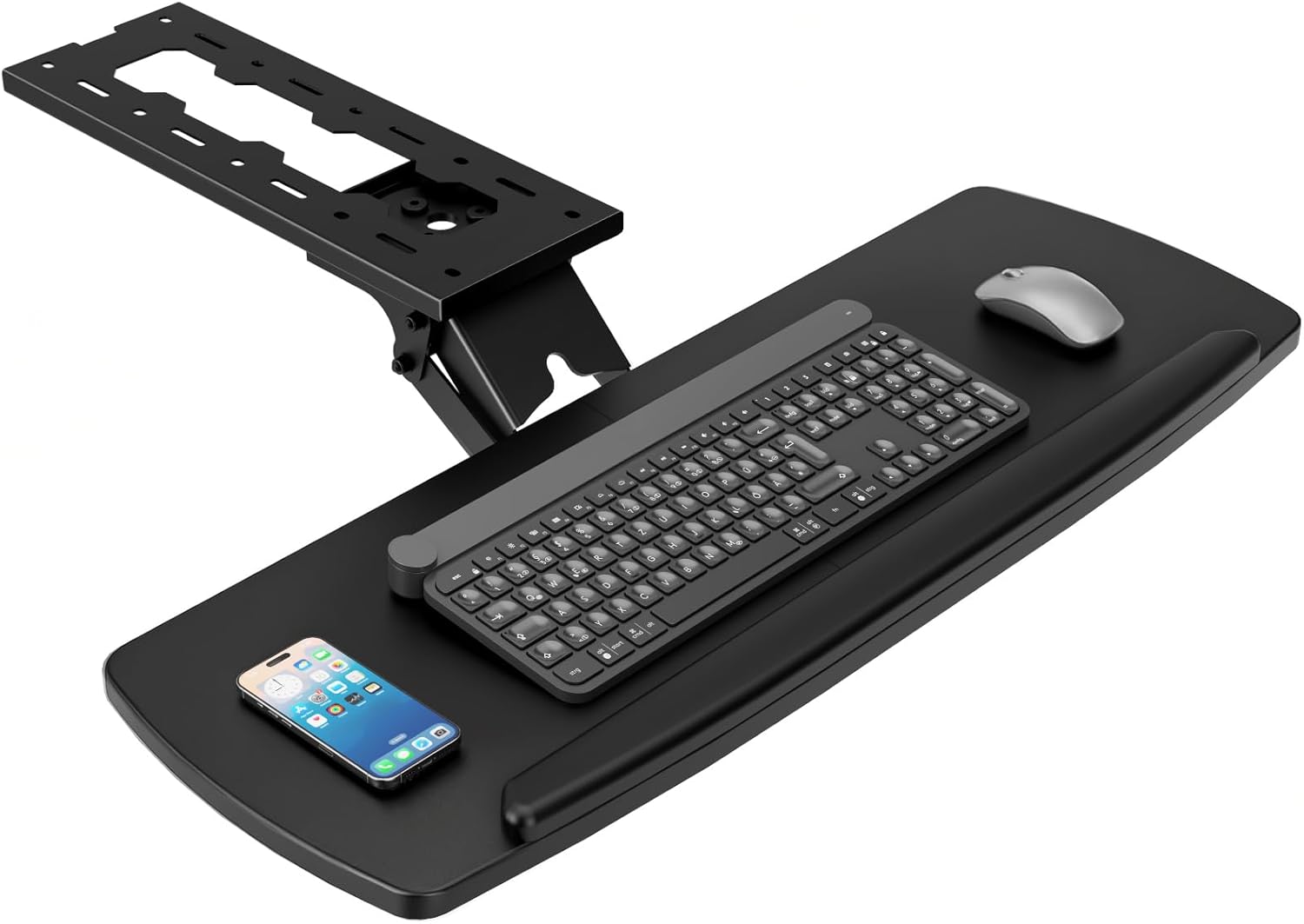
Pros
- Excellent ergonomic flexibility with multiple adjustment options for different body types and desk heights
- Integrated storage drawer helps declutter desktop workspace and keeps frequently used items accessible
- Smooth swivel and tilt mechanisms operate quietly without wobbling or creaking
- Simple assembly process with clear instructions and responsive customer support
- Protective padding prevents damage to desk surface and keyboard during use
Cons
- 3.6/5 rating suggests some users experienced durability or stability issues over time
- Not compatible with beveled-edge desks, limiting installation options for certain desk styles
- Maximum 9.8-inch extension may feel tight for users with larger monitors or dual-monitor setups
This ergonomic under-desk keyboard tray is designed for home office workers and gamers who spend extended hours at their desks and want to improve comfort while reducing clutter. The product addresses two common workplace pain points: poor wrist positioning and insufficient desktop organization.
The standout feature is its comprehensive adjustability. Users can rotate the tray 360 degrees horizontally, tilt it up to 30 degrees vertically, and adjust height by up to 6.5 inches. This multi-axis flexibility allows personalized positioning for optimal arm alignment and vision, which can significantly reduce repetitive strain injuries during long work sessions. The smooth slide-out mechanism extends up to 9.8 inches, giving users plenty of reach without straining.
Build quality appears solid with soft protective pads included to safeguard your desk surface. The integrated storage drawer is a practical bonus that helps keep your workspace organized. Installation is straightforward with all necessary hardware provided, though the process requires a desk thickness of at least 0.61 inches and at least 28 inches in length for proper fit.
The main limitation is the 3.6/5 rating, which indicates some users may have experienced stability or longevity concerns. Additionally, the product is incompatible with beveled-edge desks, which could be a dealbreaker for certain furniture styles. The 9.8-inch extension might feel constraining for users with large monitors.
Overall, this keyboard tray offers excellent value for budget-conscious buyers seeking ergonomic improvements and workspace organization. It's a practical upgrade for standard office setups, though users with premium or non-standard desks should verify compatibility before purchasing.
Dimensions: 28 inches wide x 11 inches deep
Height Adjustment Range: Up to 6.5 inches
Rotation: 360-degree horizontal swivel
Tilt Range: Up to 30 degrees vertical adjustment
Maximum Extension: 9.8 inches from desk edge
Desk Compatibility: Minimum 28 inches wide, minimum 0.61 inches thick, not compatible with beveled edges
Included Accessories: All mounting hardware, assembly instructions, soft protective pads
Material: Durable construction with protective padding
Is This Right For You? This keyboard tray works best for professionals and gamers with standard desks who want ergonomic improvements without major furniture investment. Measure your desk before purchasing to ensure compatibility.
Installation Checklist: Verify your desk is at least 28 inches wide and 0.61 inches thick. Confirm your desk edges are not beveled. Ensure adequate legroom below your desk after installation. Allow 30 minutes for assembly with provided tools.
Setup Tips: Start with the tray at your natural elbow height when arms rest at your sides. Adjust the tilt angle until your wrists feel neutral during typing. Use the swivel feature to position the tray for optimal monitor viewing distance.
Maintenance: Periodically check mounting hardware for tightness. Wipe the tray surface with a damp cloth. Test swivel and tilt mechanisms monthly to ensure smooth operation.
Keyboard Tray Buying Guide: What to Look For
Mounting Style: Clamp-On vs. Screw-Mount
The two dominant mounting styles each have a distinct advantage. Clamp-on trays, like those from VIVO and BONTEC, attach to the front edge of your desk without any drilling, making them ideal for renters or anyone who wants a reversible installation. They typically support desks up to about 1.25 to 1.97 inches thick, so measure your desktop before ordering.
Screw-mount trays, such as the Fellowes Office Suites Underdesk Keyboard Drawer and the Lorell 87526, anchor directly to the underside of your desk for a more permanent, rock-solid hold. If you never plan to move the tray, screw-mounting often delivers superior stability during heavy typing sessions.
Tray Size and Compatibility
Always match the tray dimensions to your keyboard and mouse setup before purchasing. A compact tray around 25 inches wide works well for standard keyboards, while larger users or those with full-size mechanical keyboards will appreciate the extra-long 34-inch surface of the VIVO MOUNT-KB15EB. Remember to factor in mouse space as well.
Pay close attention to the total clamp-to-clamp width versus the usable tray surface. The XINLEI DSF4, for example, measures 25.6 inches of tray space but spans 30 inches including the clamps. Your desk needs to accommodate the full span, not just the tray itself.
Ergonomic Adjustability
Not all keyboard trays offer the same range of motion. Basic slide-out models provide a fixed angle, which may be perfectly comfortable for most users. However, if you have specific ergonomic needs, look for a tray with height adjustment and tilt control. The HUANUO under-desk keyboard tray offers 6.3 inches of height adjustment and a tilt range from 6 degrees up to 22 degrees down, giving you precise control over wrist positioning.
The VIVO MOUNT-KB27P-B takes adjustability further with full side-to-side rotation and 6.3 inches of height range, plus plush foam padding for extended comfort. If you share your desk with someone else or alternate between sitting and standing, this kind of flexibility is worth prioritizing.
Extra Features Worth Considering
Some keyboard trays go beyond the basics with genuinely useful additions. The Klearlook ergonomic tray bundles a wrist rest, a phone holder, a headset hook, a leather mouse pad area, and a storage drawer into a single unit. For users who want a fully organized workstation without additional accessories, this kind of all-in-one design is a compelling choice.
Gamers may appreciate the VIVO MOUNT-KB05EL, which adds RGB LED side lighting with breathing color effects powered by a standard USB connection. It delivers the same sturdy C-clamp installation and ergonomic slide-out motion as the standard VIVO models, but with a visual flair that suits a gaming aesthetic. Meanwhile, the VIVO MOUNT-KB05-4D adds a 17-inch pencil drawer beneath the tray, giving you handy storage for pens, cables, and small accessories.
Final Thoughts
Choosing the right keyboard tray comes down to your desk setup, your ergonomic needs, and how much adjustability you want. For most users who need a straightforward, no-drill solution with generous surface area, the VIVO Black Extra Large 34 x 11 in Under Desk Keyboard Tray is a reliable workhorse with an impressive track record. If you prefer a fully adjustable, feature-rich platform with wrist support and built-in storage, the Klearlook Upgraded Ergonomic Keyboard Tray Under Desk delivers a premium experience that justifies the upgrade.
Frequently Asked Questions
Are keyboard trays actually worth it?
Yes, for most desk workers, a keyboard tray makes a meaningful difference in comfort over the course of a workday. Placing your keyboard below the desktop surface encourages a more neutral wrist angle, reduces shoulder tension, and frees up desk space for monitors and other essentials. Users who spend four or more hours typing daily tend to notice the ergonomic benefit quickly.
What is the best keyboard tray for thick desks?
If your desk surface is thicker than the standard 1.25 inches, look for a tray with adjustable C-clamps rated for greater thickness. The XINLEI DSF4 accommodates desktops up to 1.63 inches, and the BONTEC tray supports up to 1.97 inches. Some models also offer a screw-mount option as an alternative when clamp clearance is too tight.
Can I install a keyboard tray without drilling into my desk?
Absolutely. Clamp-on keyboard trays are specifically designed for tool-free, no-drill installation. Models like the VIVO MOUNT-KB15EB and the BONTEC under-desk tray use sturdy C-clamps that grip the front edge of your desk securely without causing any permanent damage. This makes them ideal for office environments, rented spaces, or anyone who wants the flexibility to remove the tray later.
How do I know if a keyboard tray will fit my desk in 2026?
Before ordering, measure three things: the total width of your desk edge where the clamps will sit, the clearance depth underneath the desk, and your desktop thickness. Compare those numbers against the product specifications, paying attention to the full clamp-to-clamp span rather than just the tray surface. Also confirm that your desk has a flat, straight edge with no beveling or rounded corners, since most clamp-on trays require a straight edge for a secure grip.