
Whether you are jumping into a high-stakes video conference, going live on Twitch, or recording YouTube content from your home studio, your webcam is the first thing your audience notices. A blurry, poorly lit feed instantly undermines your credibility, no matter how sharp your content actually is.
This guide cuts through the noise and covers 16 of the best webcams on the market right now. We evaluated each model across image quality, autofocus performance, audio clarity, and ease of setup so you can make a confident, informed choice.

Pros
- Exceptional video quality with Full HD 1080p recording and HD 720p on most video calling apps
- Dual stereo microphones deliver clear, natural audio without requiring a separate headset
- Advanced light correction automatically adjusts to poor lighting conditions for consistently bright video
- Premium glass lens with autofocus provides sharp, detailed images even during movement
- Includes valuable XSplit VCam software license for professional-looking background customization
- Wide platform compatibility across Windows, Mac, and mobile devices
Cons
- No privacy shutter included, requiring external covers if camera privacy is a concern
- Maximum 78-degree field of view may feel narrow for wider desk setups or group recordings
- Fixed 30fps frame rate limits performance for fast-action streaming or gaming content
The Logitech C920x HD Pro Webcam is a versatile 1080p camera designed for professionals and content creators who demand high-quality video and audio. Whether you're conducting important business calls, streaming on social media, or recording YouTube content, this webcam delivers the polished presentation needed to make a strong impression.
The standout feature is its combination of Full HD 1080p video recording with intelligent RightLight 2 light correction technology. The five-element premium glass lens captures remarkably sharp, detailed images with vibrant colors, while the autofocus system smoothly adjusts to maintain clarity. The dual omnidirectional microphones positioned on either side of the lens capture natural stereo audio, eliminating the need for a separate microphone setup during calls or recordings.
Build quality is solid with a professional appearance suitable for any desk setup. The compact design mounts easily on monitors or laptops. The included 3-month XSplit VCam license adds significant value, allowing you to remove, replace, or blur your background without a green screen, giving your video presence a polished, professional look right out of the box.
The main limitation is the lack of a built-in privacy shutter, so privacy-conscious users will need to use an external cover. Additionally, the 78-degree field of view is relatively standard and may feel restrictive for wider desk setups or group recordings. The fixed 30fps frame rate is adequate for general use but may not suit fast-action gaming or streaming scenarios.
The Logitech C920x represents an excellent value for professionals seeking reliable 1080p video quality with strong audio capture and automatic lighting adjustment. It's particularly well-suited for remote workers, content creators, and anyone who needs dependable video conferencing performance across Windows, Mac, and other platforms.
Video Quality: Full HD 1080p at 30fps, HD 720p on most video calling apps
Lens: Premium five-element glass lens with autofocus
Field of View: 78 degrees
Light Correction: RightLight 2 automatic light adjustment
Audio: 2 omnidirectional built-in microphones with stereo capture
Connectivity: USB Video Device Class (UDC) compatible
Compatibility: Windows 7, Windows 8, Windows 10 and later, Windows 11, macOS 10.6 or later, Chrome OS, Android v5.0 and above, Nintendo Switch 2
Included Software: 3-month XSplit VCam premium license
Video Calling Support: Skype, Facebook Messenger, Teams, Zoom, Meet, and most major platforms
Recording: Full HD 1080p video recording with QuickTime Player on Mac
Ideal For: Remote workers and professionals who need reliable video conferencing quality, content creators and streamers seeking 1080p recording capability, educators and trainers conducting online classes, small business owners and entrepreneurs managing video presentations, anyone upgrading from built-in laptop cameras who wants noticeably better video and audio quality.
May Not Be Right For: Users requiring 4K video quality or ultra-wide field of view angles, streamers who need high frame rates for fast-action content, those prioritizing compact portability, users who need a built-in privacy shutter for security-conscious environments.
Best Use Cases: Professional video calls and meetings, YouTube content creation, Twitch or social media streaming, online course instruction, business presentations, podcast recording with video component, Nintendo Switch 2 GameChat gaming sessions.

Pros
- Outstanding 4K resolution with exceptional low-light performance makes you look professional in any meeting environment
- Fine-tuning controls and Logi Options+ software provide granular customization for streamers and content creators
- Dual noise-reducing microphones with beamforming technology deliver studio-quality audio for crystal-clear communication
- Show Mode enables natural document and whiteboard sharing without awkward camera angles or additional equipment
- Integrated privacy shutter offers physical security that's more reliable than software-based solutions
- USB-C connectivity and broad platform compatibility ensure hassle-free setup across Windows, macOS, and Chrome OS
Cons
- Premium price point at $190.99 places it at the higher end of the webcam market, making it a significant investment for casual users
- Requires Logi Options+ software on Windows or macOS to unlock advanced fine-tuning controls, limiting on-the-fly adjustments on other platforms
- 4K streaming at 30fps may feel slightly less smooth than 1080p at 60fps for fast-paced content, though 1080p 60fps mode is available
The Logitech MX Brio represents the pinnacle of consumer webcam technology, purpose-built for professionals who spend significant time on video calls, live streams, and content creation. Whether you're a business executive attending daily video conferences, a content creator producing streaming content, or a hybrid worker who needs to present your best self, this 4K webcam delivers the visual quality and features to match professional expectations.
The standout feature is undoubtedly the combination of 4K resolution with AI-enhanced low-light performance. The 70% larger sensor pixels and advanced lens design deliver 2x better face visibility and 2x finer image details even when lighting is less than ideal. The fine controls system allows precise adjustment of ISO, shutter speed, temperature, tint, and vibrance through the Logi Options+ app, giving you studio-level customization typically found only in professional cameras. The dual beamforming microphones with AI noise reduction ensure your voice cuts through clearly while background distractions fade away, eliminating the need for separate microphone equipment.
Build quality is exceptional, with a glass lens, premium construction, and thoughtful design touches like the innovative Show Mode that lets you tilt the camera down to share notes and sketches without awkward repositioning. The integrated privacy shutter provides genuine peace of mind, offering physical camera blocking that's more secure than any software solution. USB-C connectivity is modern and future-proof, while the broad compatibility with Zoom, Microsoft Teams, Google Meet, and other platforms ensures seamless integration into existing workflows.
The main drawback is the premium price, which may be steep for casual users or those with basic video conferencing needs. Additionally, the most powerful customization features require the Logi Options+ software, which is available only for Windows and macOS, limiting advanced controls on other platforms. The 4K at 30fps mode, while visually stunning, doesn't match the smoothness of 1080p at 60fps for motion-heavy content, though you can switch to the 1080p 60fps mode when needed.
The Logitech MX Brio is an outstanding investment for anyone serious about their video presence. If you conduct important meetings, stream content, or need professional-grade video quality, this webcam delivers exceptional performance that justifies its premium positioning. It's the best-in-class choice for professionals and creators who refuse to compromise on video quality.
Video Resolution and Frame Rate: 4K Ultra HD 2160p at 30fps or 1080p at 60fps
Sensor and Optics: 70% larger pixels than previous generation, Logi-designed glass lens, most advanced webcam sensor available
Field of View: Adjustable 65°, 78°, and 90° diagonal field of view options
Image Enhancement: AI-powered auto-exposure, auto white balance, noise reduction, and autofocus. Manual fine controls for ISO, shutter speed, temperature, tint, and vibrance
Audio: Dual omni-directional beamforming microphones with AI-powered noise reduction technology
Privacy: Integrated mechanical privacy shutter
Connectivity: USB-C connection
Compatibility: Windows, macOS, Chrome OS, and Linux. Certified for Zoom, Microsoft Teams, Google Meet, Streamlabs, and compatible with Nintendo Switch 2 GameChat mode
Software: Logi Options+, G Hub, and Logi Tune
Mount: Top of screen mounting with tilt capability, tripod compatible
Best For: Business professionals attending frequent video conferences, remote workers, content creators and streamers, educators conducting online classes, and anyone who wants broadcast-quality video for their video presence.
Consider This If: You spend multiple hours per week on video calls, produce streaming or video content, need professional-grade video quality without separate camera equipment, or want the flexibility to share physical documents and notes during video calls.
May Not Be Ideal If: You only occasionally use video conferencing and don't require 4K quality, your budget is limited to under $100, or you need maximum frame rate smoothness for fast-paced motion content where 60fps is essential.

Pros
- Exceptional 4K resolution with autofocus delivers sharp, detailed video that stands out in professional settings
- RightLight 3 and HDR technology ensure you look polished regardless of lighting conditions or time of day
- Flexible field-of-view options adapt to different room sizes and framing preferences without software adjustments
- Integrated dual mics with noise-cancelling eliminate distracting background sounds for clearer conversations
- Windows Hello integration adds security and convenience for quick, passwordless login
- 7.2-foot cable provides greater flexibility in desk setup compared to competing models
Cons
- Premium pricing makes it less accessible for casual users or small businesses on tight budgets
- Requires Logi Options+ app for advanced customization features, adding a software dependency
- 4K performance demands a faster USB connection and more processing power from your computer
The Logitech Brio 4K is a professional-grade webcam designed for anyone who takes video calls and streaming seriously. Whether you're a content creator, remote professional, or business executive, this camera delivers the video quality and features expected in premium conferencing solutions. It's certified for Teams, Zoom, and Google Meet, ensuring compatibility across all major platforms.
The standout feature is undoubtedly the 4K resolution paired with RightLight 3 and HDR technology. In real-world use, this means your video remains crisp and well-lit whether you're in a dimly lit home office or sitting near a sunny window. The 90 fps frame rate ensures smooth motion during presentations and recordings. The three adjustable field-of-view options (65°, 78°, 90°) give you precise control over framing without digital zoom artifacts, a feature rarely found at this price point.
Audio quality matches the video excellence. The dual omnidirectional microphones capture your voice clearly from up to 4 feet away, while the noise-cancelling technology effectively suppresses keyboard clicks, fan noise, and background chatter. This is particularly valuable in open office environments or homes with ambient noise. The Logi Options+ app provides granular control over all settings, from white balance to manual focus, giving power users the customization they crave.
Build quality is solid, with a sturdy adjustable clip mount and an included privacy shutter that adds genuine peace of mind. The 7.2-foot USB cable is longer than most competitors, providing more flexibility in desk placement. Windows Hello support leverages the camera's infrared sensors for secure biometric login, a nice security bonus.
The main drawback is the price, which sits at the premium end of the webcam market. Additionally, unlocking all customization features requires downloading the Logi Options+ app, and achieving 4K performance demands adequate USB bandwidth and processing power from your computer. For professionals and content creators who need broadcast-quality video, however, these are minor trade-offs. The Brio 4K delivers exceptional value in its category.
Video Performance
Resolution: 4K (3840x2160), 1080p, 720p
Frame Rate: Up to 90 fps
Diagonal Field of View: 65°, 78°, 90° (adjustable)
Autofocus: Yes
Digital Zoom: 5x
Lighting Technology
Auto Light Correction: RightLight 3 with HDR
Exposure Adjustment: Automatic
Contrast Compensation: Yes
Audio
Microphones: 2 omnidirectional
Noise Cancellation: Advanced
Pickup Range: Up to 1.2 meters (4 feet)
Audio Clarity: Optimized for natural conversation
Connectivity and Compatibility
Connections: USB-A and USB-C
Cable Length: 7.2 feet
Operating Systems: Windows, Mac, ChromeOS
Platform Support: Zoom, Teams, Google Meet, and other major platforms
Windows Hello: Supported with optical and infrared sensors
Warranty: 1 year limited hardware warranty
Physical Features
Mount: Adjustable clip (tripod compatible)
Privacy Shutter: Included and attachable
Software: Logi Options+ app for customization and firmware updates
Who Should Buy the Brio 4K
This webcam is ideal for professionals who spend significant time on video calls, content creators producing streaming content, remote workers in client-facing roles, and anyone who values video quality as part of their professional image. It's also excellent for educators conducting online classes where presentation quality matters.
Who Might Consider Alternatives
Casual users primarily using the webcam for occasional personal video calls might find the Brio 4K's premium price unnecessary. Those with older computers lacking robust USB bandwidth may struggle to leverage the 4K capability. Budget-conscious small businesses should evaluate whether 4K is truly needed for their use case.
Key Considerations Before Purchasing
Ensure your computer supports USB 3.0 or higher for optimal 4K performance. Check that your internet upload speed can handle 4K video streaming if that's your primary use case. Verify that your desk setup accommodates the 7.2-foot cable. Consider whether the included privacy shutter and Windows Hello support align with your security needs. Download and review the Logi Options+ app to confirm it meets your customization expectations.
Value Assessment
While premium-priced, the Brio 4K offers features and performance typically found in much more expensive professional equipment. The combination of 4K resolution, RightLight 3 with HDR, dual noise-cancelling mics, and flexible field-of-view options justifies the investment for serious professionals. The 90 fps frame rate and extensive software customization options add significant value for content creators and power users.

Pros
- True 4K resolution at 30FPS delivers exceptional clarity for important presentations and streaming
- PDAF autofocus maintains sharp focus automatically, even during movement or video calls
- Dual microphones with 8-foot range eliminate the need for external audio equipment
- Privacy cover and local-only data storage appeal to security-conscious professionals
- Flexible mounting options with 360-degree rotation and tripod compatibility fit any workspace
Cons
- 4K video requires manual activation through software or apps like OBS, defaulting to 1080P instead
- Autofocus operates within a fixed 7.9-118 inch range with no manual focus override option
- Requires USB 2.0 Type-A port, limiting compatibility with newer USB-C only devices
The EMEET NOVA 4K is a versatile webcam designed for professionals and content creators who demand high-quality video without premium pricing. Whether you're hosting critical business meetings, teaching online classes, or streaming content, this webcam delivers the visual clarity and reliability needed for modern digital communication.
The standout feature is its 4K video capability at 30FPS, powered by a CMOS sensor that captures exceptional detail. The PDAF autofocus technology works seamlessly to keep you sharp during video calls, even when moving around. The dual omnidirectional microphones are a genuine highlight, picking up voice clearly from up to 8 feet away, which eliminates the frustration of having to position yourself directly in front of the camera for audio clarity.
Build quality is solid with a universal joint allowing 360-degree horizontal rotation and 15-degree vertical adjustment. The included privacy cover is a thoughtful addition for security-conscious users, and the 1.5-meter fixed cable provides good reach without requiring additional adapters. The flexible mounting system works with standard tripods, making it adaptable to various setups and environments.
A few considerations worth noting: 4K video defaults to 1080P and requires manual activation through software, which may be inconvenient for casual users. The autofocus operates within a fixed range and cannot be manually overridden. Additionally, the USB 2.0 Type-A requirement means it won't work directly with newer USB-C only devices without an adapter.
Overall, the EMEET NOVA 4K represents excellent value for professionals seeking reliable 4K video and audio performance. Its combination of sharp autofocus, dual microphones, strong compatibility, and security features make it a smart investment for home offices, educational settings, and content creators on a budget.
Video Performance: 4K resolution at 30FPS, CMOS sensor, PDAF autofocus (7.9-118 inch range), 73-degree field of view, automatic light correction, 1080P default output
Audio: Dual omnidirectional microphones, 8-foot pickup range, optimal frequency response 100-10KHz
Connectivity: USB 2.0 Type-A port, plug-and-play installation, no drivers required
Compatibility: Windows 10/11, macOS 10.14+, Android TV 7.0+, Zoom, Microsoft Teams, Google Meet, Cisco Webex, FaceTime, GoToMeeting, Lifesize, Slack, Line, TrueConf
Physical Design: 360-degree horizontal rotation, 15-degree vertical adjustment, 180-degree adjustable stand, standard 1/4-inch tripod mount, 1.5-meter fixed cable, privacy cover included
Software: EMEETLINK software supports Windows 10+ (64-bit), allows brightness, contrast, and saturation adjustments
Who Should Buy This? The EMEET NOVA 4K is ideal for professionals working from home, educators conducting online classes, content creators and streamers, and anyone who needs reliable 4K video quality without expensive equipment. It's perfect for those prioritizing privacy and data security since it operates locally without WiFi or cloud dependencies.
Setup and Installation: Simply connect the USB 2.0 cable to your computer and start using it immediately. No driver installation is needed. To access 4K video, activate it through the built-in camera software or third-party apps like OBS or PotPlayer. The EMEETLINK software is available for Windows 10+ users who want to adjust video settings like brightness and contrast.
Optimal Performance Tips: For the best microphone performance, keep the microphone unobstructed and position it close to the speaker in a quiet environment. The autofocus works best when your face remains within the 7.9-118 inch range. Use the flexible stand and rotation features to position the camera at eye level for more professional-looking video calls.
Compatibility Check: Verify your device has a USB 2.0 Type-A port before purchasing. If your computer only has USB-C ports, you'll need a USB adapter. The webcam works with all major video conferencing platforms, so compatibility shouldn't be an issue for most users.

Pros
- Excellent brightness correction makes you look professional even in poor lighting conditions
- Simple plug-and-play setup requires no drivers or complex configuration
- Privacy shutter provides genuine peace of mind when camera is not in use
- Compact, stylish design with color options that complement modern workspaces
- Affordable entry point for high-quality 1080p video conferencing
Cons
- Fixed focus design may not be ideal for users who need precise manual focus control
- Single microphone is omni-directional, which could pick up background noise in busy environments
- 58-degree field of view is narrower than some competitors, limiting peripheral visibility
The Logitech Brio 101 is a Full HD 1080p webcam built for remote workers, students, and professionals who spend significant time in video conferences. It bridges the gap between basic budget webcams and premium streaming cameras, offering essential features like auto-brightness correction and privacy protection at a reasonable price point.
The standout feature is RightLight technology, which automatically boosts brightness by up to 50% compared to previous Logitech models. This makes a real difference in dimly lit home offices or rooms with challenging lighting, ensuring you look awake and professional regardless of your environment. The built-in omnidirectional microphone handles voice capture adequately for most meeting scenarios, though it may struggle in noisy offices. Logi Options+ app customization adds flexibility for users who want to fine-tune zoom and framing settings.
Design-wise, the Brio 101 feels solid and refined with its available color options. The 5-foot attached USB-A cable provides good reach without being unwieldy, and the overall footprint is compact enough for any desk setup. The integrated privacy shutter is a thoughtful touch that gives you instant camera control without relying on software or tape.
Limitations include fixed focus, which works fine for typical desk distances but lacks the flexibility of autofocus models. The 58-degree field of view is relatively narrow, meaning you'll need to position the camera carefully to capture your full upper body. These trade-offs are acceptable given the price positioning.
The Brio 101 is an excellent choice for anyone who needs reliable 1080p video quality without premium pricing. It excels for daily video calls and works seamlessly across Windows, macOS, and ChromeOS platforms. If you prioritize brightness correction and privacy features over advanced capabilities, this Logitech webcam delivers solid performance for professional video conferencing.
Video Performance: Full HD 1080p at 30fps, 58-degree diagonal field of view, fixed focus, RightLight 2 auto-brightness correction
Audio: 1 omnidirectional built-in microphone with noise cancellation
Connectivity: USB-A with 5-foot attached cable, compatible with Windows, macOS, and ChromeOS
Privacy & Design: Integrated privacy shutter, made with 77% post-consumer recycled plastic, available in refined color options
Software: Logi Options+ app for customization and settings adjustment
Compatibility: Microsoft Teams, Zoom, Google Meet, and most major video conferencing platforms
Best For: Remote workers, online students, and professionals who need dependable 1080p video quality for daily video calls with good lighting correction and privacy features.
Consider Alternatives If: You need autofocus capabilities, a wider field of view (70+ degrees), or dual microphones for high-noise environments. The Brio 301 offers USB-C and additional features if you have modern device requirements.
Setup & Compatibility: The Brio 101 uses plug-and-play USB-A connection, meaning it works immediately on most computers without driver installation. Download Logi Options+ for advanced customization options like digital zoom and color adjustment.
Value Assessment: This webcam offers strong value for professionals seeking essential features without premium pricing. The RightLight technology and privacy shutter justify the cost over basic alternatives, while the fixed focus and single mic keep it affordable compared to higher-end models.

Pros
- Exceptional image quality at both 4K and 1080P resolutions with smooth frame rates
- PDAF autofocus responds faster and more accurately than standard webcam focus systems
- Dual noise-canceling mics with proprietary filtering deliver studio-quality audio capture
- Integrated privacy cover eliminates need for external lens covers or tape
- Affordable price point for 4K capability makes professional streaming accessible
- Auto light balancing handles challenging lighting conditions without manual adjustment
Cons
- 4K mode is locked at fixed 73-degree FOV, limiting composition flexibility at highest resolution
- Requires EMEETLINK software for advanced customization and noise-canceling control, though basic operation works without it
- Limited to 4K at 30FPS, so fast-motion gaming may benefit more from 1080P 60FPS mode
The EMEET S600 is a 4K streaming webcam designed for content creators, live streamers, gamers, and professionals who demand broadcast-quality video without premium pricing. It combines a Sony 1/2.55-inch sensor with advanced autofocus technology to deliver sharp, vibrant images in virtually any streaming scenario.
The standout feature is the PDAF autofocus system, which focuses significantly faster and more accurately than conventional autofocus found in budget webcams. Paired with auto light balancing, the S600 adapts beautifully to challenging lighting conditions, keeping details sharp whether you're streaming in a bright room or dimly lit space. The dual AI-powered noise-canceling microphones capture your voice with impressive clarity while filtering out keyboard clicks, background chatter, and ambient noise, making audio quality competitive with dedicated USB microphones.
Build quality feels solid and thoughtful. The integrated rotary privacy cover slides smoothly and won't accidentally open, addressing a real security concern for streamers and professionals. The mounting system allows flexible rotation and tilting while maintaining rock-solid stability, even during animated streaming sessions. Every component from the clips to the joints demonstrates meticulous engineering for durability.
One practical limitation is that 4K mode locks at a fixed 73-degree field of view, while 1080P offers adjustable 40-73 degrees. This means if you want maximum composition flexibility, you'll need to stream at 1080P 60FPS instead of 4K 30FPS. Additionally, the noise-canceling feature requires EMEETLINK software to toggle, though it works perfectly out of the box with the feature enabled by default.
Verdict: The EMEET S600 delivers exceptional value for streamers and creators seeking 4K quality on a budget. The PDAF autofocus, dual noise-canceling mics, and thoughtful privacy cover make it a complete solution that rivals cameras costing twice as much. Highly recommended for anyone serious about streaming quality without premium investment.
Video Performance: 4K UHD at 30FPS, 1080P at 60FPS, Sony 1/2.55-inch CMOS sensor with PDAF autofocus technology.
Audio: Dual noise-canceling microphones with proprietary background noise elimination algorithm, customizable through EMEETLINK software.
Field of View: 40-73 degrees adjustable at 1080P, fixed 73 degrees at 4K resolution.
Privacy: Built-in rotary privacy cover that physically blocks the lens, preventing accidental exposure.
Connectivity: USB 2.0 and 3.0 compatible, plug-and-play with no driver installation required for basic operation.
Compatibility: Windows, Mac, and Linux systems, works with all major streaming platforms and software including OBS, PotPlayer, and Zoom.
Design: Durable construction with flexible rotation and tilting mount, secure clips and joints engineered for stability during extended use.
Ideal For: Twitch and YouTube streamers seeking affordable 4K capability, content creators who need reliable autofocus and audio quality, gamers wanting professional-looking broadcasts, beauty and fashion creators who benefit from sharp image detail, professionals attending video calls who want to look polished.
Best Use Cases: Live streaming on platforms supporting 4K, pre-recorded video content creation, professional video conferencing, gaming livestreams at 1080P 60FPS for smooth motion, product demonstrations requiring crisp detail capture.
Consider Alternatives If: You need 4K at 60FPS for extremely fast-motion content, you require ultra-wide field of view flexibility at 4K resolution, you prefer a built-in ring light for beauty streaming without separate purchase.
Pros
- Exceptional video clarity and color reproduction thanks to glass lens and full HD resolution
- Intelligent light correction ensures you look professional in any office or home setting
- Privacy shutter provides peace of mind and physical protection for your lens
- Dual microphones deliver balanced, natural-sounding audio without echo or distortion
- Plug-and-play setup requires no drivers or complex configuration
Cons
- Higher price point compared to basic 720p webcams on the market
- Fixed field of view may not suit all desk setups or mounting positions
- Requires good USB connectivity for optimal performance and stability
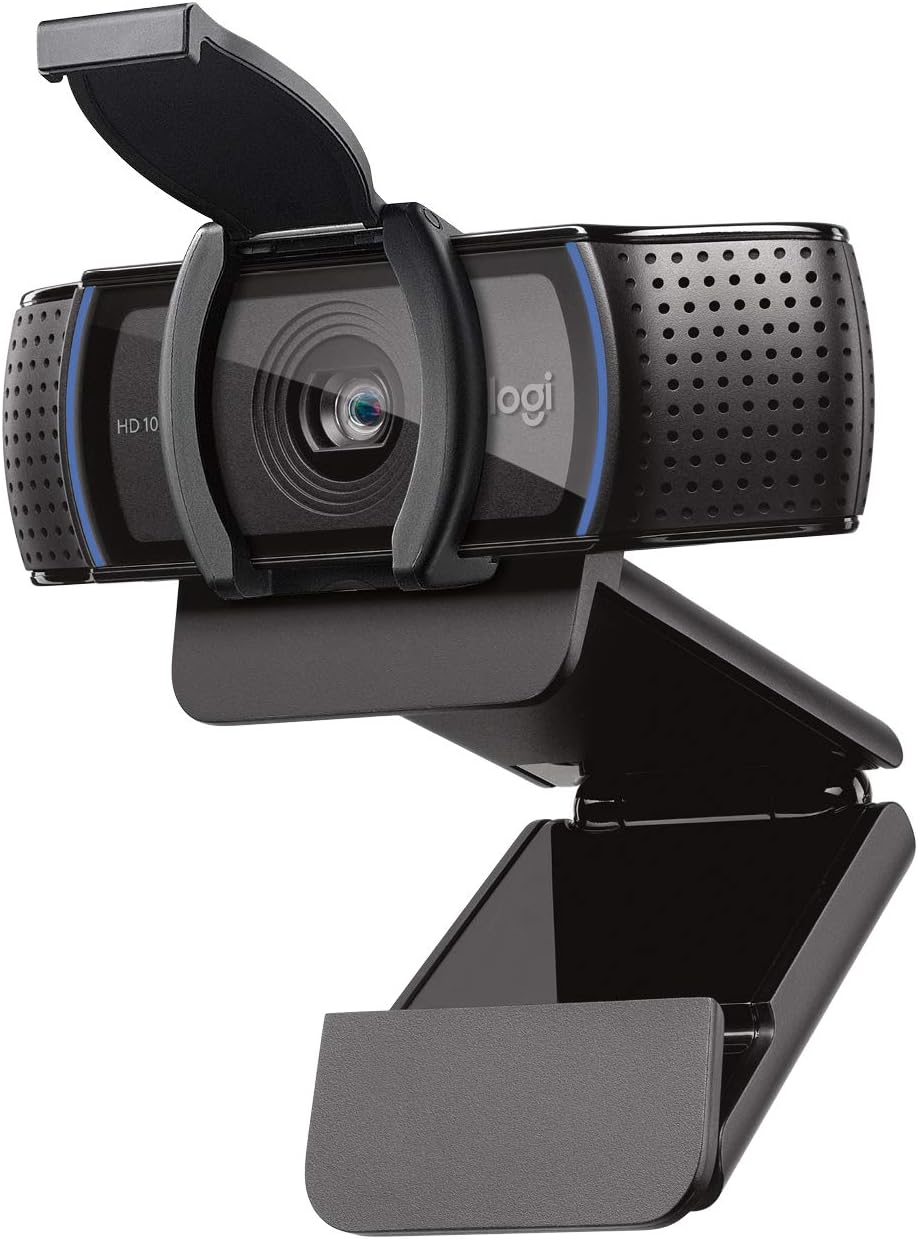
The Logitech C920S Pro HD Webcam is a professional-grade solution designed for remote workers, content creators, and anyone who relies on video communication for business or personal use. This webcam delivers the clarity and audio quality needed to make a strong impression on video calls, recordings, and live streams.
The standout feature is its full HD 1080p resolution combined with dual-mic stereo audio and intelligent light correction. These technologies work together to ensure you always look and sound professional, regardless of your office lighting or background. The glass lens provides exceptional color accuracy and sharpness, while the autofocus system keeps you in perfect focus even when you move around your desk.
Build quality is solid with a sturdy construction and a privacy shutter that physically covers the lens when not in use. This thoughtful addition gives you complete control over your privacy and protects the lens from dust and accidental damage. The webcam mounts easily on most laptop screens or monitors.
The main consideration is the premium price tag, which reflects the professional-grade components and features. Additionally, the fixed field of view may require some adjustment depending on your desk setup, though most users find it well-suited for standard video calling distances.
Overall, the Logitech C920S is an excellent investment for anyone serious about video quality in professional settings. It consistently delivers crisp video, natural audio, and reliable performance across all major platforms, making it a top choice for remote work and content creation.
Video Quality: Full HD 1080p at 30fps, glass lens with autofocus and light correction
Audio: Dual-mic stereo audio for natural sound capture on calls and recordings
Privacy: Built-in physical privacy shutter with protective lens cover
Compatibility: Works with Zoom, Skype, FaceTime, Google Hangouts, and all major video platforms
Platform Support: PC and Mac compatible, plug-and-play setup
Field of View: Fixed wide-angle lens optimized for video calling distances
Remote Workers: If you spend hours on video calls daily, the C920S ensures you present yourself professionally while the dual mics capture your voice clearly without background noise interference.
Content Creators: YouTubers, podcasters, and streamers benefit from the full HD recording quality and stereo audio, which are essential for producing professional-looking content.
Business Professionals: Client-facing roles demand polished video quality. The automatic light correction and sharp focus ensure you look your best in every meeting, regardless of your office setup.
Educators: Teachers and instructors using video conferencing platforms will appreciate the clarity and audio quality for engaging remote classes and online instruction.

Pros
- Superior image quality with 4K resolution and HDR performance that excels even in low-light conditions
- Professional audio with AI noise-canceling algorithms that rival dedicated microphone setups
- Intelligent auto-framing keeps you perfectly positioned without manual adjustments during calls or streams
- Gesture and smartphone control offer intuitive, hands-free operation for content creators
- Versatile shooting modes provide creative flexibility for different content types and scenarios
- Seamless compatibility with all major video conferencing and streaming platforms out of the box
Cons
- Not compatible with ARM-based Windows systems, limiting use on some newer Windows devices
- Premium pricing reflects the advanced features, making it a significant investment compared to basic webcams
- Requires free Link Controller software to unlock full functionality and advanced features
The Insta360 Link 2C is a premium 4K webcam designed for professionals, content creators, and serious remote workers who refuse to compromise on video and audio quality. Built around a large 1/2" sensor, this webcam delivers true-to-life 4K visuals with impressive HDR and low-light performance that adapts beautifully to any environment, whether you're streaming from a bright studio or a dimly lit home office.
What truly sets the Link 2C apart is its intelligent feature set that automates the technical aspects of streaming and video calls. The auto-framing technology continuously adjusts zoom and positioning to keep everyone in frame, while the Phase Detection Auto Focus system ensures crisp, sharp video without the blurriness that plagues standard webcams. The AI noise-canceling microphone delivers professional-grade audio clarity by intelligently filtering background noise, making it sound like you're broadcasting from a soundproof studio even in busy environments.
The camera's design emphasizes usability through gesture control and smartphone integration, allowing you to start tracking, zoom, or switch modes with simple hand gestures or remote commands. The specialized shooting modes, including DeskView for overhead document capture and Whiteboard mode for presentations, add creative flexibility that extends far beyond typical video call scenarios. The included Link Controller software provides granular control over all settings and unlocks advanced features like natural bokeh effects that mimic professional DSLR optics.
The main limitation is compatibility, as the camera doesn't work with ARM-based Windows systems or Windows Hello Face Recognition, which may affect some newer Windows devices. Additionally, the premium price reflects the advanced technology inside, positioning it as an investment rather than a casual upgrade. However, for creators and professionals who stream regularly or conduct important video calls, the combination of superior image quality, professional audio, and intelligent automation delivers genuine value.
The Insta360 Link 2C earns its place as a top-tier webcam for anyone serious about video quality and streaming efficiency. It transforms how you present yourself on camera and simplifies complex production workflows into a plug-and-play experience. If your video presence matters professionally or creatively, this webcam delivers the quality and features to justify its investment.
4K Sensor Technology: The 1/2" sensor captures significantly more detail than standard 1080p webcams, delivering true 4K resolution with excellent color accuracy and dynamic range. HDR processing ensures balanced exposure across bright and dark areas simultaneously, while low-light enhancement maintains quality even in dim conditions.
Auto Framing and True Focus: The camera uses Phase Detection Auto Focus for instant, accurate focusing that keeps you sharp at all times. Auto framing combines this with intelligent zoom and panning, automatically adjusting composition to keep all participants clearly visible whether you're alone or in a group setting.
Professional Audio System: Advanced AI noise-canceling algorithms analyze incoming audio in real-time to distinguish your voice from background noise, filtering out distractions like keyboard clicks, traffic, and fan noise while preserving natural voice quality and tone.
Gesture and Remote Control: Control the camera hands-free using intuitive hand gestures recognized by the AI system, or use the companion smartphone app for precise remote adjustments from anywhere in the room. This is particularly valuable during live streams when manual control isn't practical.
Specialized Shooting Modes: DeskView mode captures overhead angles perfect for document scanning and product demonstrations. Whiteboard mode optimizes for presentations with enhanced contrast and clarity. Portrait mode applies natural bokeh effects, while Privacy mode instantly disables the camera when you need it.
Content Creators and Streamers: If you broadcast on Twitch, YouTube, or other platforms, the Link 2C's 4K quality, auto-framing, and specialized modes provide production-level features without requiring a complex multi-camera setup. The gesture control and smartphone app streamline your workflow during live sessions.
Remote Professionals: For executives, consultants, and remote workers who conduct frequent video calls with clients or leadership, the superior video and audio quality significantly elevates your professional presence. Auto-framing ensures you stay properly positioned without distraction, while AI noise-canceling prevents background noise from undermining your message.
Educators and Presenters: Teachers, trainers, and presenters benefit from DeskView and Whiteboard modes for document and presentation capture. The auto-framing keeps you visible while you move around, and the professional audio ensures students and audience members hear you clearly.
Not Ideal For: If you use ARM-based Windows systems or need Windows Hello Face Recognition, compatibility issues make this camera unsuitable. Casual users who only occasionally video call may find the premium price difficult to justify when basic webcams cost significantly less.

Pros
- 2K resolution provides noticeably sharper video quality compared to standard 1080p webcams
- Dual-mic system with AI noise cancellation delivers professional audio clarity in noisy environments
- Excellent low-light performance captures usable video without supplemental lighting
- Multiple field-of-view options offer flexibility to show just your face or include your workspace
- Physical privacy cover adds a layer of security between video calls
Cons
- USB 2.0 connection may limit bandwidth compared to newer USB 3.0 alternatives
- Requires AnkerWork software download for full customization of field-of-view settings
- 5MP sensor resolution is modest by modern standards, though 2K output quality remains solid
The Anker PowerConf C200 is a mid-range webcam designed for professionals, remote workers, and anyone who participates in frequent video conferences. It sits at a sweet spot between budget models and premium options, offering 2K resolution, intelligent audio processing, and thoughtful design touches that elevate video call quality without excessive cost.
The standout feature is the combination of 2K video clarity with AI-powered dual-mic noise cancellation. In real-world use, this means your video appears noticeably sharper than 1080p alternatives, while the audio processing actively suppresses keyboard clacking, background conversations, and ambient noise. The low-light correction algorithm works impressively well in dim offices or evening calls, eliminating the need for ring lights or additional fixtures. The three field-of-view options (65°, 78°, 95°) provide genuine flexibility, letting you zoom in for a professional headshot or pull back to show your entire workspace.
Build quality is solid with a sturdy plastic housing and a smooth-sliding privacy cover that feels tactile and reliable. The mounting system is standard and works with most monitor arms or tripods. Setup is straightforward, though accessing advanced features like field-of-view adjustment requires downloading the AnkerWork software, which is a minor friction point for users who prefer plug-and-play simplicity.
The main limitations are the USB 2.0 interface, which may throttle bandwidth in some scenarios, and the modest 5MP sensor. However, these do not meaningfully impact video quality or performance in typical conferencing scenarios. The lack of 4K and auto-focus are trade-offs at this price point, though the fixed-focus design rarely causes issues in practice.
The Anker PowerConf C200 is an excellent choice for remote workers and frequent video conferencing participants who want noticeable quality improvements over built-in laptop cameras. It delivers professional-grade video and audio at a reasonable price, making it a strong value for anyone upgrading their home office setup.
Video Performance: 2K resolution, 1080p at 30fps, 5MP CMOS sensor, MJPEG and YUV video codecs, auto-focus capability
Audio Technology: Dual-mic array with directional voice pickup, AI noise cancellation, smart voice enhancement for speech clarity
Field of View: Three adjustable options via software: 65°, 78°, and 95° for flexible framing
Connectivity: USB 2.0 interface for broad compatibility with desktop and laptop systems
Compatibility: Windows 7 or later, macOS 10.11 or later, requires AnkerWork software for full feature access
Design: Built-in privacy cover, standard mounting options, compact form factor suitable for any desk setup
Best For: Remote workers, freelancers, small business owners, and frequent video conferencing participants who want quality above entry-level webcams without premium pricing.
Consider This Webcam If: You spend multiple hours per week in video calls, work in a less-than-ideal lighting environment, use a noisy home office, or want noticeably better video quality than your laptop's built-in camera.
Look Elsewhere If: You need 4K resolution, require advanced auto-focus features, prefer USB 3.0 connectivity, or want a completely plug-and-play experience without software installation.
Setup Tips: Position the webcam at eye level for the most flattering angle. Experiment with the three field-of-view options in AnkerWork to find your preferred framing. Use the directional mic mode in quieter spaces and omnidirectional mode when you need broader audio pickup. Test the low-light correction in your actual working environment to confirm it meets your needs before committing.

Pros
- Exceptional 4K video quality with 5x zoom gives you professional presence in video calls
- Intelligent RightLight 3 technology automatically optimizes your appearance regardless of room lighting
- Dual noise-canceling microphones deliver crystal-clear audio without distracting background sounds
- Flexible mounting clip works with laptops, monitors, and LCD displays for versatile setup options
- Privacy shade provides physical lens coverage for enhanced security and peace of mind
Cons
- Product is discontinued and no longer supported by Logitech, limiting access to future software updates
- Premium pricing may be steep for casual users who don't need 4K capabilities
- Requires Logi Tune software to access advanced features like field of view customization
The Logitech 4K Webcam is a professional-grade video conferencing solution designed for remote workers, content creators, and businesses that demand exceptional video quality. This webcam is built for anyone who wants to make a strong visual impression during video calls, live streams, or content creation, delivering four times the resolution of standard HD webcams.
The standout feature is RightLight 3 with HDR technology, which automatically adjusts exposure and color to make you look your best in any lighting condition. Combined with the 5x HD zoom and three adjustable field of view presets (90°, 78°, 65°), you have complete control over how you appear on camera. The dual omni-directional microphones with noise cancellation ensure your voice comes through clearly, while 90 fps capability enables smooth, high-quality video recording and streaming.
Build quality is solid with a detachable universal mounting clip that securely attaches to laptops, monitors, and LCD displays. The privacy shade is a thoughtful security feature, allowing you to physically cover the lens when not in use. Windows Hello integration adds convenient, secure passwordless login directly from the webcam.
The main drawback is that this product is discontinued and no longer supported by Logitech, which may concern users seeking long-term software updates and support. Additionally, the premium pricing reflects its professional-grade capabilities, making it less suitable for casual users who only need basic video conferencing.
Overall, the Logitech 4K Webcam is an excellent choice for professionals and content creators who prioritize video quality and advanced features. Its intelligent lighting adjustment, superior resolution, and noise cancellation make it a worthy investment for anyone working remotely or creating video content regularly.
Video Quality: 4K Ultra HD resolution, 5x HD zoom, 90 fps maximum frame rate
Lighting Technology: RightLight 3 with HDR for automatic light adjustment in low-light and backlit conditions
Audio: Dual omni-directional microphones with noise cancellation
Field of View: Three presets available: 90°, 78°, and 65° via Logi Tune software
Security: Windows Hello integration for passwordless login, privacy shade lens cover
Compatibility: Windows, Mac, and ChromeOS, compatible with major calling and streaming platforms
Mounting: Detachable universal clip fits laptops, LCD monitors, and standard displays
Warranty: 1 year limited hardware warranty
Ideal For: Remote workers and professionals who video conference regularly, content creators and streamers, businesses upgrading their video conferencing setup, anyone who wants to present themselves professionally on camera
Best Use Cases: Daily video meetings and calls, live streaming and content creation, professional presentations, webinars and online training, virtual events and conferences
Consider Alternatives If: You need active software support and regular updates, you're on a tight budget and only need basic HD video quality, you require specialized features like ultra-wide angle or built-in lighting

Pros
- Sony sensor technology delivers exceptional image clarity, color accuracy, and low-light performance superior to budget webcams
- PDAF autofocus responds instantly to movement and scene changes, keeping video sharp during dynamic presentations and streaming
- Premium aluminum construction feels professional and durable while dissipating heat efficiently for continuous 24/7 use
- Dual noise-reduction microphones capture clean audio without requiring external equipment, ideal for hybrid workers and remote professionals
- Truly plug-and-play setup requires no drivers, apps, or configuration, making it accessible for users of all technical levels
Cons
- Price point of $59.98 is higher than basic 1080p webcams, though justified by 4K quality and premium build
- Requires USB-C connection which may need an adapter for older computers without native USB-C ports
- 4K streaming requires adequate bandwidth and compatible software to fully utilize the resolution capabilities
The Acer 4K Webcam is a professional-grade video capture device designed for content creators, streamers, remote workers, and anyone who demands broadcast-quality video output. Built around a genuine Sony 1/2" CMOS sensor, this webcam delivers true 4K UHD resolution with HDR support and exceptional low-light performance, making it suitable for everything from Zoom calls to YouTube streaming.
The standout feature is the advanced PDAF (Phase Detection Autofocus) system, which focuses faster and more accurately than conventional autofocus mechanisms. Paired with dual high-sensitivity digital microphones that capture audio from up to 2.5 meters away while filtering wind and keyboard noise, this webcam delivers a complete multimedia solution without requiring additional equipment. The automatic light correction ensures balanced exposure in various lighting conditions, making it forgiving for different environments.
Build quality is exceptional. The aerospace-grade aluminum unibody construction with precision CNC machining and A-grade sandblasted matte finish feels genuinely premium. The all-aluminum design dissipates heat efficiently, enabling reliable 24/7 operation without thermal throttling or performance degradation. At just 57 grams, the compact form factor rivals the size of earbuds, making it genuinely portable for mobile professionals and remote workers.
The magnetic privacy cover with 12 built-in magnets provides instant lens protection and addresses privacy concerns without requiring bulky sliding mechanisms. Universal compatibility spans Windows, Mac, and ChromeOS, working seamlessly with Zoom, Microsoft Teams, Twitch, Google Meet, and even Nintendo Switch 2. The plug-and-play USB-C connection requires no drivers or configuration, making setup instantaneous.
The primary consideration is that 4K streaming demands adequate internet bandwidth and compatible software to fully leverage the resolution. Additionally, computers without native USB-C ports will require an adapter. For professionals and creators prioritizing video quality and audio clarity, this Acer webcam represents excellent value and delivers performance comparable to significantly more expensive alternatives.
Sensor and Image Quality: Genuine Sony 1/2" CMOS sensor, 4K UHD resolution, HDR support, PDAF autofocus, auto light correction, exceptional low-light performance
Audio: Dual high-sensitivity digital microphones, noise reduction filtering (wind and keyboard noise), 2.5-meter pickup range
Design and Build: Aerospace-grade aluminum unibody, precision CNC machining, A-grade sandblasted matte finish, magnetic privacy cover with 12 magnets, 57 grams weight, compact portable design
Connectivity: USB-C plug-and-play connection, no drivers or apps required, local data storage, secure physical connection
Compatibility: Windows, Mac, ChromeOS, Microsoft Teams, Zoom, Twitch, YouTube, Google Meet, FaceTime, Nintendo Switch 2, and other major video conferencing and streaming platforms
Features: 1/4" mounting port for tripod compatibility, multi-directional angle adjustment, high optical glass lens, universal compatibility
Who Should Buy This Webcam: Content creators and streamers who need broadcast-quality 4K video, remote professionals requiring crystal-clear video and audio for business calls, gamers streaming to Twitch or YouTube, educators conducting online classes, and anyone prioritizing privacy with a secure magnetic cover.
Key Considerations: Verify your computer has USB-C connectivity or budget for an adapter. Confirm your internet bandwidth supports 4K streaming, as this resolution requires higher upload speeds than 1080p. Check that your video conferencing platform supports 4K resolution to fully utilize the webcam's capabilities. Consider your typical lighting conditions, as the auto light correction excels in variable lighting but works best with adequate ambient light.
Setup and Installation: Simply connect the USB-C cable to your computer. No software installation, driver downloads, or configuration required. The webcam is immediately ready for use in any compatible application. Attach the magnetic privacy cover when not in use to protect your privacy and lens.
Performance Expectations: Expect sharp, detailed 4K video with accurate colors and excellent low-light handling. The PDAF autofocus responds instantly to movement and scene changes. Dual microphones deliver clear voice capture with minimal background noise. The aluminum construction ensures consistent performance during extended use without thermal issues.

Pros
- Excellent 1080p video quality at 30fps with 78-degree field of view that captures you and your workspace perfectly
- Dual integrated mics with noise cancellation eliminate echo and background noise for clear audio without additional equipment
- Built-in HD autofocus and RightLight 2 automatic light correction ensure you look professional in any lighting condition
- Physical privacy shutter provides genuine peace of mind compared to software-only privacy solutions
- Affordable price point makes it ideal for large-scale workplace deployments and remote team setups
- Wide platform compatibility and official Zoom certification guarantee seamless integration with your existing tools
Cons
- Fixed 78-degree field of view lacks zoom capability, limiting flexibility if you need to adjust framing during calls
- Attachable privacy shutter must be manually flipped up and down, unlike built-in shutters on premium models
- 5-foot USB cable may require an extension for some desk setups or monitor positions
The Logitech C920e is a work-from-anywhere webcam designed for professionals who demand reliable video and audio quality without premium pricing. It targets remote workers, distributed teams, and enterprises looking to upgrade from built-in laptop cameras while maintaining budget efficiency for mass deployment.
The standout feature is the combination of 1080p HD video with dual omnidirectional microphones that capture audio clearly from up to one meter away. The 78-degree field of view frames individual users perfectly while leaving room to share projects and documents. Automatic HD autofocus keeps you sharp throughout calls, while RightLight 2 technology automatically adjusts for challenging lighting conditions, ensuring you look professional whether you're in a bright office or dimly lit home office.
Build quality is solid with a sturdy, adjustable clip that securely mounts to any laptop or external monitor. The addition of a 1/4-inch tripod thread provides extra mounting flexibility for tabletop or full-size tripod setups. The attachable privacy shutter is a practical touch, offering physical lens coverage that gives you absolute certainty your camera is covered when not in use, without relying on software controls.
The main limitation is the fixed 78-degree field of view with no zoom capability, which could feel restrictive if you frequently adjust your framing during calls. Additionally, the attachable privacy shutter requires manual operation, unlike built-in shutters found on more expensive models. The 5-foot USB cable is adequate for most setups but may need extension for some desk configurations.
Verdict: The C920e delivers excellent value for remote workers and organizations deploying webcams at scale. With 1080p video, integrated dual mics, automatic light correction, and official Zoom certification, it eliminates the need for separate microphone purchases while ensuring compatibility across all major platforms. It's the practical choice for professionals who prioritize reliability and audio-video quality over advanced features like 4K or digital zoom.
Video Quality: HD 1080p at 30fps with 78-degree diagonal field of view and fixed 1x zoom capability.
Audio: Two integrated omnidirectional microphones with noise cancellation, optimized for clear audio capture up to one meter away. Easily controlled via Logi Tune Desktop app.
Autofocus and Lighting: Built-in HD autofocus with RightLight 2 automatic light correction for optimal performance in varying lighting conditions.
Connectivity: USB-A plug-and-play with 5-foot cable. Compatible with Windows 7 or later, macOS 10.10 or later, and Chrome OS. Works with Zoom, Microsoft Teams, Google Meet, Cisco Webex, and all major video conferencing platforms.
Mounting: Sturdy adjustable clip for laptops and monitors, plus 1/4-inch tripod thread for flexible positioning. Attachable privacy shutter included.
Certifications: Certified for Zoom, TAA compliant, and compatible with enterprise device management via Sync software.
Who Should Buy: The C920e is ideal for remote workers, hybrid teams, small business owners, and IT managers deploying webcams across multiple employees. It's perfect if you spend significant time on video calls and want to upgrade from your laptop's built-in camera without spending on premium models.
Comparison Tips: The C920e sits in the mid-range of Logitech's lineup. If you need higher resolution, consider the BRIO with 4K capability. If you want a simpler option with less features, the C925e offers 720p at a lower price point. The C930e provides 1080p with 4x zoom if you need more framing flexibility.
Setup and Compatibility: This is a true plug-and-play device. Simply connect via USB, and it works immediately with Windows, Mac, or Chrome OS. The optional Logi Tune Desktop app provides additional customization including microphone activation and device settings, but it's not required for basic functionality.
Best Use Cases: Excellent for daily video conferencing, client meetings, team standups, and online presentations. The dual mics eliminate the need for a separate microphone in most home office or quiet office environments. The privacy shutter makes it suitable for security-conscious professionals working from home.

Pros
- Exceptional 1080p Full HD video quality outperforms standard webcams significantly
- Dual microphones with noise reduction deliver professional audio without external equipment
- H.264 compression minimizes system strain, enabling smooth video without lag or stuttering
- Precise autofocus and glass lens maintain sharp, detailed video throughout calls
- Reliable performance across Windows, Mac, Android, and Chrome OS platforms
Cons
- May require USB 3.0 port for optimal performance with some older computers
- Fixed focus range may struggle in extremely low-light environments despite auto-correction
- Premium price point places it above budget webcams, though quality justifies the investment
The Logitech C920 HD Pro Webcam is a premium-tier webcam designed for professionals, content creators, and anyone who demands superior video quality for remote work and online communication. With Full HD 1080p resolution, this webcam stands apart from basic models and delivers the clarity and detail needed for serious video conferencing, live streaming, and video recording.
The standout feature is undoubtedly the Full HD 1080p capability paired with a five-element glass lens and precise autofocus system. Real-world performance is excellent, with vibrant, true-to-life color reproduction and impressive detail even during fast-paced video calls. The dual built-in microphones with automatic noise reduction capture natural stereo sound, eliminating the need for external audio equipment in most scenarios. H.264 compression technology works behind the scenes to reduce CPU load, keeping your computer responsive and your video smooth.
Build quality reflects Logitech's reputation for durability and thoughtful design. The universal clip is sturdy and adjusts to fit various monitor sizes and laptop bezels securely. The 6-foot cable provides reasonable flexibility for desk setup, and the overall construction feels solid and long-lasting. The 2-year limited warranty adds confidence in the product's reliability.
The main limitation is that performance depends on your internet connection and the video platform you're using. While Skype supports full 1080p, some platforms like FaceTime for Mac cap out at 720p. Additionally, the fixed focus design, while generally excellent, may not perform optimally in extremely dim lighting despite the automatic low-light correction feature.
Final verdict: The Logitech C920 is a worthy investment for professionals, remote workers, and content creators who need reliable, high-quality video performance. Its combination of excellent optics, professional audio, and broad compatibility makes it one of the best webcams available in its category.
Video Quality: Full HD 1080p (1920 x 1080 pixels) video calling on Skype, 720p HD (1280 x 720 pixels) on supported platforms, Full HD recording capability
Lens and Focus: Five-element Full HD glass lens with precise autofocus and automatic low-light correction
Audio: Dual built-in microphones with automatic noise reduction for stereo sound capture
Compression: H.264 video compression for faster uploads and reduced system strain
Connection: USB port required, 6-foot cable included, compatible with standard USB 2.0 and 3.0 ports
Compatibility: Mac OS 10.10 or later, Windows 7/8/10 or later, Android 5.0 or above, Chrome OS
Physical Design: Universal clip fits laptops and LCD monitors, tripod-ready mounting
Warranty: 2-year limited warranty included
Who Should Buy This: Remote workers and professionals who rely on video calls daily, content creators and streamers seeking high-quality webcam performance, educators and trainers conducting online sessions, and anyone upgrading from a basic built-in webcam who wants noticeably better video quality.
Who Might Look Elsewhere: Budget-conscious buyers seeking basic webcam functionality may find less expensive alternatives adequate, users with extremely limited desk space may prefer more compact models, and those needing 4K resolution should explore newer premium options.
Key Considerations: Verify your computer has available USB port access and meets minimum OS requirements before purchasing. Ensure your internet connection supports 1080p video streaming for best results. Check that your preferred video calling platform supports Full HD resolution to maximize the C920's capabilities. Position the webcam at eye level for the most flattering video angle during calls.
Value Assessment: The C920 represents solid value for professionals and serious users who will benefit from its superior optics and audio quality. The H.264 compression and dual microphones justify the premium price compared to basic webcams, making it a smart long-term investment for anyone spending significant time on video calls or recordings.

Pros
- Exceptional video quality with 1080p at 60fps and premium glass optics delivers broadcast-ready content
- Auto-framing and intelligent exposure technology handle lighting and positioning automatically, reducing setup complexity
- Seamless integration with major streaming platforms and software like OBS, XSplit, and Streamlabs OBS
- Flexible mounting options and portrait mode support creative framing for diverse content types
- Included Logitech Capture software provides powerful controls and automation features right out of the box
Cons
- Premium pricing at $169.38 may exceed budget constraints for casual or beginner streamers
- USB-C connection requires compatible port, limiting compatibility with older computers without USB-C
- Auto-framing feature works best with clear face visibility, potentially struggling with extreme angles or obstructions
The Logitech StreamCam is a premium webcam engineered specifically for content creators, streamers, and professionals who demand broadcast-quality video without the complexity of professional camera setups. Whether you're streaming on Twitch, YouTube, creating content for Instagram, or hosting video conferences on Zoom and Microsoft Teams, this webcam delivers the performance and features you need to look your absolute best.
The standout feature is the combination of 1080p 60fps video capture with AI-powered auto-framing that dynamically keeps you centered in the frame as you move. Paired with intelligent exposure technology that adjusts aperture and ISO in real-time, the StreamCam ensures your skin tones look natural and your video stays crisp regardless of lighting conditions. The premium glass lens with its 78-degree field of view and smart auto-focus system produces vibrant, true-to-life image quality that sets this webcam apart from basic alternatives.
Build quality is solid with thoughtful design choices throughout. The USB-C connection ensures fast, reliable video transfer without bandwidth bottlenecks, while the versatile mounting system lets you position the camera in landscape or portrait mode depending on your content needs. The included Logitech Capture software transforms the webcam from a simple input device into a powerful content creation tool with automation features that handle focus, exposure, and more.
The main drawbacks are the premium price point, which may be steep for casual users, and the USB-C requirement, which limits compatibility with older computers. Additionally, while auto-framing is impressive, it performs best when your face is clearly visible and may struggle with extreme angles or partial obstruction.
The Logitech StreamCam is the ideal choice for serious streamers, YouTubers, and content creators who want professional video quality without investing in expensive camera equipment. If you stream regularly or create content professionally, the investment pays dividends in production quality and reduced setup complexity.
Video Quality: Full HD 1080p at 60 fps, premium glass lens, 78-degree field of view
Smart Features: AI-powered auto-framing facial tracking, intelligent exposure system, smart auto-focus
Connectivity: USB-C with high-bandwidth support, compatible with Windows 10 and macOS 10.14 and above
Mounting: Landscape and portrait modes, monitor mount or standard tripod compatible
Software: Logitech Capture included, optimized for OBS, XSplit, Streamlabs OBS
Compatibility: Works with Twitch, YouTube, Zoom, Microsoft Teams, Google Meet, Nintendo Switch 2 GameChat mode
Best For: Professional streamers, YouTube content creators, podcasters, and anyone seeking broadcast-quality video for live streaming or video production.
Great For: Video conferencing professionals who want to look polished on Zoom and Microsoft Teams calls, gaming streamers on Twitch, and social media creators producing content for Instagram and TikTok.
Consider Alternatives If: You're a casual user on a tight budget, need 4K resolution, or have a computer without USB-C connectivity and lack an adapter.
Pros
- Outstanding 90-degree field of view captures more participants and content in a single frame
- RightLight 2 technology and precision lens deliver excellent video quality in challenging lighting
- Dual stereo microphones provide professional audio without requiring external equipment
- H.264 compression reduces bandwidth usage while maintaining video quality for remote teams
- Plug-and-play setup with no software required, though optional camera control software available
Cons
- Brown box packaging without retail software means no Logitech Webcam Software included in the base package
- Requires USB 2.0 connection, so older systems may need adapter cables
- 4x digital zoom can reduce image quality compared to optical zoom at maximum magnification
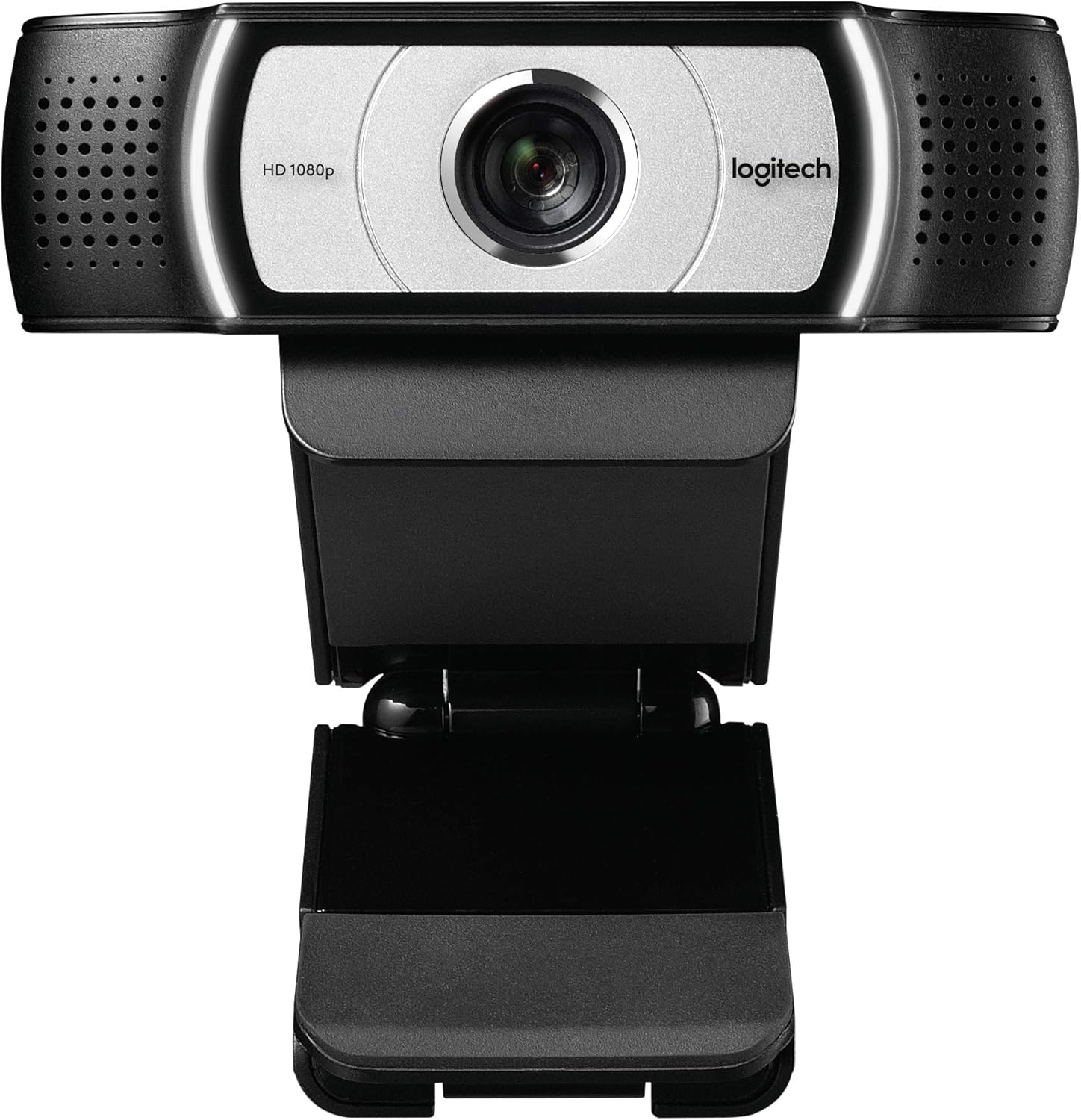
The Logitech C930e is a business-focused 1080p webcam engineered for professionals who demand reliable video conferencing without compromise. This camera is purpose-built for remote workers, distributed teams, and enterprises that rely on video collaboration tools like Skype for Business, Zoom, and BlueJeans. With its professional-grade features and robust build, it delivers the clarity and reliability that matters when your reputation is on the line during client calls or team meetings.
What truly sets the C930e apart is its exceptional 90-degree field of view paired with RightLight 2 technology. The wide lens captures entire whiteboard presentations and team members without panning, while the advanced light correction ensures you look sharp whether you are in a bright corner office or a dimly lit home workspace. The H.264 video compression intelligently reduces bandwidth demands, allowing smooth video even on slower internet connections. Dual omnidirectional microphones positioned on either side capture natural stereo audio, eliminating the need for a separate microphone in most scenarios.
Build quality is solid and professional. The camera features an adjustable universal mounting clip that securely attaches to monitors, laptops, or tripods, and a removable privacy shade provides peace of mind when the camera is not in use. Pan, tilt, and 4x digital zoom give you flexibility to frame shots exactly as needed for product demonstrations or detailed presentations. The USB 2.0 connection is universal and requires no drivers on most systems, making deployment straightforward across mixed environments.
The main consideration is that this ships in brown box packaging without the retail Logitech Webcam Software included in some consumer versions. While optional camera control software is available for advanced pan, tilt, and zoom adjustments, basic functionality works immediately out of the box. The 4x digital zoom is software-based rather than optical, so maximum zoom levels may show slight quality reduction compared to native framing.
The Logitech C930e remains a top choice for organizations and individuals who prioritize video conferencing quality and reliability. Its combination of 1080p resolution, wide field of view, excellent low-light performance, and dual microphones delivers professional results at a reasonable investment. Whether you are setting up a home office, outfitting a conference room, or upgrading your personal video setup, this camera earns its place as a business-class solution that performs consistently across virtually any environment.
Video Quality and Performance: 1080p HD video at 30 frames per second, H.264 and UVC 1.5 video compression, 90-degree field of view with pan, tilt, and 4x digital zoom, RightLight 2 technology with precision lens.
Audio: Two omnidirectional microphones positioned on either side of the camera for natural stereo audio capture.
Connectivity: Hi-speed USB 2.0 certified and USB 3.0 ready, plug-and-play compatibility with no drivers required on most systems.
Compatibility: Certified for Microsoft Lync 2013 and Skype for Business, compatible with Cisco Jabber, BlueJeans, Broadsoft, LifeSize Cloud, Vidyo, Zoom, and most UC and web conferencing applications.
System Requirements: Windows 7, Windows 8, or Windows 10, macOS X 10.7 or higher, Chrome OS Version 29.0.1547.70 and higher, 2GB RAM minimum, USB 2.0 port.
Physical Design: Universal mounting clip fits laptops, LCD, and CRT monitors, threaded base for tripod compatibility, removable privacy shade, compact and lightweight design.
Who Should Buy This Webcam: The C930e is ideal for business professionals, remote workers, small to medium-sized teams, conference room deployments, and anyone who participates in frequent video calls and needs consistent, professional-quality video. It is particularly well-suited for organizations already using Skype for Business or other enterprise conferencing platforms.
When to Choose the C930e: Select this camera if you need a reliable, business-grade webcam with excellent low-light performance, wide field of view for capturing multiple participants or content, and dual microphones for professional audio. It is the right choice when bandwidth efficiency matters or when you need certified compatibility with enterprise collaboration tools.
Key Considerations: Ensure your computer has an available USB 2.0 port (USB 3.0 compatible). If you require optical zoom or need the Logitech Webcam Software pre-installed, you may want to check if the retail version is available. For basic conferencing, the included privacy shade and universal clip cover most mounting needs without additional purchases.
Setup and Installation: The C930e is plug-and-play on Windows and Mac systems. Simply connect the USB cable, and most operating systems recognize it immediately. Optional camera control software can be downloaded from Logitech for advanced pan, tilt, and zoom adjustments if needed. Most conferencing applications auto-detect the camera without manual configuration.
Pros
- Exceptional 1080p video quality that stands out in video conferences and streams
- Dual microphones eliminate the need for separate audio equipment
- Compact, durable design fits any workspace or streaming setup
- Excellent compatibility across all major operating systems and platforms
- Strong customer satisfaction with consistently high ratings
Cons
- Renewed model may show minor cosmetic wear, though fully functional
- Requires USB port and may need extension cable for optimal positioning
- No built-in autofocus adjustment, though image quality remains sharp
The Logitech C920 HD Pro Webcam is a professional-grade solution designed for anyone serious about their video presence, whether for remote work, live streaming, content creation, or online education. This renewed model delivers the same trusted performance as the original at a significantly reduced price, making it accessible to budget-conscious professionals and enthusiasts alike.
The standout feature is undoubtedly the 1080p HD video quality, which captures remarkably clear and vibrant footage that makes you look professional on any platform. Combined with dual built-in microphones, the C920 eliminates the frustration of poor audio quality that plagues cheaper webcams. The widescreen format ensures your video fills modern displays properly, and the performance holds up well even in varied lighting conditions.
Build quality is solid and straightforward, with a simple clip design that mounts securely to monitors or laptops. The device is lightweight and portable, making it perfect for remote workers who need to move between locations. Setup is plug-and-play with no drivers required on most systems, though optional software can unlock additional features.
The main consideration is that this is a renewed product, which may show minor cosmetic signs of previous use, though all functionality is guaranteed. Some users might prefer a webcam with autofocus capabilities, though the fixed focus on the C920 performs admirably for typical desk distances.
For anyone seeking professional webcam quality without the premium price tag, the Logitech C920 renewed model represents excellent value. It's particularly recommended for remote workers, streamers, and content creators who need reliable HD video and audio performance that won't let them down during important calls or broadcasts.
Video Quality: 1080p HD at 30 fps, 16:9 widescreen aspect ratio
Audio: Dual built-in stereo microphones with automatic noise reduction
Connectivity: USB 2.0 plug-and-play, universal compatibility
Field of View: 78-degree diagonal widescreen
Physical Design: Compact clip-mount design, lightweight construction
Compatibility: Windows, Mac, Linux, and major video platforms including Zoom, Skype, and streaming services
Product Condition: Renewed, fully tested and guaranteed to work like new
Remote Workers: If you're in video calls regularly, the C920 ensures you look professional and sound clear every time, boosting your credibility with colleagues and clients.
Content Creators: Streamers, YouTubers, and podcasters benefit from the 1080p quality and dual mics, which provide the production value expected by audiences without requiring multiple pieces of equipment.
Educators: Teachers and instructors who conduct online classes or record educational content will appreciate the sharp video and reliable audio for engaging students effectively.
Budget-Conscious Professionals: The renewed pricing makes enterprise-grade webcam quality accessible to those who don't want to compromise on performance for cost savings.
Webcam Buying Guide: What to Look For
Not every webcam is built for the same purpose. A streamer who needs silky-smooth motion at 60fps has very different requirements from a remote worker who just wants clean 1080p on a Monday morning call. Understanding the key criteria before you buy will save you from costly regrets.
Resolution and Frame Rate
Resolution determines how sharp and detailed your image looks to viewers. Full HD 1080p at 30fps is the reliable baseline for most video calls and is exactly what models like the Logitech C920x HD Pro and the Logitech C920e deliver. If you want richer detail for streaming or content creation, 4K options like the Logitech Brio Ultra 4K and the EMEET S600 offer noticeably superior clarity.
Frame rate matters most for fast-moving content. The EMEET S600 stands out by supporting 1080p at 60fps, which produces noticeably smoother motion during gaming streams or live commerce sessions compared to standard 30fps cameras.
Autofocus and Low-Light Performance
Standard autofocus can hunt and drift, especially in challenging lighting. Phase Detection Autofocus (PDAF), found in both the Acer 4K Webcam and the EMEET S600, locks onto your face faster and holds focus more reliably. This is a meaningful upgrade if you move around frequently during calls or streams.
Low-light capability is equally important if your workspace is not perfectly lit. Look for cameras with HDR support or automatic light correction. The Logitech Brio Ultra 4K uses RightLight 3 with HDR to balance exposure even in backlit environments, while the Acer 4K Webcam leverages its large Sony 1/2″ CMOS sensor to capture more light in dim conditions.
Built-In Microphone Quality
Most webcams include integrated microphones, but quality varies significantly. Dual-microphone setups, like those on the Logitech C920S HD Pro and the Logitech Brio Ultra 4K, capture stereo audio and do a better job of isolating your voice from background noise. For professional environments, the Acer 4K Webcam’s dual high-sensitivity digital mics can pick up clear audio from up to 2.5 meters away.
If you regularly work in noisy environments, prioritize models with active noise reduction built into the hardware or companion software. The EMEET S600 includes a proprietary noise-canceling algorithm that can be toggled through the EMEETLINK app for extra flexibility.
Privacy Features and Build Quality
Physical privacy covers have become a standard expectation, and for good reason. The Logitech C920S HD Pro and the Logitech C920e both include flip-down privacy shutters. The Acer 4K Webcam takes a more elegant approach with a magnetic privacy cover secured by 12 built-in magnets that snap firmly into place.
Build quality also affects long-term reliability. If you travel frequently or move your setup often, a lightweight yet durable design matters. The Acer 4K Webcam’s aerospace-grade aluminum unibody construction is a standout for durability, while the EMEET S600 is engineered for stable rotation and wide-angle tilting that holds its position securely during sessions.
Final Thoughts
The best webcam for you depends entirely on how you use it. For most remote workers and casual streamers, the Logitech C920x HD Pro delivers reliable 1080p performance with solid audio and broad platform compatibility at an approachable level. If you are a content creator or streamer who demands the sharpest possible image with advanced autofocus, the EMEET S600 4K Webcam offers an impressive combination of 4K clarity, 60fps at 1080p, and PDAF technology that punches well above its class. Either way, upgrading from a built-in laptop camera to a dedicated webcam is one of the most impactful improvements you can make to your on-screen presence.
Frequently Asked Questions
What is the best webcam for video conferencing in 2026?
For video conferencing, a 1080p webcam with reliable autofocus and decent built-in microphones covers most professional needs. The Logitech C920e is a popular choice for business deployments because it is certified for Zoom and Microsoft Teams and includes an attachable privacy shutter. If your meetings demand sharper detail or you frequently present visual materials, stepping up to a 4K model like the Logitech Brio Ultra 4K is well worth considering.
Is a 4K webcam worth it for streaming?
A 4K webcam is worth it if your streaming platform supports 4K output and your internet connection can handle the bandwidth. Even if you stream at 1080p, a 4K sensor captures more visual data, which allows the camera to produce a noticeably cleaner and more detailed downscaled image. Models like the EMEET S600 and the Acer 4K Webcam both use large Sony sensors that deliver this advantage effectively.
Do webcams work with Mac and Chromebook, not just Windows?
Yes, the vast majority of modern webcams are plug-and-play across Windows, macOS, and ChromeOS without requiring any additional drivers. Most models reviewed here, including the Logitech Brio Ultra 4K and the Acer 4K Webcam, explicitly support all three operating systems. Always confirm compatibility in the product specifications if you use a less common operating system or a specific video conferencing platform.
What field of view should I look for in a webcam?
Field of view (FOV) determines how much of your environment the camera captures. A 65-degree FOV is ideal for tight, focused headshots during one-on-one calls. Wider angles of 78 to 90 degrees work better for showing a whiteboard, a co-presenter, or a broader workspace. Some cameras, like the Logitech Brio Ultra 4K and the Logitech C930e, let you switch between multiple FOV presets so you can adapt to different scenarios without buying a second camera.